Right, the Dell has McAfee Security Center in the Menu but it requires an internet connection to activate.
The Firewall is run by McAfee, which.. requires an internet connection to activate. So the whole thing is a bit useless atm.
According to the Overview:
The Windows Firewall is on.
Inbound connections that do not match a rule are blocked.
Outbound connections that do not match a rule are allowed
What Ken said is true. But even mixing Macs and PC in a "Workgroup" I think you would still need some software help to share anything. All we want to do for now is share the Internet Access through the router.
BTW, an electrical storm may take out my electricity any moment now, so please don't be offended if I am forced off-line suddenly ...

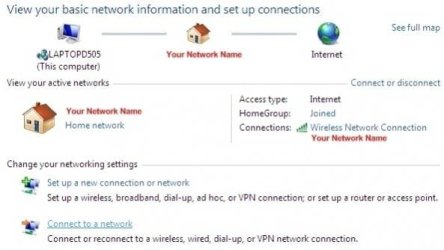
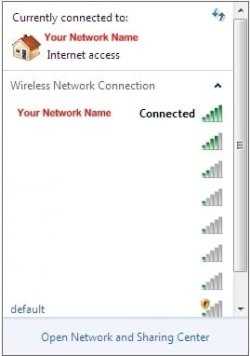
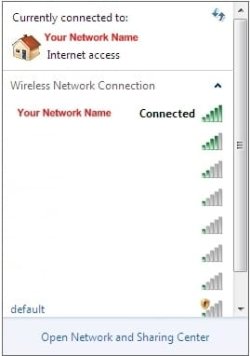
Here is where we are now: The Dell can "see" the NETGEAR SSID, we have the correct WPA2-PSK password, but "Windows" will not allow the connection.
I can't guess how many times the cause has been the AV software. Do you think the Dell owner would be willing to try "Microsofts Security Essentials" Anti-Virus? It works with Windows 7 so much better than most of the other AV apps ...
You can try two different things to isolate the cause further. First I suggest (temporarily) shutting down the current AV completely (uninstall it if you are willing to try "MSE" as a replacement) and see if Windows will allow the connection.
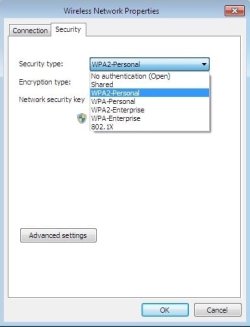
Second, as Ken suggested, go back to the Mac, to the Netgear Utility and (temporarily) set the WPA2-PSK to "NONE", or no security and see if the Dell can connect.
A third option is the "Add a Client" wizard in the Netgear Utility. You click on the link in the wizard and you have two minutes to connect the Dell. Since we have already gone through the steps to connect with the Dell, that should be easy to do now.
Please let us know?