Windows 7 DVD playback problem

lopploio

New member
Member
Local time
5:01 PM
Messages
70
Hi, I have a Dell Inspiron 1525 and whenever I try to watch a DVD my whole DVD drive locks up and I have to do a cold reboot to get it back. I've tested this with Windows Media Player, Windows Media Center, and VLC media player. It also appears when this is happening when I load task manager a memory leak is occurring in the offending application and Explorer.exe. If I try to end those processes the whole system locks up as well while this is happening. The same thing happens if I try to access the DVD drive from device manager. I've tried updating the Firmware on the drive to the latest version with no luck. This problem does not occur on Windows Vista or Windows XP. Also when playing the DVD on a freshly installed windows 7 with nothing else on Explorer displays an out of virtual memory error. I have 3 GB of Ram. Any help would be appreciated.
 

My Computer My Computer

OS
Windows 7 Home Premium 64 bit
Additional Information for the problem with DVD playback

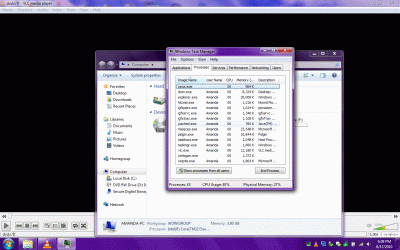
It seems that VLC in this case is not terminating correctly after closing it after the DVD crash. Attached is a picture of my Task Manager. Any help in solving this issue would be greatly appreciated.

Thanks
 

Attachments

  • Tasks.gif
    Tasks.gif
    204.5 KB · Views: 9

My Computer My Computer

OS
Windows 7 Home Premium 64 bit
Welcome to Seven Forums topazkitty. If this is indeed a VLC issue, right click on the VLC process and click on End Process Tree. Uninstall VLC with Revo Uninstaller. See if problem still occurs. If not, and you still want VLC, download and clean install again. See if problem is gone. A Guy
 

My Computer My Computer

Computer type
PC/Desktop
OS
Windows 10 Home x64
CPU
INTEL Core i5-750 Quad-Core 3.37GHz
Motherboard
ASUS P7P55D
Memory
HyperX Fury Black Series 8GB (2 x 4GB) 1866Mhz
Graphics Card(s)
EVGA GeForce GTX 750 Superclocked 1GB 128-Bit GDDR5
Monitor(s) Displays
LG 32MA68HY 32" IPS
Screen Resolution
1920 x 1080
Hard Drives
Samsung 840 Evo 120GB, SEAGATE 500GB Barracuda® 7200.12, SATA 3 Gb/s, 7200 RPM, 16MB cache
PSU
ANTEC TruePower New TP-550, 80 PLUS, 550W
Case
ANTEC Three Hundred Illusion
Cooling
COOLER MASTER Hyper 212 Plus, 4 x 120mm 1 x 140mm Noctua's
Internet Speed
85 + Mbps
Antivirus
Avast
Browser
Vivaldi
Welcome to Seven Forums topazkitty. If this is indeed a VLC issue, right click on the VLC process and click on End Process Tree. Uninstall VLC with Revo Uninstaller. See if problem still occurs. If not, and you still want VLC, download and clean install again. See if problem is gone. A Guy

Hi, Thanks for the suggestion but actually I don't think VLC is the issue here because I have tried reinstalling with a clean install of windows 7. Also the same problem occurs in Windows Media Player 12 and Windows Media Center. When it happens in all of the programs my DVD drive doesn't spin up and explorer crashes.
 

My Computer My Computer

OS
Windows 7 Home Premium 64 bit
Back
Top