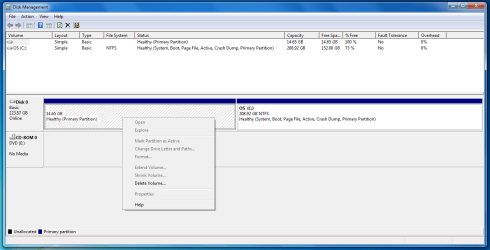
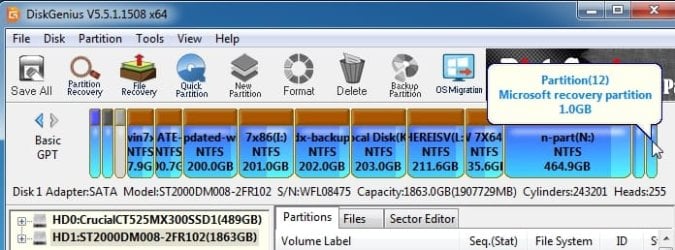
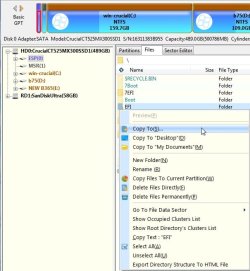
Now, whether to delete it or not is the question. [...] But then I don't know that it's worth the hassle, and the risk of loosing all the time I already spent on setting it up.
Then you'll want to backup that new OS partition ASAP. With a backup image, you can easily restore a partition in a matter of minutes if you mess things up, and won't have to start over from scratch.
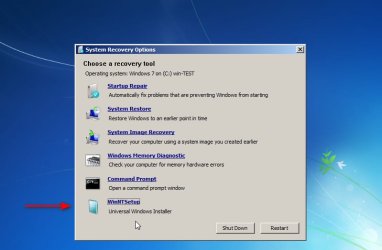
Get an external USB drive to hold the backup image, and choose a backup imaging program. (I like the paid Terabyte Image or the free Macrium Reflect older versions, but there are others such as Aomei BackUpper, Easus ToDo, Acronis TrueImage, and more, that should do just as well, and all have their proponents in this forum.) Make a backup image now, and another later, after you've done more tinkering on the OS. To restore, you'll need to be able to boot from "rescue media" (a bootable CD or USB flash drive), so make sure you make that media for your choice of program, and test it to make sure you know how to boot from it. Don't wait until you need it to find out whether you know how to use it.
If there's any risk [to deleting the restore partition], then I think it probably won't be worth the hassle.
Also if it has any impact on performance or stability, then I'd much rather leave that partition alone as it is.
There will be no impact on performance or stability. As designed, the factory restore partition is just dormant space, having no impact until/unless it's awakened and called into play.
As for risk ... well, there's always some risk, but it's generally very safe. In this case the risk would be a tad higher than normal because you're also sliding the OS partition over to the left to recoup the (soon-to-be unallocated) 15GB space. You can't simply tack that space onto the end of the OS partition because it's on the wrong side. So, you have to slide the entire OS partition, byte by byte, until the unallocated space is on the right, then you can extend the back end of the OS partition to encompass that space. Note this byte-by-byte slide can take a significant amount of time.
And I'm more interested in dual booting also. So if it's as you say would be a good thing then. I could even buy a second SSD since I have two slots on my laptop. Only if it makes things better in some way. As far as the Windows install and dual booting, does it make a difference if the other partition with Linux is on the same physical disk or a separate physical disk?
No difference in performance, but two disks would be easier to setup.
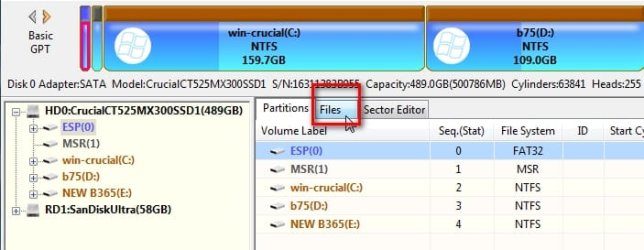
To use a single disk, you would need to repartition the Windows disk to not only delete the restore partition but add three partitions for linux (grub, the OS, and swap). It would be much easier to put those on a separate disk and leave the Windows disk as is.
Further details, I think, are better left for a linux forum.
If dual booting was to be a problem, I was even considering buying the second SSD, but instead of dual booting, just swapping the physical disks in and out each time I was to use the different OSes. But that would be more annoying of course.
No need for that. That second disk is still going to need grub, even if it's only booting a single OS (linux). I believe it's relatively easy to merely add a second entry to grub and point it at the alternate physical disk without the need for physical swapping.
So your immediate objective should be to set up and familiarize yourself with a backup imaging regimen. For your purposes, choose imaging, not cloning. (I have an in-depth discussion in
my video, if it's of any help to you.)
In due time, when you're ready to try linux, buy yourself a second SSD and start asking questions in a linux forum. After all, you'll undoubtedly want advice on which linux distro to try, as well, and a linux forum would be best suited for that.