Hello Experts!
My 1 TB external WD HDD has suddenly turned RAW. It has lots of precious data - pictures, movies and documents. Movies are not so important, but I do want my pictures & documents back..
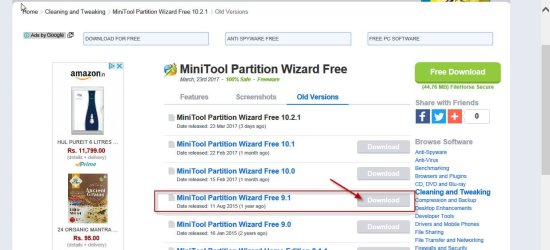
I tried EaseUS, it takes so long and recover option does not start after clicking. Ran Chkdsk few days back, it showed some bad blocks. I have downloaded TestDisk and Mini Partition Tool also, but don't know how to proceed.
I also have an empty 1 TB new HDD, if there is a way to copy RAW HDD into this & restore data? The new HDD is also WD and it comes in NTFS format. Now I tried using Mini Tool Partition to Copy partition, however it asks for 'Unallocated' target drive Stuck...! Also, even if copy was done into new HDD (which should be RAW??), how would I recover data from there?
Please help me recover photos and documents. If I get movies also, I will be on 7th heaven
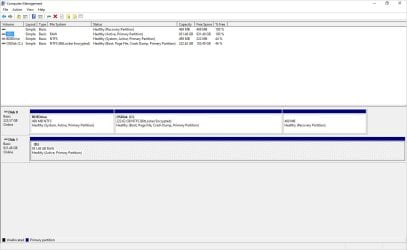
Here are few screen-shots I took, might be helpful. Please let me know if any more details are needed.
My 1 TB external WD HDD has suddenly turned RAW. It has lots of precious data - pictures, movies and documents. Movies are not so important, but I do want my pictures & documents back..
I tried EaseUS, it takes so long and recover option does not start after clicking. Ran Chkdsk few days back, it showed some bad blocks. I have downloaded TestDisk and Mini Partition Tool also, but don't know how to proceed.
I also have an empty 1 TB new HDD, if there is a way to copy RAW HDD into this & restore data? The new HDD is also WD and it comes in NTFS format. Now I tried using Mini Tool Partition to Copy partition, however it asks for 'Unallocated' target drive
Stuck...! Also, even if copy was done into new HDD (which should be RAW??), how would I recover data from there?Please help me recover photos and documents. If I get movies also, I will be on 7th heaven
Here are few screen-shots I took, might be helpful. Please let me know if any more details are needed.
Attachments

My Computer
- Computer type
- Laptop
- Computer Manufacturer/Model Number
- Lenovo
- OS
- windows 10
- Hard Drives
- WD My Passport