Before you run the Diagnostics, a) try to input your password and access the drive.( uncheck Remember the Password also) b) Try removing the security in the software and try to access the drive without the need for a password. I think the software settings allow it. c) Ask your friend whether he had changed the Password d) ask your friend whether he had accidentally dropped the drive.
I do not have a Western Digital external drive. I do not know anything about Smartware as already stated in the beginning.
I just had a cursory glance an hour or so ago. When your friend accessed it on his user account, it would have asked for the password. After that when you plugged it in into your user account, it should have asked for the Password. Did that happen?
Please remember, if you have forgotten the password, or the password has been changed there is no way to access the drive except erasing the drive with the software and starting afresh.
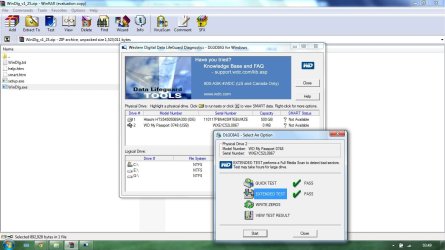
The software also enables you to run the diagnostics and you should do it first.(with your cable and with your friend's cable) . You should be knowing better about the software. So try everything possible with the software. Only a person who has been using that software can give you better instructions. Since Sygnus21 had said he had dealt with WD drives, let us see whether he can throw more light on it.
Now to run Datalifeguard,
1. Run Datalifeguard Diagnostic for DOS: Use your own cable
With Rufus
Rufus - Create bootable USB drives the easy way , create a bootable MSDOS pen drive.
Backup all data on your pen drive beforehand for it will be lost when Rufus formats the pen drive. Plug in your pen drive and run Rufus. Leave most of the things to default. Check your correct pen drive is shown. Select MSDOS in the drop down arrow in "Create a bootable disk using" and then click on Start.
Check the Support page for your WD model and download Data Liifeguard Diagnostic for DOS
If none, then Download dlgdiag_5_21.zip
WD Support / Downloads / SATA & SAS / WD VelociRaptor and extract the contents to the bootable msdos pen drive you had created.
Plug in your WD external drive, Boot from the pen drive and against the command prompt type dlgdiag5.exe and press enter to run it.
Check that your drive is shown with the correct capacity and do the short and long test.
2. Repeat the same with the cable borrowed from your friend who has the same drive.
3. Repeat Data LifeGuard for Windows with your friend's cable.
Keep us posted on what you do and the results.. May be other people can help even if I can't any further than this.