
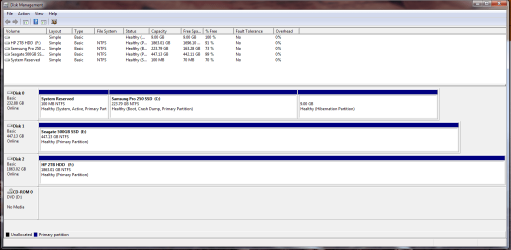
i promise you i did delete down to unallocated, it all greyed out and said unallocated in PW!
that most recent PW link posted doesn't go to the same place as the first one!
anyway, disk management doesn't let me set the drives as inactive so I'll have a go at that tutorial you've linked unless i should try something else first?
that most recent PW link posted doesn't go to the same place as the first one!
anyway, disk management doesn't let me set the drives as inactive so I'll have a go at that tutorial you've linked unless i should try something else first?
My Computer
At a glance
Windows 7 Professional 64-bitIntel i7 4770Corsair Vengence 16GB DDR3MSI GTX 970
- Computer type
- PC/Desktop
- Computer Manufacturer/Model Number
- Custom
- OS
- Windows 7 Professional 64-bit
- CPU
- Intel i7 4770
- Motherboard
- MSI z97 Gaming 5
- Memory
- Corsair Vengence 16GB DDR3
- Graphics Card(s)
- MSI GTX 970
- Hard Drives
- Samsung 250GB SSD
Seagate 500GB SSD
HP 2TB HDD

 (d)
(d)


