3TB external suddenly becomes 746GB unallocated

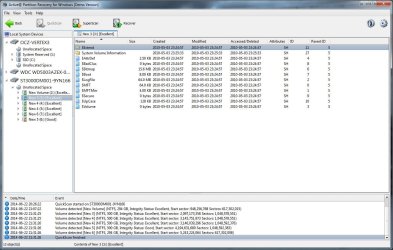
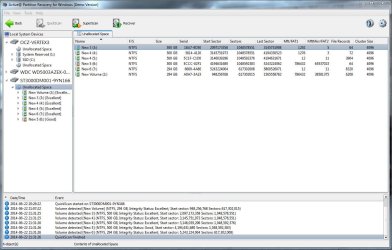
Quick scan result
ActivePartitionCapt1.JPG

'New Volume' show data, but 'New 3' shows this
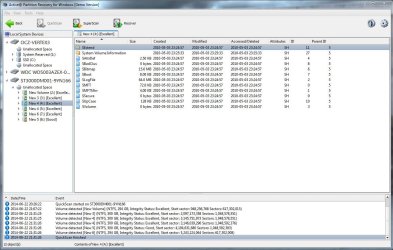
ActivePartitionCapt3.JPG

'New 4'
ActivePartitionCapt4.JPG

'New 5'
ActivePartitionCapt7.JPG
 

My Computer My Computer

At a glance

Win 7 x64 and Vista x64Intel T58004GB
Computer type
Laptop
Computer Manufacturer/Model Number
HP dv5-1138nr
OS
Win 7 x64 and Vista x64
CPU
Intel T5800
Memory
4GB
Yes, only "New Volume" seems to be a valid partition. All others are "fake" partitions. Let's hop "Super Scan" will came with good result.
 

My Computer My Computer

At a glance

Windows 7 Ultimate x64
Computer type
PC/Desktop
OS
Windows 7 Ultimate x64
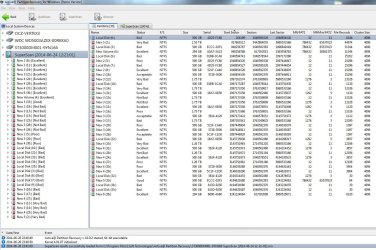
Capture01.JPG

Key partition/files aren't showing up yet.
 

My Computer My Computer

At a glance

Win 7 x64 and Vista x64Intel T58004GB
Computer type
Laptop
Computer Manufacturer/Model Number
HP dv5-1138nr
OS
Win 7 x64 and Vista x64
CPU
Intel T5800
Memory
4GB
Chance for a successful partition recovery seems to be very low at this point. As a last resort before attempting file signature based recovery, please follow the below steps.

1. Download DMDE from Download DMDE Free Edition - DMDE (DM Disk Editor and Data Recovery Software)

2. After accepting the licence, a disk selection window will appear. On the left pane, make sure Physical Devices is selected and then on the right pane choose your slave disk (model name will be showed ). Then press OK.

x4qi4y.png


3. Now DMDE will scan for the presence of boot sectors or backup boot sectors and will present a partition info box like the one in the below example.

34phqg7.png


Usually it will complete quickly (a few minutes or less than minute ). When it completes, use Windows ssnipping tool to capture a clear screenshot of the Window and post it with next reply. Then proceed to the next step which will take time to complete.

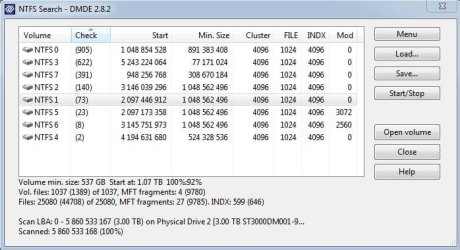
4. Press the NTFS search button. On the next window, choose "Search".

2j6wkp.png


While all other tools searched for lost partitions, this unique feature will search for valid MFT records ( MFT is the structure defining NTFS ) and list found ones.

2j6wkp.png


This will take some time to complete. You will see progress in percentage at the bottom.

5. When the scan completes, press "Save" button and save the log file on a local folder. This will eliminate the need for searching a second time.

jq6nf7.png


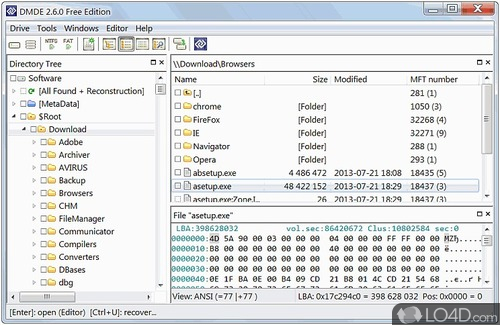
6. After saving the log, choose the first found file system and press "Open Volume" button. You will see folder structure like in the below picture. Open "Root" folder and check whether your files are listed.

dmde-3.jpg


7. If it is not the partition you are looking for, press the NTFS button on the toolbar and you will be back to the search result window. From there choose second file system and look for your files.

2uelhtw.png
 

My Computer My Computer

At a glance

Windows 7 Ultimate x64
Computer type
PC/Desktop
OS
Windows 7 Ultimate x64
Followed the steps, finding the same files/partitions that previous programs found. Still not seeing the key stuff I'm looking for.

DMDE result.JPG

NTFS 5 and 6 show a single folder [System Volume Information]. NTFS 4 shows nothing in the root.
 

My Computer My Computer

At a glance

Win 7 x64 and Vista x64Intel T58004GB
Computer type
Laptop
Computer Manufacturer/Model Number
HP dv5-1138nr
OS
Win 7 x64 and Vista x64
CPU
Intel T5800
Memory
4GB
In my experience if DMDE can't find a lost file system, no other regular data recovery program will. Whatever caused the corruption, it seems to did it in a very destructive way. A file carving program like "Photorec" might be able to extract individual files but without original name or folder structure.

How important the data stored on the key partition ?.
 

My Computer My Computer

At a glance

Windows 7 Ultimate x64
Computer type
PC/Desktop
OS
Windows 7 Ultimate x64
Data is important. A decent amount is irreplaceable, but the most important files can be 're-done'. I'd do a Photorec 'blind recovery' and sift through the madness to get it all back.

You're implying I look into professional data recovery services?
 

My Computer My Computer

At a glance

Win 7 x64 and Vista x64Intel T58004GB
Computer type
Laptop
Computer Manufacturer/Model Number
HP dv5-1138nr
OS
Win 7 x64 and Vista x64
CPU
Intel T5800
Memory
4GB
If the data is really important, i will definitely recommend professional data recovery. "Photorec" is powerful but using it is not straight forward.

- It won't recover original file names.

- It won't allow selective recovery of only needed files.

Basically you need to select a source disk and a target location to save the recovered files. "Photorec" will scan the source sector by sector for file types it supports and save them to the target folder.

Step by step guide : PhotoRec Step By Step - CGSecurity

You need another empty disk with enough capacity to save found files.
 

My Computer My Computer

At a glance

Windows 7 Ultimate x64
Computer type
PC/Desktop
OS
Windows 7 Ultimate x64
Back
Top