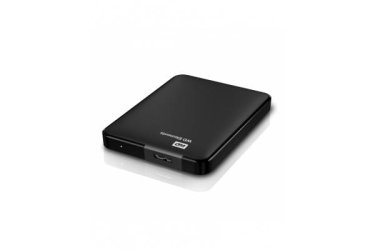
500GB External HDD Not working

quicqsolution

New member
Member
Local time
11:44 AM
Messages
67
Hi, Everyone

I have 500GB External HDD which is not working . It is being shown in Device manager but doesn't work.
I changed the cable of Hard disk. I checked it on several computers/laptop but doesn't work.
 

Attachments

  • WD_Elements_500GB_USB_3.0_Portable_Hard_Drive_-_Black_2.jpg
    WD_Elements_500GB_USB_3.0_Portable_Hard_Drive_-_Black_2.jpg
    5.3 KB · Views: 34

My Computer

Computer Manufacturer/Model Number
(1) Intel(R) Xeon(TM) CPU 3.60GHz (2) Intel(R) Xeon(TM) CPU 3.60GHz
OS
Microsoft Windows 7 Ultimate 64-bit SP1
CPU
Dell Precision 670
Motherboard
Dell Inc.0Y9655
Memory
4GB
Graphics Card(s)
INVIDIA GeForce GTX 560 TI Twin Frozr II/OC 1GB
Sound Card
Creative 7.1
Monitor(s) Displays
Dell Led ST2320L HD
Screen Resolution
1920X1080
Hard Drives
1TB
PSU
650W
Keyboard
Dell SK-8115 Slim
Mouse
A4TECH
Internet Speed
10MB
Other Info
Phoenix ROM BIOS PLUS Version 1.10 A05
I have the exact same Problem!!!!!
 

My Computer

Computer type
PC/Desktop
OS
Home Premium 7 64x
Screen Resolution
1280 x 720p
Hard Drives
3TB and a 250GB
Browser
Chrome
Please define "doesn't work".

Does it spin? Does Disk Manager say that it's unallocated? Or does it need to be initialized? Do you have data on it? Has it been dropped?
 

My Computer

Computer type
PC/Desktop
Computer Manufacturer/Model Number
Mellon Labs (custom build)
OS
Win 7 Pro x64/Win 10 Pro x64 dual boot
CPU
AMD FX 8350 Vishera @ 4200
Motherboard
ASUS M5A97 R2.0
Memory
16 GB Mushkin Blackline DDR3-2400 @ 1866 (9-10-10-10-31)
Graphics Card(s)
XFX Radeon R9 280 Double D Black Edition
Sound Card
Realtek HD Audio on MB. Sounds great.
Monitor(s) Displays
Acer 24", Acer 22"
Screen Resolution
3840 x 1080
Hard Drives
1 x Mushkin Chronos 120 GB SSD (Win 10)
1 x Samsung 850 EVO 250 GB SSD (Win 7)
1 x WD 1TB SATA Blue
1 x WD 1TB SATA Green
PSU
Corsair TX-750
Case
CoolerMaster HAF 912+
Cooling
Coolermaster Seidon 240M Liquid AIO. 6 case fans
Keyboard
Logitech G710+
Mouse
Logitech G500s
Internet Speed
Much better since I got fiber, but still way overpriced.
Antivirus
MSE, Malware Bytes for scanning
Browser
Firefox
Other Info
Corsair VOID USB headphones.

A Mellon Labs X-1 - LCD Smartie driven system status display.

Brought to you by the letter E
Please define "doesn't work".

Does it spin? Does Disk Manager say that it's unallocated? Or does it need to be initialized? Do you have data on it? Has it been dropped?
Yes , It spins.
It shows in Device manager not in Disk manager.

only name "Disk Drive" in Device Manager.
 

My Computer

Computer Manufacturer/Model Number
(1) Intel(R) Xeon(TM) CPU 3.60GHz (2) Intel(R) Xeon(TM) CPU 3.60GHz
OS
Microsoft Windows 7 Ultimate 64-bit SP1
CPU
Dell Precision 670
Motherboard
Dell Inc.0Y9655
Memory
4GB
Graphics Card(s)
INVIDIA GeForce GTX 560 TI Twin Frozr II/OC 1GB
Sound Card
Creative 7.1
Monitor(s) Displays
Dell Led ST2320L HD
Screen Resolution
1920X1080
Hard Drives
1TB
PSU
650W
Keyboard
Dell SK-8115 Slim
Mouse
A4TECH
Internet Speed
10MB
Other Info
Phoenix ROM BIOS PLUS Version 1.10 A05
Hook it up, power it on, open disk management, make a snip of the entire page and post it for us.
 

My Computer

Computer type
PC/Desktop
Computer Manufacturer/Model Number
Skylake Special #666
OS
Windows 10 Pro x64
CPU
Intel Core i7 6700K
Motherboard
Asus Sabertooth Z170 Mark 1
Memory
GSkill TridentZ RGB 16GB 3600 16-16-16-36
Graphics Card(s)
EVGA GTX 980 Ti SC x2
Sound Card
Realtek High Definition
Monitor(s) Displays
AOC G2460PG
Screen Resolution
1920 x 1080 144Hz
Hard Drives
Samsung 860 Pro 256GB, Seagate Barracuda 4TB x2
PSU
EVGA 1000 P2, EVGA White Custom Braided Cables
Case
Corsair Vengeance C70 Gunmetal Black
Cooling
Corsair H100i v2, Corsair ML120 x2, Thermal Grizzly Kryonaut
Keyboard
Logitech G910 Orion Spectrum
Mouse
Logitech G700s
Internet Speed
Verizon Fios Quantum Gateway 75/75
Antivirus
Windows Defender, Malwarebytes Free 3.8.3
Browser
Chrome
Other Info
Corsair SP120 x4, LG Blu-ray Drive, Durabrand HT-395 100 Watt Dolby Digital Amp, Corsair H2100 Wireless 7.1 Headset
Hmm, not exactly similar to the issue I had last week but you might try. In device manager try updating the driver and let windows update do it. To be honest I am not very confident this would solve it but it is something you can try while waiting for more experienced response.

Good luck.
 

My Computer

Computer type
PC/Desktop
Computer Manufacturer/Model Number
Custom Build
OS
Windows 7 Ultimate x64 SP1
CPU
AMD Phenom 2 1090T
Motherboard
Gigabyte GA-890FXA-UD5
Memory
2x8GB Kingston HyperX Fury Black 1600Mhz Unganged
Graphics Card(s)
MSI GTX 970 Gaming 4G
Sound Card
Realtek On-Board HD 7.1 Audio / Logitech G35
Monitor(s) Displays
3xAcer GD245HQ
Screen Resolution
1920x1080
Hard Drives
Samsung 850 Pro 512GB SSD - OS /
WD Caviar Black SATA 3 - 1 TBx2 - Dynamic RAID 0 /
WD Caviar Green SATA 2 - 640GBx2 - Dynamic RAID 0 /
WD Caviar Green SATA 2 - 640GB - Internal Backup /
Seagate Barracude SATA 3 - 3TB - External Backup/ Sync
PSU
HighPower 1000W
Case
Cooler Master HAF 932
Cooling
Noctua NH-D14
Keyboard
Logitech G19
Mouse
Logitech G500
Internet Speed
100/4 Mbit Cable (100GB quota)
Antivirus
ZoneAlarm Extreme Security / MBAM Pro / MBAE Free / SAS Free
Browser
IE 11 - Firefox - Chrome
Other Info
Logitech F710/ G27/ G940/ Z5500 // TrackIR 5 // Nvidia 3D Surround Vision

My Computer

Computer type
PC/Desktop
Computer Manufacturer/Model Number
Home made Desktop
OS
Windows 10 Pro. 64/ version 1709 Windows 7 Pro/64
CPU
Intel i7-6800K @ 4.3
Motherboard
ASUS X-99 Deluxe II
Memory
Corsair Platinum 16 gig @2400
Graphics Card(s)
EVGA GTX 1070 OC
Monitor(s) Displays
Asus 27" LED LCD/VE278Q
Screen Resolution
1920-1080 or 1280-720 HDMI
Hard Drives
INTEL SSD 730-240 Gb Sata 3.0/
PSU
EVGA Platium 1200W
Case
Phanteks Luxe Tempered Glass 8 fans/ one radiator
Cooling
XSPC/ Water Cooled CPU
Keyboard
Das 4 Professional
Mouse
Logitech M705/MX Anywhere 2-S
Internet Speed
100 mbits
Antivirus
Microsoft Security Essentials/ Malwarebytes Premium 3.0/ SAS
Browser
I.E. 11 default/Firefox/ ISP Time Warner Cable/Spectrum
Other Info
LG BluRay Burner/
Sound system-KLipsch-THX/
Icy Dock ssd Hot Swap bays.

My Computer

Computer Manufacturer/Model Number
(1) Intel(R) Xeon(TM) CPU 3.60GHz (2) Intel(R) Xeon(TM) CPU 3.60GHz
OS
Microsoft Windows 7 Ultimate 64-bit SP1
CPU
Dell Precision 670
Motherboard
Dell Inc.0Y9655
Memory
4GB
Graphics Card(s)
INVIDIA GeForce GTX 560 TI Twin Frozr II/OC 1GB
Sound Card
Creative 7.1
Monitor(s) Displays
Dell Led ST2320L HD
Screen Resolution
1920X1080
Hard Drives
1TB
PSU
650W
Keyboard
Dell SK-8115 Slim
Mouse
A4TECH
Internet Speed
10MB
Other Info
Phoenix ROM BIOS PLUS Version 1.10 A05
Hello quicqsolution!

You need to be more detailed in order for us to troubleshoot and possibly find a solution for your problem. :)

- Does your drive have some sort of yellow exclamation mark next to its name in Device Manager?
- Is the drive seen in BIOS? Is it the correct capacity?
- Is it overall not present in Disk Management or is it shown as something not accessible like Unallocated or may be RAW format? Please post a screenshot! Use the link that Layback Bear has provided for you in Post #7.
- Change the cable, try again!
- What were you doing when the drive stopped appearing, what processes were made on it?
- Make and model of the drive?

Post back with full answers to these questions. :)

CK_WD
 

My Computer

Computer type
PC/Desktop
OS
Windows 7 Home Premium x64
Post a screenshot of Device Management with what you think is the HDD expanded. Then right click it - properties - details - select Hardware Ids and right click the box below and copy. Paste here please.

Also try that HDD on another PC so we can know what to concentrate on. Perhaps a filter driver issue.
 

My Computer

Computer type
PC/Desktop
Computer Manufacturer/Model Number
Custom Build
OS
Windows 7 Ultimate x64 SP1
CPU
AMD Phenom 2 1090T
Motherboard
Gigabyte GA-890FXA-UD5
Memory
2x8GB Kingston HyperX Fury Black 1600Mhz Unganged
Graphics Card(s)
MSI GTX 970 Gaming 4G
Sound Card
Realtek On-Board HD 7.1 Audio / Logitech G35
Monitor(s) Displays
3xAcer GD245HQ
Screen Resolution
1920x1080
Hard Drives
Samsung 850 Pro 512GB SSD - OS /
WD Caviar Black SATA 3 - 1 TBx2 - Dynamic RAID 0 /
WD Caviar Green SATA 2 - 640GBx2 - Dynamic RAID 0 /
WD Caviar Green SATA 2 - 640GB - Internal Backup /
Seagate Barracude SATA 3 - 3TB - External Backup/ Sync
PSU
HighPower 1000W
Case
Cooler Master HAF 932
Cooling
Noctua NH-D14
Keyboard
Logitech G19
Mouse
Logitech G500
Internet Speed
100/4 Mbit Cable (100GB quota)
Antivirus
ZoneAlarm Extreme Security / MBAM Pro / MBAE Free / SAS Free
Browser
IE 11 - Firefox - Chrome
Other Info
Logitech F710/ G27/ G940/ Z5500 // TrackIR 5 // Nvidia 3D Surround Vision
Back
Top