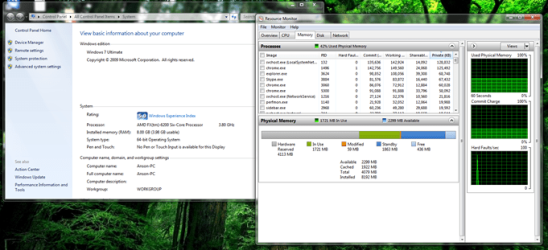
If the bios shows 8gb then skip to the next step,if not then it could be a issue with the motherboard not reading it or one of the sticks has gone bad and can not be read.
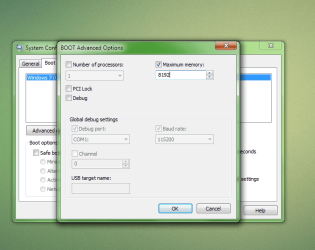
Anyways have you tried checking in msconfig? Hold the windows key then press R and type msconfig and press enter or click ok. If uac shows up then press yes and enter. Go to the boot tab then click on advanced options. At advanced options check to see if you have a check next to maximum memory and if so how much does it say. If it does have a check next to memory with a lower number then 8192 then uncheck it and reboot because it is set to show less memory to the operating system.
Check to see if it shows 8gbs now, if it does not try checking next to maximum memory and clicking the up arrow next to the amount until it reaches the maximum that you can put it up being 8192 for a 8gb ram system. Should look like in my screen shot and once done click ok and reboot and check if windows sees your memory now.
If you still have issues or this resolved the issue please let us know.
-Miguel