- Local time
- 2:37 PM
- Messages
- 121
Hi, I was following a tutorial regarding windows 7 chkdisk. In the tutorial they said you could do it 3 ways, just scan for errors, or by checking some options, try and repair .I followed the scan only instructions
5. To Only Scan the Drive for Errors
NOTE: This will just give you a report if there are any drive errors or not, and will not attempt to fix them.A) Leave both boxes unchecked and click on the Start button. (See screenshot below step 4)
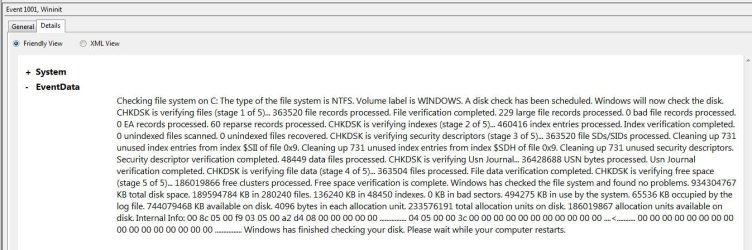
So for each of the discs, I did the chkdisc scan, and it whipped thru all of them really fast, I'm talking about in less than a minute. On the one disk, I probably have 1 TB worth of data on of my internal drives, and a 1/2 TB worth of stuff on the c: drive All drives came back with no errors.
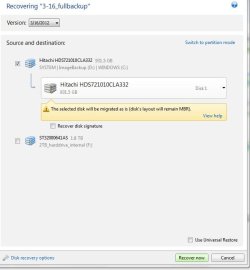
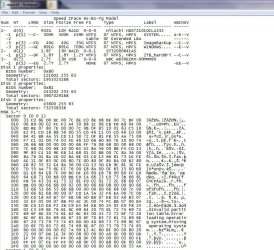
But this Acronis backup program support person had me run some utility of theirs to check for errors and they said based on the report I should run chkdisc on each of the discs. So that's what made me do it.
My questions are these....
1) should I trust that this superquick scan it did truly indicates that I don't have any problems on my discs?
2) Does Chkdisk have the capability of checking EXTERNAL drives?
5. To Only Scan the Drive for Errors
NOTE: This will just give you a report if there are any drive errors or not, and will not attempt to fix them.A) Leave both boxes unchecked and click on the Start button. (See screenshot below step 4)
So for each of the discs, I did the chkdisc scan, and it whipped thru all of them really fast, I'm talking about in less than a minute. On the one disk, I probably have 1 TB worth of data on of my internal drives, and a 1/2 TB worth of stuff on the c: drive All drives came back with no errors.
But this Acronis backup program support person had me run some utility of theirs to check for errors and they said based on the report I should run chkdisc on each of the discs. So that's what made me do it.
My questions are these....
1) should I trust that this superquick scan it did truly indicates that I don't have any problems on my discs?
2) Does Chkdisk have the capability of checking EXTERNAL drives?
Last edited:
My Computer
At a glance
Windows 7 home premium 64 bit sp1Intel Core I7-2600 3.4 Ghz 1155 8M 95W CPU16 gb DD3 1333MHZNvidea Gforce GTX 550Ti
- Computer type
- PC/Desktop
- Computer Manufacturer/Model Number
- SYX SG-103
- OS
- Windows 7 home premium 64 bit sp1
- CPU
- Intel Core I7-2600 3.4 Ghz 1155 8M 95W CPU
- Motherboard
- MSI P67A-C43 (B3) ATX
- Memory
- 16 gb DD3 1333MHZ
- Graphics Card(s)
- Nvidea Gforce GTX 550Ti
- Sound Card
- Realtek ALC892 integrated
- Monitor(s) Displays
- acer 23"
- Screen Resolution
- 1920 x 1080
- Hard Drives
- Hitachi 1 TB 3.5" SATA 3G 7200rpm
Seagate ST32000641AS baracuda XT , 2 TB 3.5" 7200 rpm
Western digital My Book 1 tb USB2 external
Western digital My Book 3 tb USB3 external
- PSU
- 500 Watt 80 plus
- Case
- Cooler Master Elite 310 RC-310-BWN1-GP
- Keyboard
- Logitech MK 200 Keybard
- Mouse
- Logitech MK200 mouse
- Other Info
- 24x DVDRW Dual Layer SATA optical drive

 I understand the part about their utility scanner showing errors in the report. What were the specific errors which prompted them to recommend you run check disc? If you do not know, call them back and run their scanner, again. Write down what errors are in the report. We need more information to properly diagnose your issue. Otherwise, it's a guessing game. If the CHKDSK completed quickly, there is no problem detected. My CHKDSK does exactly the same as yours, finishes under 1 minute; And I have no problems with my system. If you are experiencing odd computer behavior, let us know the exact symptoms. If the Aronis software is not functioning properly, let us know what that issue is. We are here to help, that's want we do! If you and I cannot solve the issue, I will contact one of our highly skilled members or a site moderator to assist.