I need to know if there is a way to change a few things I would like to change, and if possible get instructions on how to do so.
#1 I was able to change the blue border around the "user picture" that shows up in the start menu by replacing the resources in explorer.exe however this did not change the border around the user picture on the login screen, how do I change that? (basically i want a gray scale version because the blue clashes with my theme).
#2 The minimize and restore buttons in windows, again the blue clashes and would like something probably gray scale to keep it universal.
#3 When you are copying a file in explorer there are two animations going on, the actual progress bar (green) and the thicker bar above that has the file moving animation with the blue background. Is there a way to change those things to a color that is more suited to my theme?
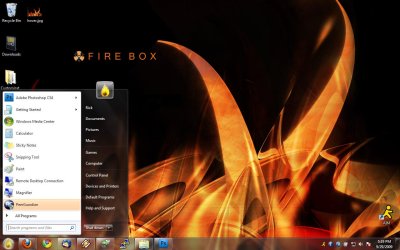
#4 I thought I could change this via the "advanced settings" in the window color area but I guess I was wrong. Basically when I hover icons in explorer or desktop, or click them to select them, the highlight is blue, same with the 'recently opened programs' list in the start menu and the all programs menu. How can I change these highlight colors to match my theme?
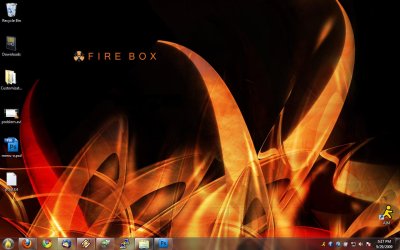
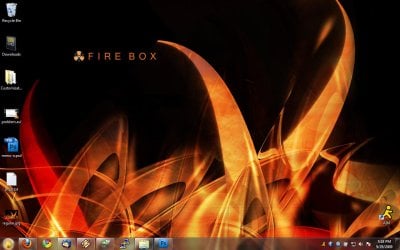
Thats all I have left. I have a really sick ass "fire" theme going on here and all this blue is killing my mojo.
Thanks in advance!
#1 I was able to change the blue border around the "user picture" that shows up in the start menu by replacing the resources in explorer.exe however this did not change the border around the user picture on the login screen, how do I change that? (basically i want a gray scale version because the blue clashes with my theme).
#2 The minimize and restore buttons in windows, again the blue clashes and would like something probably gray scale to keep it universal.
#3 When you are copying a file in explorer there are two animations going on, the actual progress bar (green) and the thicker bar above that has the file moving animation with the blue background. Is there a way to change those things to a color that is more suited to my theme?
#4 I thought I could change this via the "advanced settings" in the window color area but I guess I was wrong. Basically when I hover icons in explorer or desktop, or click them to select them, the highlight is blue, same with the 'recently opened programs' list in the start menu and the all programs menu. How can I change these highlight colors to match my theme?
Thats all I have left. I have a really sick ass "fire" theme going on here and all this blue is killing my mojo.
Thanks in advance!
My Computer
- OS
- Windows 7