RoseRodent
New member
- Local time
- 8:27 PM
- Messages
- 16
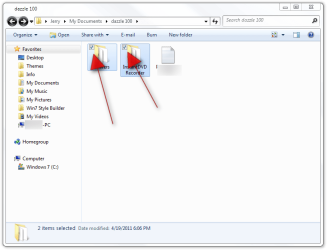
I am a disabled W7 user and I frequently find I have a problem when I am trying to select multiple files to work with (copy, move, delete) that my hand accidentally has the tiniest wobble and W7 takes this as a "ctrl drag and drop" and creates copies of everything I've selected so far. It's really tedious because every time I try to make a batch to work on I end up with 3 or more copies of everything before I successfully complete the batch selection.
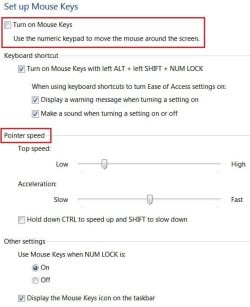
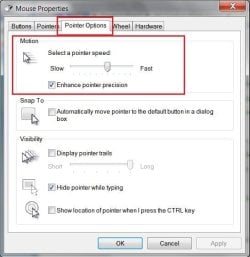
Is there any way to reduce the sensitivity to this small movement, or turn off the "ctrl-click to copy" thing without removing all the drag and drop features? I just want to be able to ctrl-click a number of files without this annoying automatic copy if I have a small tremor in the middle.
Or perhaps there is another way to batch select a number of non-contiguous files without using ctrl-click so if I move it at least won't make me any copies!!
Thanks.
Is there any way to reduce the sensitivity to this small movement, or turn off the "ctrl-click to copy" thing without removing all the drag and drop features? I just want to be able to ctrl-click a number of files without this annoying automatic copy if I have a small tremor in the middle.
Or perhaps there is another way to batch select a number of non-contiguous files without using ctrl-click so if I move it at least won't make me any copies!!
Thanks.
My Computer
- Computer Manufacturer/Model Number
- Packard Bell Easynote LJ61 Vista model **now with W7**
- OS
- Windows 7
- Hard Drives
- External is 2.5in Western Digital Passport 250GB


 I'm gonna guess you get people swinging by who haven't, but let's just say yes.