I'm preparing a Windows 7 image for deployment, and there are a number of items I'd like to change on the Start Menu and Taskbar. Unfortunately, however, these are not items convered under the Tarkbar and Start Menu Properties box.
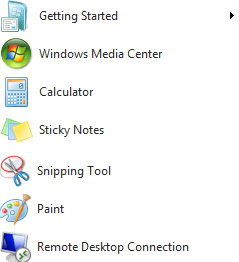
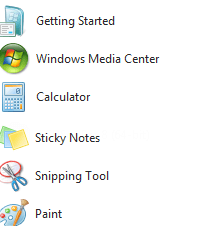
An out of the box Win 7 installation will have a number of items on the Start Menu by default, but we don't want any of them
Despite setting the CopyProfile directive to true in my sysprep unattend file, even though I've fully customized the Admin account, various Start Menu and Taskbar customizations don't replace the Default [User] template profile. To overcome the pin/unpin issue I wrote a script that would run during the user's first logon to do this. (I can link someone if they need/want it.)
SOLVED: How to Pin to Start Menu/Task Bar for Default User
An out of the box Win 7 installation will have a number of items on the Start Menu by default, but we don't want any of them
- Getting Started
- displayswitch
- Remote Desktop Connection
- Sticky Notes
- Snipping Tool
- Calculator
- Paint
- Magnifier
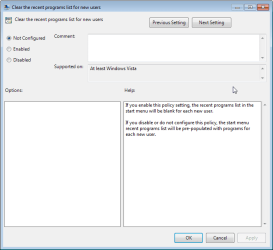
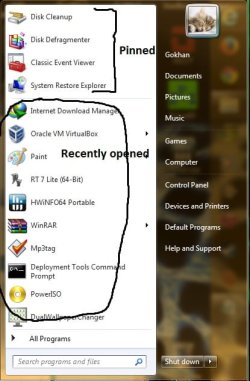
- How can I clear this?
Despite setting the CopyProfile directive to true in my sysprep unattend file, even though I've fully customized the Admin account, various Start Menu and Taskbar customizations don't replace the Default [User] template profile. To overcome the pin/unpin issue I wrote a script that would run during the user's first logon to do this. (I can link someone if they need/want it.)
- Is there an easier way to setup default pinned/unpinned items in the Default [User] profile?
SOLVED: How to Pin to Start Menu/Task Bar for Default User
Last edited:
My Computer
At a glance
Windows 7
- OS
- Windows 7


 thanks for that!