
hahahahahaheho
New member
- Local time
- 10:48 AM
- Messages
- 2
Hi everyone.
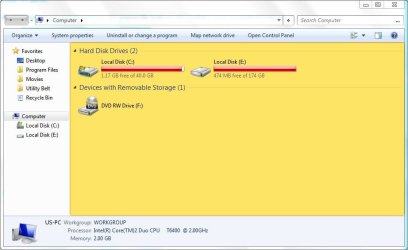
I've patched the necessary theme files using Universal Theme Patcher. The themes used to display fine, up until recently when (almost) every theme now gets applied with a yellow explorer background, even the default ones. I haven't edited any themes. I also tried applying them with TuneUp Styler with no luck.
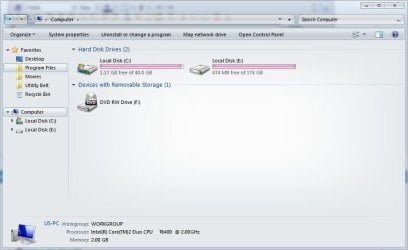
The only themes that do not have this problem are the ones, I think, with images or gradients for the background, eg this one here Glass Onion Noon Theme by ~sasomkd on deviantART and the high contrast themes. The default basic theme gives me this problem too.
I tried restoring and patching again with no success.
Any help would be appreciated.
I've patched the necessary theme files using Universal Theme Patcher. The themes used to display fine, up until recently when (almost) every theme now gets applied with a yellow explorer background, even the default ones. I haven't edited any themes. I also tried applying them with TuneUp Styler with no luck.
The only themes that do not have this problem are the ones, I think, with images or gradients for the background, eg this one here Glass Onion Noon Theme by ~sasomkd on deviantART and the high contrast themes. The default basic theme gives me this problem too.
I tried restoring and patching again with no success.
Any help would be appreciated.
Attachments
My Computer
- OS
- Windows 7 Ultimate 32bit


