

Here's a query:
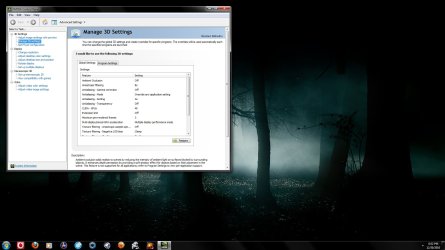
On, for example, Far Cry 2 I have all the display settings on full, including antialiasing (can be set to x8). However on my Nvidia Control Panel the antialiasing mode setting is set to 'override application setting' (see attachment).
My question is this: in order to get the best from my game should I set the game's settings on full (or to whatever I want) and set the Nvidia settings to full too (or to match those of the game)?
I am confused by this because logic suggests that the Nvidia CP does actually override all other settings but when I run Crysis the game crashes if I have antialiasing on full but when I set the antialiasing to x4 then it runs fine. This would suggest that Nvidia CP doesn't override all other settings.
Confused.
On, for example, Far Cry 2 I have all the display settings on full, including antialiasing (can be set to x8). However on my Nvidia Control Panel the antialiasing mode setting is set to 'override application setting' (see attachment).
My question is this: in order to get the best from my game should I set the game's settings on full (or to whatever I want) and set the Nvidia settings to full too (or to match those of the game)?
I am confused by this because logic suggests that the Nvidia CP does actually override all other settings but when I run Crysis the game crashes if I have antialiasing on full but when I set the antialiasing to x4 then it runs fine. This would suggest that Nvidia CP doesn't override all other settings.
Confused.
Attachments
My Computer
- Computer type
- PC/Desktop
- Computer Manufacturer/Model Number
- Own build
- OS
- Windows 7 x64 Professional
- CPU
- Intel Core i7-870 Lynnfield 2.93 GHz
- Motherboard
- Intel Whitesburg P55 LGA1156
- Memory
- Kingston Hyper X 1333MHz DDR3 4x4Gb
- Graphics Card(s)
- Nvidia GTS 250
- Monitor(s) Displays
- AOC Q3279VWF 31.5"
- Screen Resolution
- 2560x1440
- Hard Drives
- Western Digital 1000GB Hard Drive (SATA 3.0Gb/s, 7200rpm, 32MB Cache)
Verbatim 500GB (External)
- PSU
- 650W
- Case
- Coolermaster HAF 912
- Cooling
- Stock
- Keyboard
- Logitech
- Mouse
- Logitech
- Antivirus
- Avira
- Browser
- Firefox
- Other Info
- LG OptDrive 24x SATA DVDRW Lightscribe


