

I am using Windows 7 Home Premium 64bit on Dell XPS 15 L502x Notebook.
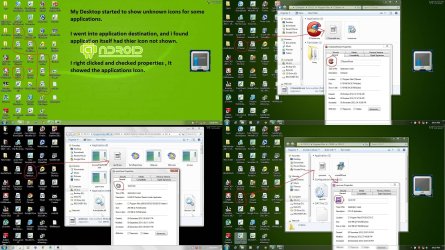
Today morning when i switched on my laptop, I found some of the Icon changed to unknown icon .(See Attachements)
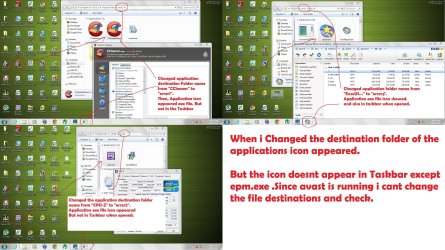
I searched google i found somewhere a question was posted with same problem. The solution was given as to change the destination of the target exe file. I performed it by renaming the folder in which the exe file is present. I found that the icon changed back to original icons from unknown-icon.
Also when i right click and select properties of those exe files, the original icon of the application appears there, but not in explorer / desktop / taskbar.:shock:
I am posting this question here to troubleshoot my problem.
Dont ask me to reinstall all applications and software. I have already done it and but the icon remains as Unknown until i change its destination from its original destination. Even avast icon changed to unknown.(see image) But i cant change its destination to check for its reappearance because it is always open when i start system.
Why this destination(Target path) of the exe file affect the original icon of the application.
Also guide me how to attach image in my post
Today morning when i switched on my laptop, I found some of the Icon changed to unknown icon
.(See Attachements)I searched google i found somewhere a question was posted with same problem. The solution was given as to change the destination of the target exe file. I performed it by renaming the folder in which the exe file is present. I found that the icon changed back to original icons from unknown-icon.
Also when i right click and select properties of those exe files, the original icon of the application appears there, but not in explorer / desktop / taskbar.:shock:
I am posting this question here to troubleshoot my problem.
Dont ask me to reinstall all applications and software. I have already done it and but the icon remains as Unknown until i change its destination from its original destination. Even avast icon changed to unknown.(see image) But i cant change its destination to check for its reappearance because it is always open when i start system.
Why this destination(Target path) of the exe file affect the original icon of the application.
Also guide me how to attach image in my post
My Computer
- Computer type
- Laptop
- Computer Manufacturer/Model Number
- Dell XPS L502x
- OS
- Windows 7 Home Premium 64bit
- CPU
- Intel Core i7 2670QM
- Motherboard
- Intel HM67 Mobile Express Chipset
- Memory
- Samsung 8GB 1333Mhz
- Graphics Card(s)
- nVidia Geforce 540M GT 2GB
- Sound Card
- Realtek High Definition Audio
- Monitor(s) Displays
- 15.6" Dell Standard RGB-LED Backlit Display
- Screen Resolution
- 1366x768
- Hard Drives
- Seagate Momentus 2.5" 750GB HDD 5400rpm
- Internet Speed
- 3.1 Mbits/s
- Antivirus
- AVG Free, Kaspersky
- Browser
- Google chrome


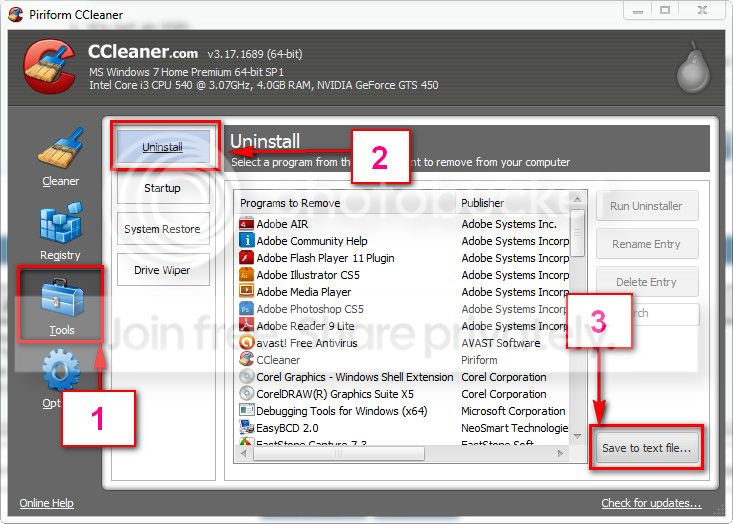
 on problem #1
 & a nerve condition, my hands tend to shake so my free hand lines end up a mess.

