- Local time
- 2:32 AM
- Messages
- 111
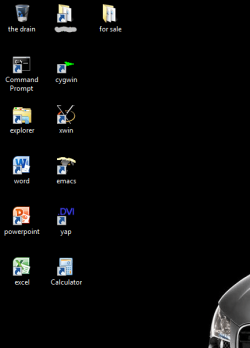
Is there a cure for the "arrange icons by name" and keeping them in the same order.
Example: XP allowed the first left hand column to show,
My Documents
My Computer
Recycle Bin
Internet Explorer
From there, any shortcut you sent to the desktop would arrange underneath Internet Explorer. In Windows 7, whenever you add a shortcut to the desktop, right click and choose "arrange icons by name", it inverts the order. Same was true of Vista.
On Windows 7 my order of icons is similar to XP. Top left, first column starts with;
Owner Files
Computer
Recycle Bin
Each time I add a new icon to the desktop and "arrange icons by name", it inverts that order. XP kept the main icons in place and arranged the new shortcuts accordingly.
Is there a registry edit to hold previously arranged icons in place and insert the new icons alphabetically without changing the previous order?
Example: XP allowed the first left hand column to show,
My Documents
My Computer
Recycle Bin
Internet Explorer
From there, any shortcut you sent to the desktop would arrange underneath Internet Explorer. In Windows 7, whenever you add a shortcut to the desktop, right click and choose "arrange icons by name", it inverts the order. Same was true of Vista.
On Windows 7 my order of icons is similar to XP. Top left, first column starts with;
Owner Files
Computer
Recycle Bin
Each time I add a new icon to the desktop and "arrange icons by name", it inverts that order. XP kept the main icons in place and arranged the new shortcuts accordingly.
Is there a registry edit to hold previously arranged icons in place and insert the new icons alphabetically without changing the previous order?
My Computer
- Computer Manufacturer/Model Number
- My own Custom Build: Asus, Corsair, Transcend, AMD, PNY, Ultra
- OS
- W7 64 Bit
- CPU
- AMD Phenom x4 4000Mhz
- Memory
- 8 GB DDR-2
- Graphics Card(s)
- PNY-NVIDIA GeForce GTX 460 1GB GDDR5 PCI-e
- Monitor(s) Displays
- Dual: Flatron L1942T
- Hard Drives
- C: Drive (Agility 2 Solid State Drive 60 GB)
D: Drive (HDD Internal Western Digital 640 GB)
- PSU
- 650 Watt
- Cooling
- Corsair Hydro H6 Liquid Cooler
- Internet Speed
- 25 mbps down - 3 mbps up