- Local time
- 4:07 AM
- Messages
- 715
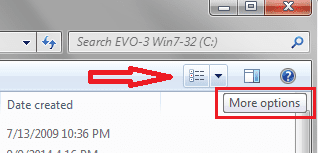
I have numerous situations where I have many folders inside a fold..
Recently I clicked something on one of these and now the items show as shown below:

As you can see the internal folders are arranged across the screen with NO details.
The way I want it to show is shown below:
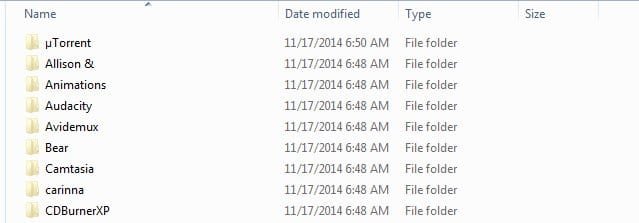
How do I change the way it is shown in the first arrangement to the way it is shown in the second arrangement?
Thank you.
Recently I clicked something on one of these and now the items show as shown below:
As you can see the internal folders are arranged across the screen with NO details.
The way I want it to show is shown below:
How do I change the way it is shown in the first arrangement to the way it is shown in the second arrangement?
Thank you.
My Computer
- OS
- Windows 7 Pro
- CPU
- Intel(R) Pentium(R) Duel CPU E2200 2.20 Ghz
- Motherboard
- GA-G41M-ES2L
- Memory
- 4 gb 2.96 Usable
- Graphics Card(s)
- Onboard
- Sound Card
- Onboard
- Hard Drives
- 2 - 1TB WD Sata Drives