Solved Auto Extract Rar/Zip files

one question D,Do i have to transfer the completed files everytime to this "TEMP" Folder each time? because that would be another hassle as i have separate folder for each of the shows and each season has folder that consists of all the episodes of current seasons.

if so let me know that i have to move this completed files after dl i rather just hand extract then doing this many more steps...i wanted to set up so it automatically sets up all the files without me having to right click and set up in Vuze or move the files once completed to temp folder and then back... :/
 

My Computer

Computer Manufacturer/Model Number
AlienWare GodFatheriZed!
OS
WIN 7 x64
CPU
I7 550
Memory
8 GB DDR3
Graphics Card(s)
9800 GTX Turbo Dual
Monitor(s) Displays
21" Samsung True Colors HD + 25 SYNC Master
Screen Resolution
1680*1050
Hard Drives
Total 1.5 TB
YES Success...I did steps until 8th and 9th and it made folder inside the downloaded file of .extracted and it made a .mkv file in there yes...but now i must finish rest of tutorial and get back to u...but please do answer the last question i asked you about running the command runner prompt each time i start downloading a file do i need to run that?
 

My Computer

Computer Manufacturer/Model Number
AlienWare GodFatheriZed!
OS
WIN 7 x64
CPU
I7 550
Memory
8 GB DDR3
Graphics Card(s)
9800 GTX Turbo Dual
Monitor(s) Displays
21" Samsung True Colors HD + 25 SYNC Master
Screen Resolution
1680*1050
Hard Drives
Total 1.5 TB
YES Success...I did steps until 8th and 9th and it made folder inside the downloaded file of .extracted and it made a .mkv file in there yes...but now i must finish rest of tutorial and get back to u...
Did you run "Test on-completion command" from in Vuze? If you did then there's no real need to finish the tutorial as steps 11 - 12 are only running the Test from within Vuze and the last 3 images are only showing how they are extracted.

one question D,Do i have to transfer the completed files everytime to this "TEMP" Folder each time?
No, this was only to test that it was working for you the same as it did for me. We only used a temp folder to prevent any corruption to the original files.

After the last image in the tutorial there's a bit of info that explains for new downloads you only need to do steps 5 -8, but I did make an edit to the bat which should allow you to safely set it up for all downloads like your screenshot in Post #12 rather than preforming Steps 5 - 8. Just make sure you get the updated bat or you could end up with lots of files where you don't want them.

Also you can check the box in the first image again if you had it checked originally.
 

My Computer

Computer Manufacturer/Model Number
Self built
OS
Windows 7 Ultimate x64
CPU
Intel Pentium Dual Core E5200 2.5GHz (3.77GHz OC)
Motherboard
Asus P5Q-E
Memory
Corsair 4GB DDR2 (4x1GB CM2X1024-6400C4)
Graphics Card(s)
Palit GeForce GTS 250 (1024MB)
Sound Card
On Board (ADI AD2000B 8ch HD)
Monitor(s) Displays
Samsung 32in LCD TV
Screen Resolution
1360x768
Hard Drives
2 x 1TB Samsung 103SJ (Raid0)
2 x External 500GB Samsung 502IJ (NexStar 3 HD Enclosures)
PSU
550W Antec Neo HE 550
Case
Antec P180
Cooling
Xigmatex Red Scorpion CPU Cooler. 3x120mm Fans
Keyboard
Logitech MX5000 Laser (Combo)
Mouse
Logitech MX5000 Laser (Combo)
Internet Speed
ADSL2+ (avg 10 Mbps Down, 0.80 Mbps up)
Other Info
Gigabyte GN-WP01GS 54g Wireless Lan Card
I want to modify 2 more things into this script...is there anyway to extract the File in same folder as all the rar files insted of making new folder .extracted ?

second question...is there a way to rename the file while it extracts to same as Rar file name...?
 

My Computer

Computer Manufacturer/Model Number
AlienWare GodFatheriZed!
OS
WIN 7 x64
CPU
I7 550
Memory
8 GB DDR3
Graphics Card(s)
9800 GTX Turbo Dual
Monitor(s) Displays
21" Samsung True Colors HD + 25 SYNC Master
Screen Resolution
1680*1050
Hard Drives
Total 1.5 TB
I want to modify 2 more things into this script...is there anyway to extract the File in same folder as all the rar files insted of making new folder .extracted ?
The below bat file will do this but if a RAR file contains a RAR file it will only extract the first RAR(s) and not any RAR's that are extracted from the first, that's beyond me.
Code:
@echo off

REM Usage
REM UnRAR.bat "%D" "%N" "%F" %K

REM %D (%1) = Directory where files are saved
REM %N (%2) = Display name of download
REM %F (%3) = Name of downloaded file (For single file torrents) 
REM %K (%4) = Single/Multi

set WINRAR="C:\Program Files\WinRAR\UnRAR"

REM Strip quotes from %1, %2 and %3 to make it easier.
set FOLDER=%1
set FOLDER=%FOLDER:~1,-1%
set DISNAME=%2
set DISNAME=%DISNAME:~1,-1%
set FILENAME=%3
set FILENAME=%FILENAME:~1,-1%

REM Test if the directory where files are saved contains a RAR file
if not exist "%FOLDER%\*.rar" exit

if /i %4==Multi goto MULTI

REM -------------------------------------------------

:Single
REM Change the CMD prompt to the directory where files are saved.

cd /d "%FOLDER%"

%WINRAR% e -o- "%FOLDER%\%FILENAME%"
exit

REM -------------------------------------------------

:MULTI
REM For multi file torrent
REM Get first RAR's filename
REM Change the CMD prompt to the directory where files are saved.

for  %%a in ("%FOLDER%\*.rar") do (
set "FILE=%%a"
cd /d "%FOLDER%"
goto :DONE
)
:DONE

%WINRAR% e -o- "%FILE%"
second question...is there a way to rename the file while it extracts to same as Rar file name...?
This is more difficult all I can say tonight is maybe. The only problem is if the RAR contains more than one file, eg. a text, checksum or nfo file. If it does you will end up with filename.mkv, filename01.txt filename02.txt etc.... or something like that. If you only want to rename mkv files then that should be ok as there probably won't be more than one.

Let us know and I'll try to take a look tonight if you want.
 
Last edited:

My Computer

Computer Manufacturer/Model Number
Self built
OS
Windows 7 Ultimate x64
CPU
Intel Pentium Dual Core E5200 2.5GHz (3.77GHz OC)
Motherboard
Asus P5Q-E
Memory
Corsair 4GB DDR2 (4x1GB CM2X1024-6400C4)
Graphics Card(s)
Palit GeForce GTS 250 (1024MB)
Sound Card
On Board (ADI AD2000B 8ch HD)
Monitor(s) Displays
Samsung 32in LCD TV
Screen Resolution
1360x768
Hard Drives
2 x 1TB Samsung 103SJ (Raid0)
2 x External 500GB Samsung 502IJ (NexStar 3 HD Enclosures)
PSU
550W Antec Neo HE 550
Case
Antec P180
Cooling
Xigmatex Red Scorpion CPU Cooler. 3x120mm Fans
Keyboard
Logitech MX5000 Laser (Combo)
Mouse
Logitech MX5000 Laser (Combo)
Internet Speed
ADSL2+ (avg 10 Mbps Down, 0.80 Mbps up)
Other Info
Gigabyte GN-WP01GS 54g Wireless Lan Card
let me rephrase the second question...with some images and make it more interesting :)

10r0ba8.jpg

The above picture see how i have refer the pic 1 on left...see how it made .extracted folder? is there a way to not make that folder and just extract the file shown in Pic 2 on left in original downloaded archive folder?
 

My Computer

Computer Manufacturer/Model Number
AlienWare GodFatheriZed!
OS
WIN 7 x64
CPU
I7 550
Memory
8 GB DDR3
Graphics Card(s)
9800 GTX Turbo Dual
Monitor(s) Displays
21" Samsung True Colors HD + 25 SYNC Master
Screen Resolution
1680*1050
Hard Drives
Total 1.5 TB
and Now second question with pictures
ioq68i.jpg


Now for File name question...

See in the image listed as 3 in this post...i have one black ciricle that's the name extracted file gave when it ran the Command runner...but see the Red ciricle in the image i want the extracted file to be name give of Downloded Archive's name insted...so for instance the dl folder has name is "Last.HDTV.x264-LOL" but the extracted file name is given "Last.x264-LOL" for example so i want the folder name to put when file is extracted...

does that makes sense or am i just going in circles :)
 

My Computer

Computer Manufacturer/Model Number
AlienWare GodFatheriZed!
OS
WIN 7 x64
CPU
I7 550
Memory
8 GB DDR3
Graphics Card(s)
9800 GTX Turbo Dual
Monitor(s) Displays
21" Samsung True Colors HD + 25 SYNC Master
Screen Resolution
1680*1050
Hard Drives
Total 1.5 TB
One more thing under the plugins - log view dose not have any command runner log at all even though it extracted 2 files!
 

My Computer

Computer Manufacturer/Model Number
AlienWare GodFatheriZed!
OS
WIN 7 x64
CPU
I7 550
Memory
8 GB DDR3
Graphics Card(s)
9800 GTX Turbo Dual
Monitor(s) Displays
21" Samsung True Colors HD + 25 SYNC Master
Screen Resolution
1680*1050
Hard Drives
Total 1.5 TB
The bat file I posted in Post #25 should extact the files to the same folder as the RAR files but the renaming is just being a pain, I don't think I can help with that sorry and I don't know anything about the log view.
 

My Computer

Computer Manufacturer/Model Number
Self built
OS
Windows 7 Ultimate x64
CPU
Intel Pentium Dual Core E5200 2.5GHz (3.77GHz OC)
Motherboard
Asus P5Q-E
Memory
Corsair 4GB DDR2 (4x1GB CM2X1024-6400C4)
Graphics Card(s)
Palit GeForce GTS 250 (1024MB)
Sound Card
On Board (ADI AD2000B 8ch HD)
Monitor(s) Displays
Samsung 32in LCD TV
Screen Resolution
1360x768
Hard Drives
2 x 1TB Samsung 103SJ (Raid0)
2 x External 500GB Samsung 502IJ (NexStar 3 HD Enclosures)
PSU
550W Antec Neo HE 550
Case
Antec P180
Cooling
Xigmatex Red Scorpion CPU Cooler. 3x120mm Fans
Keyboard
Logitech MX5000 Laser (Combo)
Mouse
Logitech MX5000 Laser (Combo)
Internet Speed
ADSL2+ (avg 10 Mbps Down, 0.80 Mbps up)
Other Info
Gigabyte GN-WP01GS 54g Wireless Lan Card
The bat file I posted in Post #25 should extact the files to the same folder as the RAR files but the renaming is just being a pain, I don't think I can help with that sorry and I don't know anything about the log view.

I tested that file from #25 but it dose not produce anything at all...no folder or anything :/ can u test it and make sure it works please!

...in command runner it made this note "Executing: D:\UnRAR.bat "D:\_Downloads\I.Hate.E08.Teenage.Girlfriends.HDTV.x264-FiHTV""I.Hate.E08.Teenage.Girlfriends.HDTV.x264-FiHTV" "" multi

but it didn't extract anything!

And thanks so far for all the help!
 

My Computer

Computer Manufacturer/Model Number
AlienWare GodFatheriZed!
OS
WIN 7 x64
CPU
I7 550
Memory
8 GB DDR3
Graphics Card(s)
9800 GTX Turbo Dual
Monitor(s) Displays
21" Samsung True Colors HD + 25 SYNC Master
Screen Resolution
1680*1050
Hard Drives
Total 1.5 TB
It works, not much changed.
...in command runner it made this note "Executing: D:\UnRAR.bat "D:\_Downloads\I.Hate.E08.Teenage.Girlfriends.HDTV.x264-FiHTV""I.Hate.E08.Teenage.Girlfriends.HDTV.x264-FiHTV" "" multi
Is that a copy and paste because I can see a couple of errors?
1st is your download folder "D:\_Downloads" or "D:\Downloads"?
2nd check your cmd that Command Runner runs as theres no space between the download location and the display name (FiHTV""I.Hate) ("%D" "%N").
 
Last edited:

My Computer

Computer Manufacturer/Model Number
Self built
OS
Windows 7 Ultimate x64
CPU
Intel Pentium Dual Core E5200 2.5GHz (3.77GHz OC)
Motherboard
Asus P5Q-E
Memory
Corsair 4GB DDR2 (4x1GB CM2X1024-6400C4)
Graphics Card(s)
Palit GeForce GTS 250 (1024MB)
Sound Card
On Board (ADI AD2000B 8ch HD)
Monitor(s) Displays
Samsung 32in LCD TV
Screen Resolution
1360x768
Hard Drives
2 x 1TB Samsung 103SJ (Raid0)
2 x External 500GB Samsung 502IJ (NexStar 3 HD Enclosures)
PSU
550W Antec Neo HE 550
Case
Antec P180
Cooling
Xigmatex Red Scorpion CPU Cooler. 3x120mm Fans
Keyboard
Logitech MX5000 Laser (Combo)
Mouse
Logitech MX5000 Laser (Combo)
Internet Speed
ADSL2+ (avg 10 Mbps Down, 0.80 Mbps up)
Other Info
Gigabyte GN-WP01GS 54g Wireless Lan Card
The copy paste was edited by me for u know the reasons :)
1. Download folder is D:\_Downloads
2. There is space in command runner
 

My Computer

Computer Manufacturer/Model Number
AlienWare GodFatheriZed!
OS
WIN 7 x64
CPU
I7 550
Memory
8 GB DDR3
Graphics Card(s)
9800 GTX Turbo Dual
Monitor(s) Displays
21" Samsung True Colors HD + 25 SYNC Master
Screen Resolution
1680*1050
Hard Drives
Total 1.5 TB
Press Windows key + R to open the run dialog and put in the command

D:\UnRAR.bat "D:\_Downloads\I.Hate.E08.Teenage.Girlfriends.HDTV.x264-FiHTV" "" "" multi

Replace the folder with the correct one that contains the RAR files and click ok, does it work?
 

My Computer

Computer Manufacturer/Model Number
Self built
OS
Windows 7 Ultimate x64
CPU
Intel Pentium Dual Core E5200 2.5GHz (3.77GHz OC)
Motherboard
Asus P5Q-E
Memory
Corsair 4GB DDR2 (4x1GB CM2X1024-6400C4)
Graphics Card(s)
Palit GeForce GTS 250 (1024MB)
Sound Card
On Board (ADI AD2000B 8ch HD)
Monitor(s) Displays
Samsung 32in LCD TV
Screen Resolution
1360x768
Hard Drives
2 x 1TB Samsung 103SJ (Raid0)
2 x External 500GB Samsung 502IJ (NexStar 3 HD Enclosures)
PSU
550W Antec Neo HE 550
Case
Antec P180
Cooling
Xigmatex Red Scorpion CPU Cooler. 3x120mm Fans
Keyboard
Logitech MX5000 Laser (Combo)
Mouse
Logitech MX5000 Laser (Combo)
Internet Speed
ADSL2+ (avg 10 Mbps Down, 0.80 Mbps up)
Other Info
Gigabyte GN-WP01GS 54g Wireless Lan Card
yeah the cmd prompt shows up and disappears...but does nothing and in CommandRunner it makes this "Executing: D:\UnRAR.bat "D:\_Downloads\I.Hate.My.Teenage.Daughter.S01E08.Teenage.Girlfriends.HDTV.x264-FiHTV" "I.Hate.My.Teenage.Daughter.S01E08.Teenage.Girlfriends.HDTV.x264-FiHTV" "" multi" Prompt...

so yeah for some reason it wont work....it will not extract the file in separate folder or in same folder....i made new file and renamed it to UnRar.bat and saved it at same location as before and i removed the old working unrar.bat file so there wont be any conflict either :)
 

My Computer

Computer Manufacturer/Model Number
AlienWare GodFatheriZed!
OS
WIN 7 x64
CPU
I7 550
Memory
8 GB DDR3
Graphics Card(s)
9800 GTX Turbo Dual
Monitor(s) Displays
21" Samsung True Colors HD + 25 SYNC Master
Screen Resolution
1680*1050
Hard Drives
Total 1.5 TB
I did make one little error in the bat file, I forgot the exit command after the single file extraction. This will not cause an issue with multi file torrents but I fixed it up in post #25 so you can copy that again then do the stuff below.

Change the first line "@echo off" to "REM @echo off" and add "pause" on a new line for the last line. This will cause it to display the output and pause before closing. Run it from the run dialog not from in Vuze as Vuze hides the window.

When it pauses scroll back to the top of the cmd Window, right click the window, click Mark and drag a white selection box from one side to the other right down to the last line then press enter, this will copy the output to the clipboard. PM me the extact output.
 
Last edited:

My Computer

Computer Manufacturer/Model Number
Self built
OS
Windows 7 Ultimate x64
CPU
Intel Pentium Dual Core E5200 2.5GHz (3.77GHz OC)
Motherboard
Asus P5Q-E
Memory
Corsair 4GB DDR2 (4x1GB CM2X1024-6400C4)
Graphics Card(s)
Palit GeForce GTS 250 (1024MB)
Sound Card
On Board (ADI AD2000B 8ch HD)
Monitor(s) Displays
Samsung 32in LCD TV
Screen Resolution
1360x768
Hard Drives
2 x 1TB Samsung 103SJ (Raid0)
2 x External 500GB Samsung 502IJ (NexStar 3 HD Enclosures)
PSU
550W Antec Neo HE 550
Case
Antec P180
Cooling
Xigmatex Red Scorpion CPU Cooler. 3x120mm Fans
Keyboard
Logitech MX5000 Laser (Combo)
Mouse
Logitech MX5000 Laser (Combo)
Internet Speed
ADSL2+ (avg 10 Mbps Down, 0.80 Mbps up)
Other Info
Gigabyte GN-WP01GS 54g Wireless Lan Card
PM sent with the output info!

Thanks!
 

My Computer

Computer Manufacturer/Model Number
AlienWare GodFatheriZed!
OS
WIN 7 x64
CPU
I7 550
Memory
8 GB DDR3
Graphics Card(s)
9800 GTX Turbo Dual
Monitor(s) Displays
21" Samsung True Colors HD + 25 SYNC Master
Screen Resolution
1680*1050
Hard Drives
Total 1.5 TB
Hello everybody

I was reading through all this and I dont see the reason for all these complicated batch file setups. I did what you all wanted in one simple command line using utorrent.

This command extracts my downloaded torrent rar files to a folder c:\extractions with subfolder containing the name of the torrent as well as all subfolders in the rar archive in their respective place.

"C:\Program Files\WinRAR\WinRAR.exe" x %D\*.r* c:\extractions\%N\

as simple as that just change c:\extractions to your preferred extraction folder.

Hope this helps.
 

My Computer

Computer type
PC/Desktop
OS
Windows 7 Ultimate x64
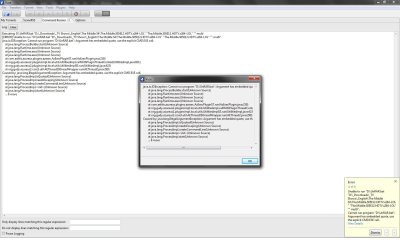
Ok i am having problem with script. If someone can help. Dizzy if u are still around your help would be great.

I cannot seem to extract files that are ending weird numbers like prison break.001, prison break.002....

so instead of rar extensions this new files i get time to time comes with .001......extensions! :p

p.s. attached the pic to show the error showing in command runner and in vuze!
 

Attachments

  • extract-error.jpg
    extract-error.jpg
    146 KB · Views: 3

My Computer

Computer Manufacturer/Model Number
AlienWare GodFatheriZed!
OS
WIN 7 x64
CPU
I7 550
Memory
8 GB DDR3
Graphics Card(s)
9800 GTX Turbo Dual
Monitor(s) Displays
21" Samsung True Colors HD + 25 SYNC Master
Screen Resolution
1680*1050
Hard Drives
Total 1.5 TB
Back
Top