Backup and Restore function
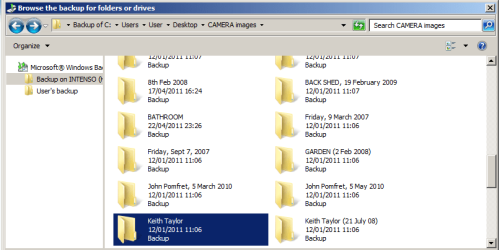
I am attempting to grapple with the Backup and Restore function on Windows 7. I originally thought that if I downloaded some updated files from the target folders on desktop to my external hard drive (destination drive), the displayed files on the external drive would also be updated. So the old files on the external drive would be of the updated versions and these I would see.
I now seems to me that this is not the case. After I run Backup, the files on the external drive are still the "old" versions, as though I'd not run Backup.
So the Backup function saves the updates to a folder somewhere, but saves the updates somewhere where it cannot be seen. This is why I do not see the updates on the external drive. Presumably this folder that it saves to is linked in some way to the external drive but I don't know how.
Is this correct? If so, is there any way of checking this, to make sure I used Backup correctly?
I am attempting to grapple with the Backup and Restore function on Windows 7. I originally thought that if I downloaded some updated files from the target folders on desktop to my external hard drive (destination drive), the displayed files on the external drive would also be updated. So the old files on the external drive would be of the updated versions and these I would see.
I now seems to me that this is not the case. After I run Backup, the files on the external drive are still the "old" versions, as though I'd not run Backup.
So the Backup function saves the updates to a folder somewhere, but saves the updates somewhere where it cannot be seen. This is why I do not see the updates on the external drive. Presumably this folder that it saves to is linked in some way to the external drive but I don't know how.
Is this correct? If so, is there any way of checking this, to make sure I used Backup correctly?
My Computer
- OS
- 64 bit