Well my thoughts are:
You would not want to block all .tmp files as some of these are useful. Don't know much about Windows Firewall as I never use it.
Some ideas:
You can use UVK's Execute Prevent:
UVK Help - Execute Prevent
However configuration isn't easy and it's also easy to get it wrong and block legitimate files.
You can use VoodooShield:
It whitelists any files on your system and block anything new that tries to execute, scans it with multiple AV's and gives you options to allow. block, sandbox or quarantine. It requires some knowledge to make decisions on files that you wish to allow to run.
https://voodooshield.com/ - I use the Pro version.
Some recent temp files from my machine that I allowed:
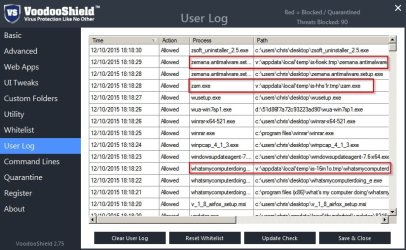
I use Spy The Spy to monitor any newly created executables in defined directiories:
Universal Spyware and virus tracker
Spy-The-Spy
In action just now on my machine:
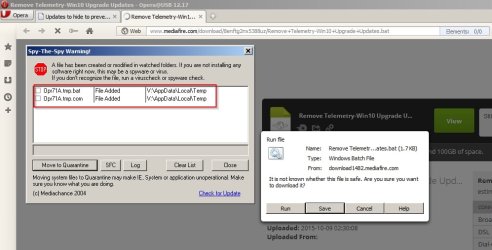
Then I also use SecureAge Secure Aplus that only checks any unsigned files that attempt to run and scans them with multiple AV's with the option to trust or block.
SecureAPlus - Free 12 Cloud Anti-Virus & Application Whitelisting Security Software - free for one year. Need the version with no AV and not the full version.


 . See you soon !

