BSOD on many HP PCs - Driver_power_state_failure

gapeee

New member
Local time
5:13 AM
Messages
4
Hi everyone, in the past few weeks, many of the computers in my department (they are all HP) have been getting this recent random BSOD out of nowhere with the following error:

DRIVER_POWER_STATE_FAILURE

I've tried the following

1) Update HP drivers through their support software

2) Check Device Manager for any exclamation marks if there should be any outdated drivers

3) running whocrashed points to ntoskrnl.exe yet I can't seem to figure out the source of this error

Yet the error persists - and the strange thing is, it doesn't just stop at 1 PC.

I've attached my dump files here for reference :zip:

Would really appreciate any help here on what I'm doing wrong, as many of the PCs I manage are now facing this issue, so would really appreciate any professional advice on how to resolve this.

Thanks in advance for any advice :)
 

My Computer My Computer

At a glance

Windows 10 64bit
Computer type
PC/Desktop
OS
Windows 10 64bit

My Computer My Computer

At a glance

Windows 8.1 Enterprise x64Intel Core 2 Quad Q94008GBNVIDIA GeForce 9600GT
Computer type
PC/Desktop
Computer Manufacturer/Model Number
custom build
OS
Windows 8.1 Enterprise x64
CPU
Intel Core 2 Quad Q9400
Motherboard
Gigabyte EG45M-DS2H
Memory
8GB
Graphics Card(s)
NVIDIA GeForce 9600GT
Hard Drives
ADATA SP900
Seagate ST1000DM003-1ER162
Antivirus
Windows Defender
Browser
Opera
Thanks for your response!

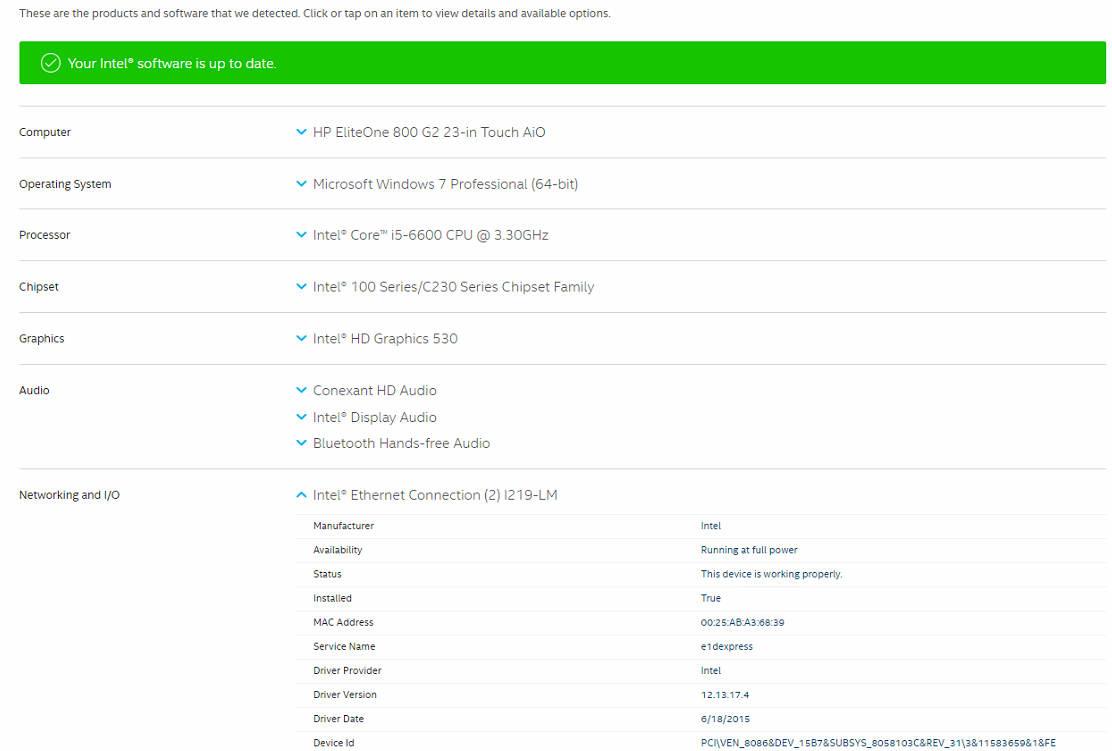
Upon trying to update - it shows that everything is up to date though the driver was from 2016.

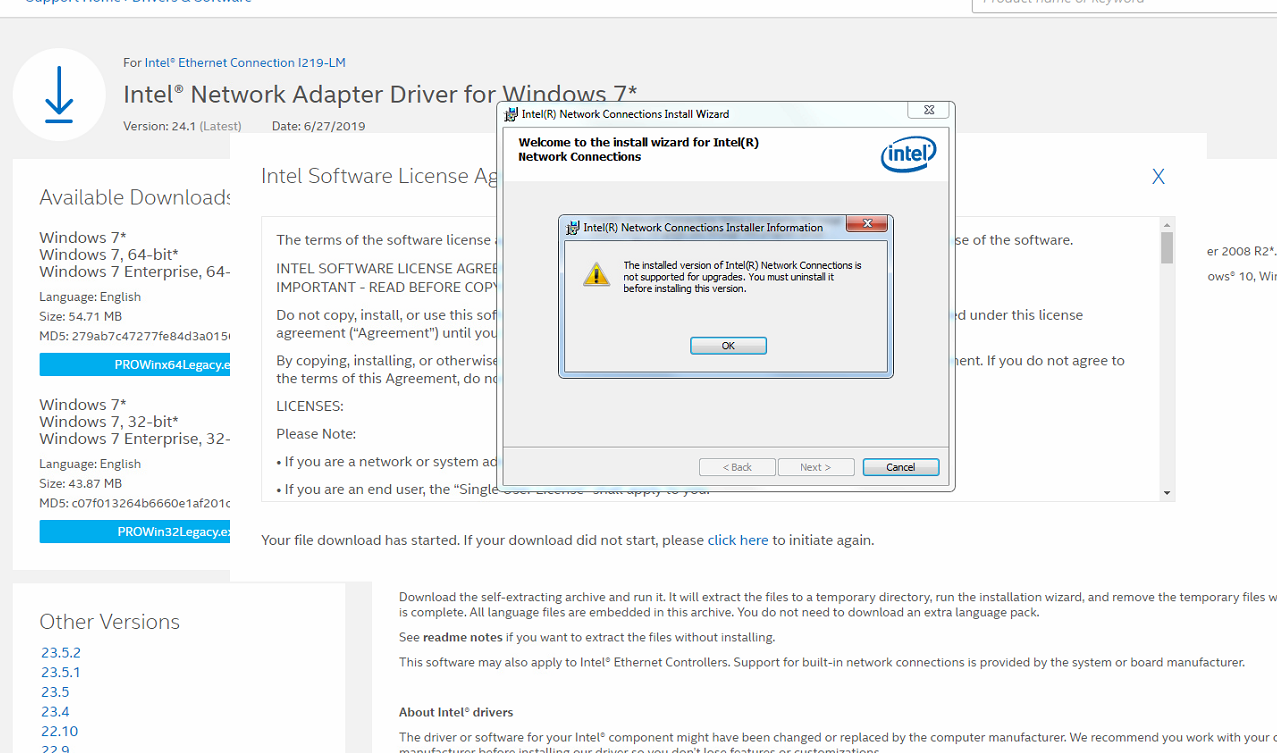
I've tried to download the drivers from the page to install but it does not allow me to install over it. Any suggestions?
 

My Computer My Computer

At a glance

Windows 10 64bit
Computer type
PC/Desktop
OS
Windows 10 64bit
What happens when you install the driver from the Intel website?
 

My Computer My Computer

At a glance

Windows 8.1 Enterprise x64Intel Core 2 Quad Q94008GBNVIDIA GeForce 9600GT
Computer type
PC/Desktop
Computer Manufacturer/Model Number
custom build
OS
Windows 8.1 Enterprise x64
CPU
Intel Core 2 Quad Q9400
Motherboard
Gigabyte EG45M-DS2H
Memory
8GB
Graphics Card(s)
NVIDIA GeForce 9600GT
Hard Drives
ADATA SP900
Seagate ST1000DM003-1ER162
Antivirus
Windows Defender
Browser
Opera
g92VLDW.png


Says here it's up to date - yet the BSOD still occurs

Any thoughts?
 

My Computer My Computer

At a glance

Windows 10 64bit
Computer type
PC/Desktop
OS
Windows 10 64bit

My Computer My Computer

At a glance

Windows 8.1 Enterprise x64Intel Core 2 Quad Q94008GBNVIDIA GeForce 9600GT
Computer type
PC/Desktop
Computer Manufacturer/Model Number
custom build
OS
Windows 8.1 Enterprise x64
CPU
Intel Core 2 Quad Q9400
Motherboard
Gigabyte EG45M-DS2H
Memory
8GB
Graphics Card(s)
NVIDIA GeForce 9600GT
Hard Drives
ADATA SP900
Seagate ST1000DM003-1ER162
Antivirus
Windows Defender
Browser
Opera
Try update driver with Snappy Driver Download
 

My Computer My Computer

At a glance

Windows 8.1 Enterprise x64Intel Core 2 Quad Q94008GBNVIDIA GeForce 9600GT
Computer type
PC/Desktop
Computer Manufacturer/Model Number
custom build
OS
Windows 8.1 Enterprise x64
CPU
Intel Core 2 Quad Q9400
Motherboard
Gigabyte EG45M-DS2H
Memory
8GB
Graphics Card(s)
NVIDIA GeForce 9600GT
Hard Drives
ADATA SP900
Seagate ST1000DM003-1ER162
Antivirus
Windows Defender
Browser
Opera
Back
Top