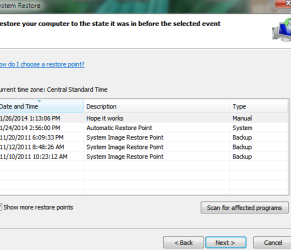
I guess it wasn't that long of a walk.
First thing then is to copy your data to the external drive.
edit: combined posts
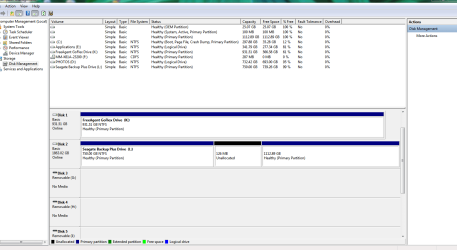
Could you post a Disk Mangement screen shot?
http://www.sevenforums.com/tutorials/274797-disk-management-post-screen-capture-image.html
Hope this works. Not used to this forum and have way too many Firefox windows open. Lost the first attempt to reply so hope this is not a duplicate and that you get the file.
Attachments

Last edited:
My Computer
- Computer type
- PC/Desktop
- Computer Manufacturer/Model Number
- Lenovo
- OS
- Win7 Home Premium 64-bit SP 1
- CPU
- Intel(R) Core(TM) i5-2310 CPU @ 2.90GHz
- Motherboard
- LENOVO To be filled by O.E.M.
- Memory
- 8.00 GB
- Graphics Card(s)
- (1) AMD Radeon HD 6450 (2) LogMeIn Mirror Driver
- Sound Card
- (1) AMD High Definition Audio Device (2) High Definition A
- Hard Drives
- (1) ST31500341AS ATA Device (2) Generic- Compact Flash USB Device (3) Generic- MS/MS-Pro/HG USB Device (4) Generic- SD/MMC USB Device (5) Generic- SM/xD-Picture USB Device (6) Seagate Backup+ Desk USB Device (7) Seagate FA GoFlex Desk USB
- Antivirus
- WebRoot
- Browser
- Mozilla Firefox v. 26.0