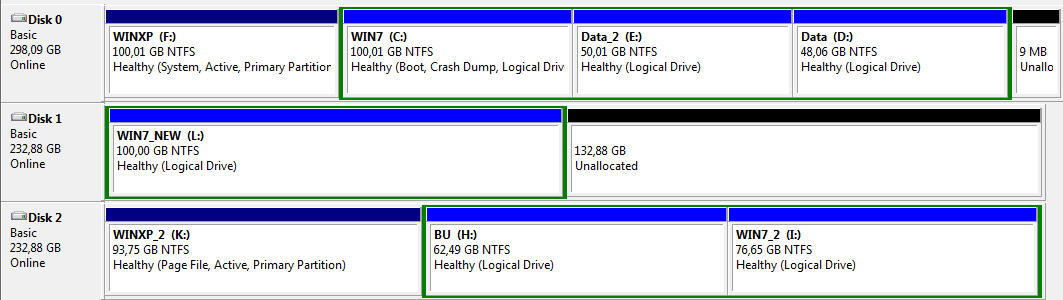
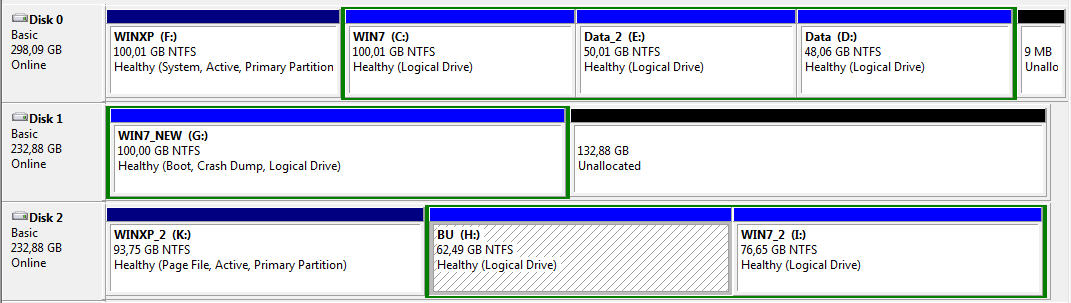
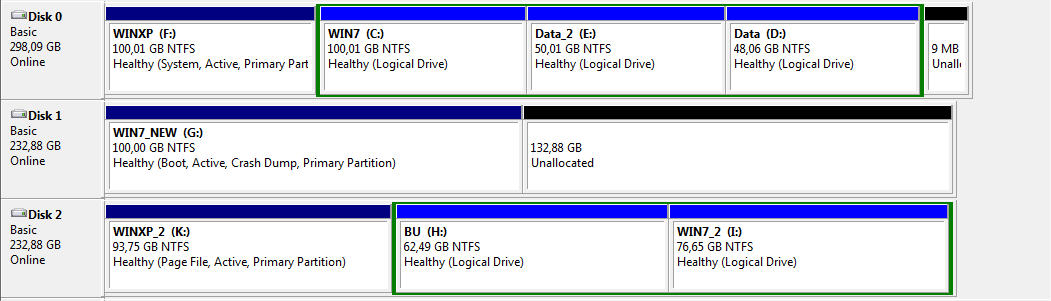
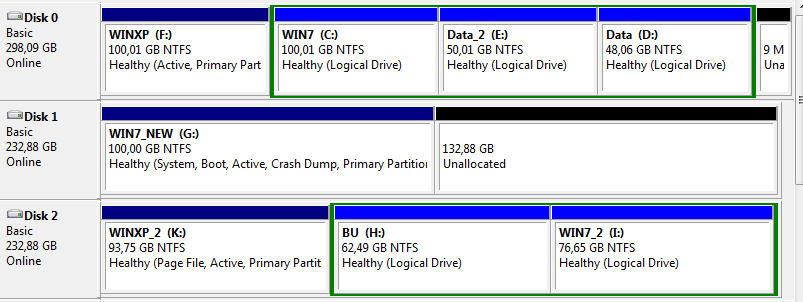
Macrium Reflect marks the cloned target partition "active" automatically
I don't see "Active" in Disk Management for G.
Well, your original Win7 partition was "logical" and not "primary", so marking it "active" is not allowed or possible. There's no need for it as it's your WinXP partition which is "active" and where Boot Manager lived.
Had you had a normal 100MB "system reserved" for Win7 booting and which was "active" and "primary", and had you cloned both that 100MB "system reserved" along with its partner Win7 system partition from spinner to the SSD, then the cloned "system reserved" on the SSD would have been marked "active". That would have allowed removal of the spinner, setting BIOS to point to the SSD as boot drive #1, and normal booting to then occur (from "system reserved" cloned onto the SSD, into the Win7 partition cloned onto the SSD, via the boot menu in the cloned "system reserved").
Now, I'm wondering what's going on in your BIOS, in terms of the two 232GB drives. Are they two 256GB SSDs, or what?
One looks like they contain usable copies (WinXP_2 and Win7_2) of your original two primary OS's (WinXP and Win7) along with a "backup" partition? (BU). How did you create the partitions on this drive? What software did you use to do it? EaseUS again???
And this drive is the same size as what I think you described as your "new SSD", which is where you now have "Win7_New" which was just cloned using Macrium Reflect.
Also, can you please clarify what your BIOS shows as boot drive #1. Remember, you appear to have TWO drives that could be usable for this purpose as they have "active" WinXP partitions on them, although one partition is 300GB (spinner?) and the other is [one of your two?] SSD 256GB.
To avoid confusion and to get to the bottom of this, I'd un-cable both of your two 256GB drives, leaving only the one 300GB spinner which contains your original WinXP, Win7, Data_2 and Data partitions. Since it's the only disk now present, it should show up in the BIOS as boot drive #1, and you should confirm. Also, this drive MUST appear as DISK0 to DISKMGMT, since it's now your only drive.
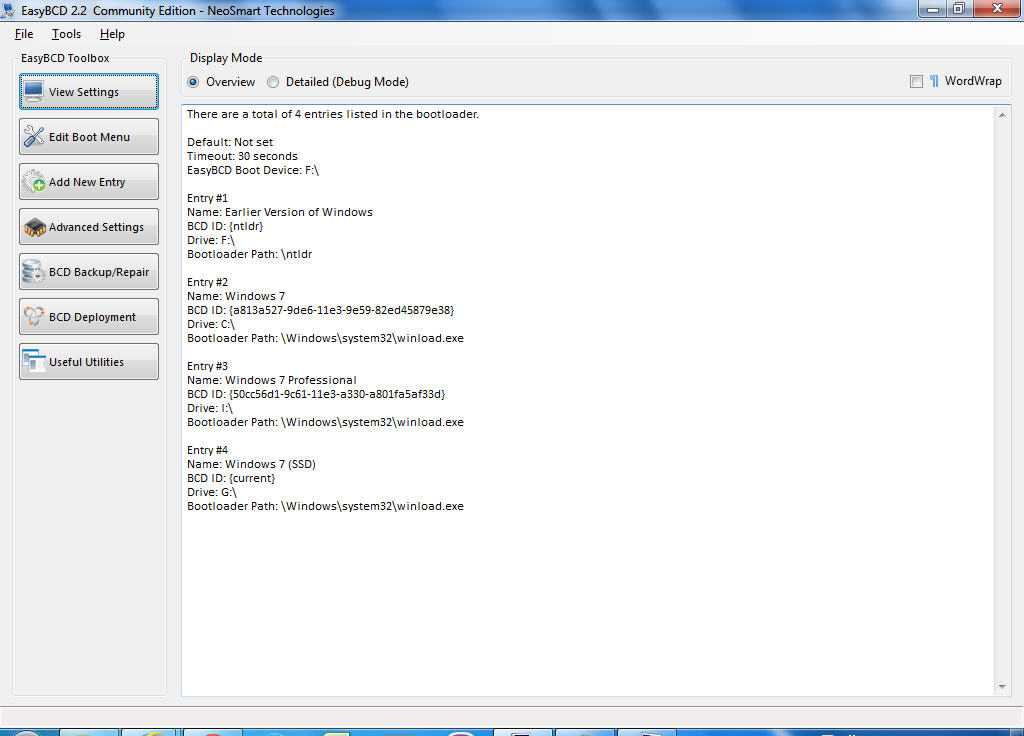
After booting (and selecting Win7 to boot from the presented boot menu, which should show both WinXP and Win7), please take fresh screenshots from DISKMGMT, EasyBCD (to show your current boot menu... which is the one on this primary 300GB spinner stored in the WinXP partition) and also from Partition Wizard. I just want to see all three.
Then, keep that "extra" (backup) drive still disconnected, and now connect the cable on the "new SSD". When you reboot the machine stop in the BIOS again and confirm that it is your 300GB spinner which still shows as boot drive #1 and that the "new SSD" is not even in the boot sequence at all, if that's possible. At worst, ensure that it is second in the list and that the spinner still shows as first in the boot sequence.
In other words, yes the new SSD is now a second hard drive, but it doesn't have to be part of the "boot drive sequence" list... and that would be fine, to guarantee it's your 300GB spinner where the "active" partition (i.e. WinXP) and its Boot Manager and boot menu will be obtained.
Now again boot to Win7 (again, on the 300GB spinner). And now again take screenshots from DISKMGMT, EasyBCD (to show the contents of the boot menu), and also from Partition Wizard.
Still with your third drive disconnected, I have one more idea.
You've been cloning while running Macrium Reflect from your existing Win7. Have you burned the standalone bootable boot CD for Macrium Reflect? It's listed from the Menu Bar as "other tasks" -> create rescue media...". DO IT. It will download a copy of WinPE to install, and will create a bootable WinPE CD with the Macrium Reflect program on it. This will allow you to boot to the CD via WinPE, and run Macrium Reflect from it completely independent of Windows, looking at the drives in your machine as physical... don't worry about whatever "drive letters" may be shown.
Then, let's start over one more time but a little differently. Again, keep your third drive still un-cabled, so you only have two drives active... spinner, and your new SSD. First, while still booted to your original Win7, use Partition Wizard to delete your Win7_New partition from the SSD. Get that drive back to 100% empty in preparation for the next step.
Now reboot from original Win7 to the newly burned standalone boot CD for Macrium Reflect. And now repeat your "clone this disk" process, copying from your Win7 partition on the 300GB spinner to Win7_New on the new SSD (which should have appeared to Macrium Reflect as completely empty and available).
When the cloning process completes, now reboot as normal and get into the BIOS to confirm that the 300GB spinner is still the first drive in the boot sequence list. The SSD should still not be listed (or at worst, should be second).
Then boot to original Win7 on the spinner again, and look at DISKMGMT and Partition Wizard to display the results of the Macrium Reflect cloning you just did "standalone". Should look like it did originally, except nowyou have your new SSD as the second drive, and it should contain your Win7_New partition. Doesn't matter what drive letter gets assigned to the Win7_New partition when booted to the original Win7 (which of course should certainly be C at this moment).
Now get into EasyBCD and ADD the Win7_New partition on SSD as what should then be your THIRD bootable Windows entry to the boot menu. You should have three: WinXP (on spinner), Win7 (on spinner), and Win7_New (on SSD).
Now reboot, and confirm that the boot menu now shows THREE bootable Windows items. I'd first select your original Win7 (on spinner), just to be sure everything still looks good in this environment. The spinner Win7 should be C, and I don't care about the rest.
Now reboot again, and this time choose the Win7_New partition on SSD. What shows? Screenshots of DISKMGMT, EasyBCD, and Partition Wizard. Is the Win7_New partition showing as C or not? This is what we're trying to achieve, of course, and I cannot imagine any reason why it would not be C. Again, your third drive is still un-cabled at this point, so you only have two drives physically visible in the BIOS and we know exactly how the SSD contents got built... cloning via standalone boot CD Macrium Reflect.
That's the recipe to try.
Don't reconnect your third drive yet (especially not if it was also produced using EaseUS some time back) until we are all in agreement that things look "good" or not, based on the recipe I've described.
We will proceed after that depending on the outcome of the "recipe".