First time poster here. 
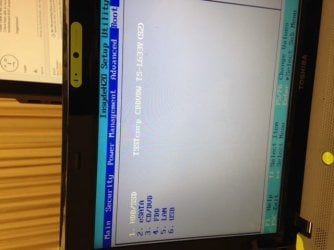
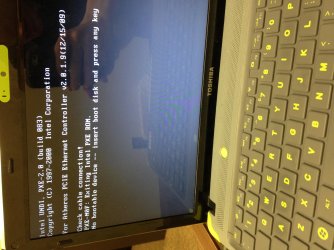
I am trying to do a favor for my boss and fix his son's Toshiba Satellite L635-S3030 (2011). He got a nasty virus and my boss tried to re-format but was unable to install the correct drivers. Also the BIOS attempts a network boot even though network boot is the last in the boot order list.
He gave it to me to look at and I managed to get the OS to boot from HD with a windows disk in the tray. It won't boot to HDD without a disk in the tray.
I got suspicious though and tried it with a blank disk, and lo & behold it still works.
I currently have the hard disk removed from the machine and have docked it for analyzing/testing reasons.
Any ideas? :sarc:
btw I managed to get most of the drivers installed...the issue still persists.
I am trying to do a favor for my boss and fix his son's Toshiba Satellite L635-S3030 (2011). He got a nasty virus and my boss tried to re-format but was unable to install the correct drivers. Also the BIOS attempts a network boot even though network boot is the last in the boot order list.
He gave it to me to look at and I managed to get the OS to boot from HD with a windows disk in the tray. It won't boot to HDD without a disk in the tray.
I got suspicious though and tried it with a blank disk, and lo & behold it still works.
I currently have the hard disk removed from the machine and have docked it for analyzing/testing reasons.
Any ideas? :sarc:
btw I managed to get most of the drivers installed...the issue still persists.
Attachments
My Computer
- Computer type
- Laptop
- OS
- Win7Pro x64
- CPU
- Intel
- Memory
- 16GB