Hi guys, I see in the treads that there are many entries similar to this but none have matched my situation exactly or provided a solution for me.
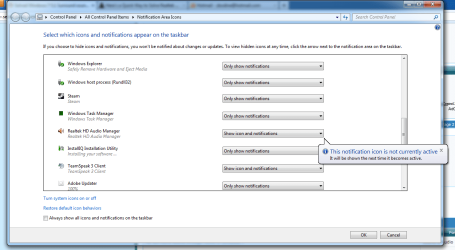
My problem right now is that I cannot get Realtek Audio Manager into the tray in the bottom right. When I click the arrow to view hidden icons and go to "customize" i can find it in there, and set Realtek to "Show icon and notifications" but it will give me a message saying that "This notification icon is not currently active, it will be shown the next time it is active." At first I assumed restarting my computer would help, but it still has not moved to the bar.
Additional info:
1. I have tried everything listed above and below with both the latest realtek drivers from their site and the realtek recommended drivers from my MOBO's site. Both got identical results.
2. I can find the Realtek folder in Computer>Programs, but the RAVBg64 file will not load, even when run as administrator.
3. The Realtek audio manager DOES NOT appear in my Control Panel.
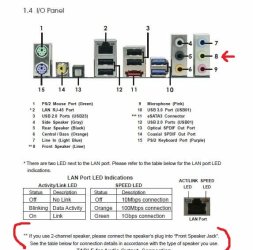
4. The reason I want to get into the manager is because my computer is not detecting my analog Logitec speakers, and I had read that there was a fix that I could try in the manager.
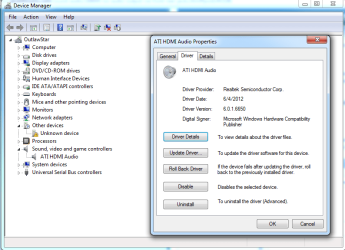
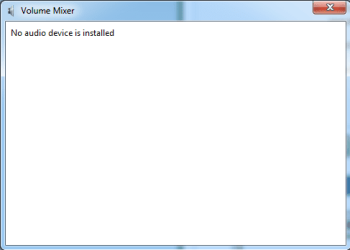
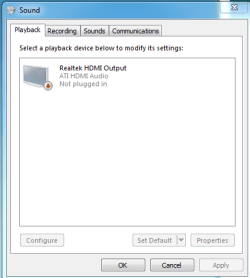
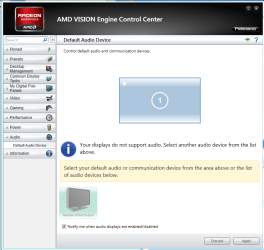
5. When I open "playback devices" only my sound card is listed, my speakers are not there.
Thanks in advance for any help!
My problem right now is that I cannot get Realtek Audio Manager into the tray in the bottom right. When I click the arrow to view hidden icons and go to "customize" i can find it in there, and set Realtek to "Show icon and notifications" but it will give me a message saying that "This notification icon is not currently active, it will be shown the next time it is active." At first I assumed restarting my computer would help, but it still has not moved to the bar.
Additional info:
1. I have tried everything listed above and below with both the latest realtek drivers from their site and the realtek recommended drivers from my MOBO's site. Both got identical results.
2. I can find the Realtek folder in Computer>Programs, but the RAVBg64 file will not load, even when run as administrator.
3. The Realtek audio manager DOES NOT appear in my Control Panel.
4. The reason I want to get into the manager is because my computer is not detecting my analog Logitec speakers, and I had read that there was a fix that I could try in the manager.
5. When I open "playback devices" only my sound card is listed, my speakers are not there.
Thanks in advance for any help!
My Computer
- Computer Manufacturer/Model Number
- My own build
- OS
- Windows 7 Home Premium x64
- CPU
- FX 6200 3.8 GHz
- Motherboard
- AsRock 970 Extreme 3
- Memory
- 8 GB Corsair Vengeance
- Graphics Card(s)
- Radeon 6850
- Sound Card
- AMD HDMI Output
- Monitor(s) Displays
- Asus 21.5" 1080p
- Hard Drives
- 1 TB Seagate Barracuda
- PSU
- BFG 650W
- Case
- Cooler Master Eliete 430
- Cooling
- Stock CPU cooler