Hello all. I'm so desperate for help with this problem. I've been trying for hours to get Bluetooth installed on my laptop but nothing is working.
-I have a Dell Vostro 3500 with Windows 7 32bit Home Premium
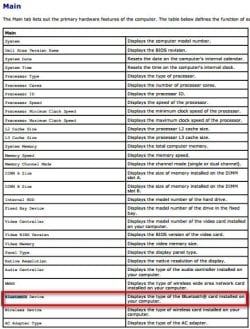
-Bluetooth is enabled in the BIOS (I have the most recent BIOS available for my system)
-I have a Bluetooth light (which is off) above my keyboard, next to the sound controls. I can't figure out how to get it turned on
-I own multiple Bluetooth devices (mouse, iphone) all of which work on my other computer which is a Dell Inspiron with Windows 8
-When I first got this computer, I seem to remember having a Bluetooth icon in my system tray. But after reinstalling Windows, I never saw it again.
-I DO NOT have a Bluetooth button on my keyboard to enable or disable it
-I DO NOT have the Bluetooth icon in my system tray
-My Device Manager DOES NOT detect any Bluetooth drivers installed on my laptop
-When I search for wireless devices to add, Windows DOES NOT detect anything
I have tried installing the Bluetooth drivers from the Dell website, using my Service Tag (the warantee is expired but I still have access to all my drivers) to find the correct drivers.
None of them work.
After extracting, it attempts to install and I get the error "No bluetooth device was detected. Please make sure that your bluetooth device is plugged in properly".
I then attempted to install the drivers that came with the computer on CD.
It also doesn't work.
After extracting, it attempts to install and I get the error "No bluetooth device was detected. Please make sure that your bluetooth device is plugged in properly".
I obviously cannot contact Dell for any support as my warantee is expired.
Can anyone help me please?
-I have a Dell Vostro 3500 with Windows 7 32bit Home Premium
-Bluetooth is enabled in the BIOS (I have the most recent BIOS available for my system)
-I have a Bluetooth light (which is off) above my keyboard, next to the sound controls. I can't figure out how to get it turned on
-I own multiple Bluetooth devices (mouse, iphone) all of which work on my other computer which is a Dell Inspiron with Windows 8
-When I first got this computer, I seem to remember having a Bluetooth icon in my system tray. But after reinstalling Windows, I never saw it again.
-I DO NOT have a Bluetooth button on my keyboard to enable or disable it
-I DO NOT have the Bluetooth icon in my system tray
-My Device Manager DOES NOT detect any Bluetooth drivers installed on my laptop
-When I search for wireless devices to add, Windows DOES NOT detect anything
I have tried installing the Bluetooth drivers from the Dell website, using my Service Tag (the warantee is expired but I still have access to all my drivers) to find the correct drivers.
None of them work.
After extracting, it attempts to install and I get the error "No bluetooth device was detected. Please make sure that your bluetooth device is plugged in properly".
I then attempted to install the drivers that came with the computer on CD.
It also doesn't work.
After extracting, it attempts to install and I get the error "No bluetooth device was detected. Please make sure that your bluetooth device is plugged in properly".
I obviously cannot contact Dell for any support as my warantee is expired.
Can anyone help me please?
My Computer
At a glance
Windows 7 Home Premium 32bit
- Computer type
- PC/Desktop
- Computer Manufacturer/Model Number
- Dell Vostro 3500
- OS
- Windows 7 Home Premium 32bit
- Browser
- Chrome