Cannot Install Windows 7 Ultimate x64 - Laptop

emily27

New member
Local time
8:42 AM
Messages
1
Asus Rog GL553VD. The laptop came with Windows 10 Home installed.

I made the partition and tried to install Windows 7 Ultimate. Every time the windows completes its Primary Installation it reboots and then prior starting installing the second phase it shows the Blue Screen and restarts. Keeps on happening.

Couple of changes I have made prior to installing Windows 7.

CSM - Enabled Secure Boot
Disabled Launch PXE OpRom Policy Disable
Boot Priority - 1/ DVD, 2/ HDD 3/Realtek

Just to let every one know that I can install Windows 10 without any problems. However, occasionally it hangs while loading but happens 2/10 times. Is that anything to do with the changes I have made on BIOS ?

Somebody PLEASE HELP!
 

My Computer

Computer type
Laptop
OS
Windows 7 Ultimate x64
Hello and welcome Emily now are you trying to dual boot this machine?
 

My Computer

Computer type
PC/Desktop
Computer Manufacturer/Model Number
Own build (new) Desk1 / Asus ROG Win 7 / Desk2 1st build
OS
Desk1 7 Home Prem / Desk2 10 Pro / Main lap Asus ROG 10 Pro 2 laptop Toshiba 7 Pro Asus P2520 7 & 10
CPU
Desk1 i5 3750K / Laptop i7 GTX 860M / Desk2 i5 2500
Motherboard
Desk1 Asus P877-V / Desk2 Gigabyte H67 UD3H / Laptop ?
Memory
Desk1 8GB (1866) / Desk2 16GB (1333) / Laptop 8Gb DDR3
Graphics Card(s)
Desk 1& 2NVidia GTX 650 & Laptops on board Intel
Sound Card
Desk 1 & 2 -XONAR DG Realtek High Def audio Laptop
Monitor(s) Displays
Desk 1 Benq HD 2450 / Desk2 Philips 24" / Laptop 17.5"
Screen Resolution
1920x1080 D1 & D2 & Laptop 1
Hard Drives
Desk1 Samsung 120GB 830 SSD
Asus ROG 256GB 850 Pro SSD
Desk2 Samsung 840 256 SSD
Toshiba 120GB EVO
PSU
Desk 1 Corsair HX 1050/ Laptop ? / Desk 2 Corsair HX 650
Case
Desk 1 Cooler HAF XM ? Toshiba laptop / Desk2 Coolermaster
Cooling
Fans on all Desk1 -2 Desk2 - all Coolermasters 5 Laptop ?
Keyboard
Desk 1 MS Sidewinder X6 Desk 2 MS Sidewinder X 4
Mouse
Desk 1&2 - Gigabyte MS 900 gamer - laptop - Logitec wireless
Internet Speed
ADSL2+
Other Info
One other Desktop (tester) and spare Toshba laptop both with SSD's
Running Kaspersky 2016 ISS on all machines config'd identically
Logitec audio stereo systems on each machine (x3)
Canon MG5250MFC
Router/modem TP-Link running WPA2SK
Win 7 isn't compatible with Secure boot. Also disable fast boot.
When you booted from the win 7 installation disk, did you choose UEFI option?
 

My Computers

System One System Two

  • Computer type
    PC/Desktop
    Computer Manufacturer/Model Number
    custom build
    OS
    Windows 7 HP 64
    CPU
    i5 6600K - 800MHz to 4200MHz
    Motherboard
    GA-Z170-HD3P
    Memory
    4+4G GSkill DDR4 3000
    Graphics Card(s)
    IG - Intel 530
    Monitor(s) Displays
    Samsung 226BW
    Screen Resolution
    1680x1050
    Hard Drives
    (1) -1 SM951 – 128GB M.2 AHCI PCIe SSD drive for Windows 7 and Lubuntu
    (2) -1 WD SATA 3 - 1T for Data
    (3) -1 WD SATA 3 - 1T for backup
    PSU
    Thermaltake 450W TR2 gold
    Keyboard
    Old and good Chicony mechanical keyboard
    Mouse
    Logitech mX performance - 9 buttons (had to disable some)
    Internet Speed
    500Mb/s
    Browser
    Firefox 64
    Other Info
    TinyWall firewall
  • Computer type
    Laptop
    System Manufacturer/Model Number
    Asus Q550LF
    OS
    Windows 7 Pro
    CPU
    i7-4500U 800MHz to 3.0GHz
    Motherboard
    Asus Q550LF
    Memory
    (4+4)G DDR3 1600
    Graphics Card(s)
    IG intel 4400 + NVIDIA GeForce GT 745M
    Sound Card
    Realtek
    Monitor(s) Displays
    LG Display LP156WF4-SPH1
    Screen Resolution
    1920 x 1080
    Hard Drives
    BX500 120G SSD for Windows and programs +
    1T HDD for data
    Internet Speed
    500 Mb/s
    Browser
    Firefox
    Other Info
    TinyWall firewall
Hmm Mega I should have picked up on that one - Secure Boot:o
 

My Computer

Computer type
PC/Desktop
Computer Manufacturer/Model Number
Own build (new) Desk1 / Asus ROG Win 7 / Desk2 1st build
OS
Desk1 7 Home Prem / Desk2 10 Pro / Main lap Asus ROG 10 Pro 2 laptop Toshiba 7 Pro Asus P2520 7 & 10
CPU
Desk1 i5 3750K / Laptop i7 GTX 860M / Desk2 i5 2500
Motherboard
Desk1 Asus P877-V / Desk2 Gigabyte H67 UD3H / Laptop ?
Memory
Desk1 8GB (1866) / Desk2 16GB (1333) / Laptop 8Gb DDR3
Graphics Card(s)
Desk 1& 2NVidia GTX 650 & Laptops on board Intel
Sound Card
Desk 1 & 2 -XONAR DG Realtek High Def audio Laptop
Monitor(s) Displays
Desk 1 Benq HD 2450 / Desk2 Philips 24" / Laptop 17.5"
Screen Resolution
1920x1080 D1 & D2 & Laptop 1
Hard Drives
Desk1 Samsung 120GB 830 SSD
Asus ROG 256GB 850 Pro SSD
Desk2 Samsung 840 256 SSD
Toshiba 120GB EVO
PSU
Desk 1 Corsair HX 1050/ Laptop ? / Desk 2 Corsair HX 650
Case
Desk 1 Cooler HAF XM ? Toshiba laptop / Desk2 Coolermaster
Cooling
Fans on all Desk1 -2 Desk2 - all Coolermasters 5 Laptop ?
Keyboard
Desk 1 MS Sidewinder X6 Desk 2 MS Sidewinder X 4
Mouse
Desk 1&2 - Gigabyte MS 900 gamer - laptop - Logitec wireless
Internet Speed
ADSL2+
Other Info
One other Desktop (tester) and spare Toshba laptop both with SSD's
Running Kaspersky 2016 ISS on all machines config'd identically
Logitec audio stereo systems on each machine (x3)
Canon MG5250MFC
Router/modem TP-Link running WPA2SK
Asus Rog GL553VD. The laptop came with Windows 10 Home installed.

I made the partition and tried to install Windows 7 Ultimate. Every time the windows completes its Primary Installation it reboots and then prior starting installing the second phase it shows the Blue Screen and restarts. Keeps on happening.

Couple of changes I have made prior to installing Windows 7.

CSM - Enabled Secure Boot
Disabled Launch PXE OpRom Policy Disable
Boot Priority - 1/ DVD, 2/ HDD 3/Realtek

Just to let every one know that I can install Windows 10 without any problems. However, occasionally it hangs while loading but happens 2/10 times. Is that anything to do with the changes I have made on BIOS ?

Somebody PLEASE HELP!

I have the exact same notebook and am trying to do the same thing. My Windows 7 Ultimate x64 though is one of the originals. Would it help to use a disc with SP1 already installed? I managed to stop the blue screen issue but it locks up for me when it gets to the Windows 7 logo when starting the install. Ideally, I would like Windows 8.1 on it but I can't find a SATA driver that actually works to get the hard drive to show up to start the install.
 

My Computer

Computer type
PC/Desktop
OS
Windows 10 Education x64

My Computer

Computer type
PC/Desktop
Computer Manufacturer/Model Number
medionl/Aspire 6930G/acer x55a
OS
W7 home premium 32bit/W7HP 64bit/w10 tp insider ring
CPU
E5300 dual core
Motherboard
medion MS7366
Memory
3gb
Graphics Card(s)
Nvidia Geforce 7100 Nforce 630i
Monitor(s) Displays
avixc
Internet Speed
n (isp resticted to 72)
Antivirus
mse/pands
Browser
palemoon
Other Info
Belkin Fd7050 n USB using Railink RT2870 drivers, more upto date
I did read through the first post, which pretty much is how i was attempting things. I can't get the hard drive to appear though to delete the partitions and to install Windows on Windows 8. The Windows 7 install locks up every time after the "loading setup files" after hitting any key to start the setup when it gets to the Windows logo. I can't find any way in the BIOS to turn off ACHI for RAID or SATA mode to get around all of the drivers I have tried on the Windows 8 install not actually getting the hard drive to show up to proceed with the install.
 

My Computer

Computer type
PC/Desktop
OS
Windows 10 Education x64
What`s wrong with having W10 on it ?
 

My Computer

Computer type
PC/Desktop
Computer Manufacturer/Model Number
Skylake Special #666
OS
Windows 10 Pro x64
CPU
Intel Core i7 6700K
Motherboard
Asus Sabertooth Z170 Mark 1
Memory
GSkill TridentZ RGB 16GB 3600 16-16-16-36
Graphics Card(s)
EVGA GTX 980 Ti SC x2
Sound Card
Realtek High Definition
Monitor(s) Displays
AOC G2460PG
Screen Resolution
1920 x 1080 144Hz
Hard Drives
Samsung 860 Pro 256GB, Seagate Barracuda 4TB x2
PSU
EVGA 1000 P2, EVGA White Custom Braided Cables
Case
Corsair Vengeance C70 Gunmetal Black
Cooling
Corsair H100i v2, Corsair ML120 x2, Thermal Grizzly Kryonaut
Keyboard
Logitech G910 Orion Spectrum
Mouse
Logitech G700s
Internet Speed
Verizon Fios Quantum Gateway 75/75
Antivirus
Windows Defender, Malwarebytes Free 3.8.3
Browser
Chrome
Other Info
Corsair SP120 x4, LG Blu-ray Drive, Durabrand HT-395 100 Watt Dolby Digital Amp, Corsair H2100 Wireless 7.1 Headset
I did read through the first post, which pretty much is how i was attempting things. I can't get the hard drive to appear though to delete the partitions and to install Windows on Windows 8. The Windows 7 install locks up every time after the "loading setup files" after hitting any key to start the setup when it gets to the Windows logo. I can't find any way in the BIOS to turn off ACHI for RAID or SATA mode to get around all of the drivers I have tried on the Windows 8 install not actually getting the hard drive to show up to proceed with the install.
I am just a tad confused now as to what you want on the machine 7 8 or 10? Now to me if say you wanted 7 then just clean install it from an ISO Clean Install Windows 7 < use the Microsoft Software Recovery link for the ISO as you must have the key or am I assuming that? The same goes for 8 or 10 if you do not have your key try this Product Key Number for Windows 7 - Find and See
If you have data you need to save before you do that use this

BOOTABLE UBUNTU

Makea bootable Ubuntu disk https://www.ubuntu.com/download/desktop

Setthe BIOS to boot from the optical when the machine boots it will showyou a screen with TRYor INSTALL> select TRYnotINSTALL

Whenit is finished - it takes very little time you will get a screen likein the pic .

Openthe drive you want > User and dig down until you get to the data /settings you may be able to copy / paste the material you want to anexternal source or other installed drive doing this.

Iam not sure if it will but I have recovered tons of data etc usingthis method both on "dead" or just plain drives that youcannot get data from using Windows.


Or there is thisEmergency Kit - save your files from a dead OS I prefer Ubuntu a tad easier to set up but this does the same thing
 

My Computer

Computer type
PC/Desktop
Computer Manufacturer/Model Number
Own build (new) Desk1 / Asus ROG Win 7 / Desk2 1st build
OS
Desk1 7 Home Prem / Desk2 10 Pro / Main lap Asus ROG 10 Pro 2 laptop Toshiba 7 Pro Asus P2520 7 & 10
CPU
Desk1 i5 3750K / Laptop i7 GTX 860M / Desk2 i5 2500
Motherboard
Desk1 Asus P877-V / Desk2 Gigabyte H67 UD3H / Laptop ?
Memory
Desk1 8GB (1866) / Desk2 16GB (1333) / Laptop 8Gb DDR3
Graphics Card(s)
Desk 1& 2NVidia GTX 650 & Laptops on board Intel
Sound Card
Desk 1 & 2 -XONAR DG Realtek High Def audio Laptop
Monitor(s) Displays
Desk 1 Benq HD 2450 / Desk2 Philips 24" / Laptop 17.5"
Screen Resolution
1920x1080 D1 & D2 & Laptop 1
Hard Drives
Desk1 Samsung 120GB 830 SSD
Asus ROG 256GB 850 Pro SSD
Desk2 Samsung 840 256 SSD
Toshiba 120GB EVO
PSU
Desk 1 Corsair HX 1050/ Laptop ? / Desk 2 Corsair HX 650
Case
Desk 1 Cooler HAF XM ? Toshiba laptop / Desk2 Coolermaster
Cooling
Fans on all Desk1 -2 Desk2 - all Coolermasters 5 Laptop ?
Keyboard
Desk 1 MS Sidewinder X6 Desk 2 MS Sidewinder X 4
Mouse
Desk 1&2 - Gigabyte MS 900 gamer - laptop - Logitec wireless
Internet Speed
ADSL2+
Other Info
One other Desktop (tester) and spare Toshba laptop both with SSD's
Running Kaspersky 2016 ISS on all machines config'd identically
Logitec audio stereo systems on each machine (x3)
Canon MG5250MFC
Router/modem TP-Link running WPA2SK
I wanted Windows 8.1 in the machine. The reason I mentioned 7, 8.1, and 10 was to troubleshoot it. After digging around for the correct settings, all of which I had tried in both CMS and UEFI modes, I wasn't the only person to have the same issue with that particular modem of laptop. After calling Asus Support and quickly verifying the settings once again both ways and trying the install on the phone with a rep. I was put on a brief hold and issued a reference number for the case because I declined to RMA a brand new laptop (I actually bought 3) and decided to return them for something else.

Although I am not 100% sure what the issue is, Asus specifically referenced a defective hard drive. Outside of the BIOS and booting into the preinstalled Windows 10 on it. There is no other way to access the hard drive. Even under the diskpart, list disk command, the drive does not show up at all. Regardless of which RST drivers I used during the Windows installation, Intel and Asus, the drive would never show up to install to. I was tempted to pull the drive out and see if it showed up on my desktop for a Windows install but that seems a bit ridiculous to do considering Asus wanted me to ship the whole laptop back to them in California, hence why I decided to take the 3 of them and return them. No, I haven't bothered to open the other two because this particular model seems to suffer from quite a few issues, including thermal throttling, along with the issue I experienced, as well as many others.

To address the people who champion 10. I personally don't like it and think Windows 8, not 8.1, was Microsoft's best implementation of Windows to date. Before someone says it. No, I have never used a touch screen with my PC and don't plan on it either.
 

My Computer

Computer type
PC/Desktop
OS
Windows 10 Education x64

My Computer

Computer type
PC/Desktop
Computer Manufacturer/Model Number
medionl/Aspire 6930G/acer x55a
OS
W7 home premium 32bit/W7HP 64bit/w10 tp insider ring
CPU
E5300 dual core
Motherboard
medion MS7366
Memory
3gb
Graphics Card(s)
Nvidia Geforce 7100 Nforce 630i
Monitor(s) Displays
avixc
Internet Speed
n (isp resticted to 72)
Antivirus
mse/pands
Browser
palemoon
Other Info
Belkin Fd7050 n USB using Railink RT2870 drivers, more upto date

CMS on modern Asus laptops is booting legacy, ATA or PATA instead of Raid and AHCI. I still couldn't get any version of Windows, disc or USB stick, to detect that there was a hard drive to install to. I did not run MemTest to test the memory but there are no $ folders on C, at least in the root. chkdsk obviously won't work in the Recovery Console if diskpart can't see the hard drive. You can't check something that doesn't appear to be there. Definitely a good read though.
 

My Computer

Computer type
PC/Desktop
OS
Windows 10 Education x64

My Computers

System One System Two

  • Computer type
    PC/Desktop
    Computer Manufacturer/Model Number
    custom build
    OS
    Windows 7 HP 64
    CPU
    i5 6600K - 800MHz to 4200MHz
    Motherboard
    GA-Z170-HD3P
    Memory
    4+4G GSkill DDR4 3000
    Graphics Card(s)
    IG - Intel 530
    Monitor(s) Displays
    Samsung 226BW
    Screen Resolution
    1680x1050
    Hard Drives
    (1) -1 SM951 – 128GB M.2 AHCI PCIe SSD drive for Windows 7 and Lubuntu
    (2) -1 WD SATA 3 - 1T for Data
    (3) -1 WD SATA 3 - 1T for backup
    PSU
    Thermaltake 450W TR2 gold
    Keyboard
    Old and good Chicony mechanical keyboard
    Mouse
    Logitech mX performance - 9 buttons (had to disable some)
    Internet Speed
    500Mb/s
    Browser
    Firefox 64
    Other Info
    TinyWall firewall
  • Computer type
    Laptop
    System Manufacturer/Model Number
    Asus Q550LF
    OS
    Windows 7 Pro
    CPU
    i7-4500U 800MHz to 3.0GHz
    Motherboard
    Asus Q550LF
    Memory
    (4+4)G DDR3 1600
    Graphics Card(s)
    IG intel 4400 + NVIDIA GeForce GT 745M
    Sound Card
    Realtek
    Monitor(s) Displays
    LG Display LP156WF4-SPH1
    Screen Resolution
    1920 x 1080
    Hard Drives
    BX500 120G SSD for Windows and programs +
    1T HDD for data
    Internet Speed
    500 Mb/s
    Browser
    Firefox
    Other Info
    TinyWall firewall
I did have drivers for the hard drive when it wasn't showing up. I loaded them and even tried them all when the one for it didn't get the drive to appear. I tried different versions of the driver from Asus and Intel with the same result. No hard drive showed up to install Windows to.
 

My Computer

Computer type
PC/Desktop
OS
Windows 10 Education x64
Hi JCSWW,

I had something sinilar on my Asus x55a, legacy Bios only.
It came pre-loaded 8 took it up to 10.
BUT
my Mr's lappy broke so in the interim, i clean booted to 7 after changing Bios settings.
I just cant remember what i changed??
The fun came getting back to 10
NO HDD detected, all it did was boot to BIOS, same as you?

it was all to do with CSM, and yes AHCI and IDE settings.
found some info on the notebook review site.

Roy
 

My Computer

Computer type
PC/Desktop
Computer Manufacturer/Model Number
medionl/Aspire 6930G/acer x55a
OS
W7 home premium 32bit/W7HP 64bit/w10 tp insider ring
CPU
E5300 dual core
Motherboard
medion MS7366
Memory
3gb
Graphics Card(s)
Nvidia Geforce 7100 Nforce 630i
Monitor(s) Displays
avixc
Internet Speed
n (isp resticted to 72)
Antivirus
mse/pands
Browser
palemoon
Other Info
Belkin Fd7050 n USB using Railink RT2870 drivers, more upto date
Hi JCSWW,

I had something sinilar on my Asus x55a, legacy Bios only.
It came pre-loaded 8 took it up to 10.
BUT
my Mr's lappy broke so in the interim, i clean booted to 7 after changing Bios settings.
I just cant remember what i changed??
The fun came getting back to 10
NO HDD detected, all it did was boot to BIOS, same as you?

it was all to do with CSM, and yes AHCI and IDE settings.
found some info on the notebook review site.

Roy

I hadn't looked at reviews of the laptop because it originally wasn't what I was going to buy. I did spend a half hour on the phone with Asus though, going through both legacy and AHCI booting into the Windows installer with no such luck. One would think their own support would know all of the correct settings to change to put the BIOS into IDE and the hard drive still didn't show up. It should need a driver for IDE/Legacy but even after loading the driver they told me to download from their own site and still no hard drive to install to.
 

My Computer

Computer type
PC/Desktop
OS
Windows 10 Education x64
To address the people who champion 10. I personally don't like it and think Windows 8, not 8.1, was Microsoft's best implementation of Windows to date. Before someone says it. No, I have never used a touch screen with my PC and don't plan on it either.

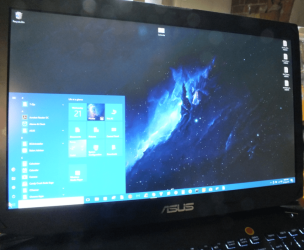
Well I am more 7 person myself never did like 8 and 10 on my machines I set up to look like 7 (not add on software and see pic) the only thing I don't like about 10 is the "double handling" when you need to use the command prompt or snipping tool for example. So 7 is my choice until it gasps it's last breath.

Touchscreens and touchpads for that matter in my mind are dirty and unhygienic and I avoid any use of them not that I have phobia about them but it is just common sense they will be so.
 

Attachments

  • ASUS 10.PNG
    ASUS 10.PNG
    241.5 KB · Views: 1

My Computer

Computer type
PC/Desktop
Computer Manufacturer/Model Number
Own build (new) Desk1 / Asus ROG Win 7 / Desk2 1st build
OS
Desk1 7 Home Prem / Desk2 10 Pro / Main lap Asus ROG 10 Pro 2 laptop Toshiba 7 Pro Asus P2520 7 & 10
CPU
Desk1 i5 3750K / Laptop i7 GTX 860M / Desk2 i5 2500
Motherboard
Desk1 Asus P877-V / Desk2 Gigabyte H67 UD3H / Laptop ?
Memory
Desk1 8GB (1866) / Desk2 16GB (1333) / Laptop 8Gb DDR3
Graphics Card(s)
Desk 1& 2NVidia GTX 650 & Laptops on board Intel
Sound Card
Desk 1 & 2 -XONAR DG Realtek High Def audio Laptop
Monitor(s) Displays
Desk 1 Benq HD 2450 / Desk2 Philips 24" / Laptop 17.5"
Screen Resolution
1920x1080 D1 & D2 & Laptop 1
Hard Drives
Desk1 Samsung 120GB 830 SSD
Asus ROG 256GB 850 Pro SSD
Desk2 Samsung 840 256 SSD
Toshiba 120GB EVO
PSU
Desk 1 Corsair HX 1050/ Laptop ? / Desk 2 Corsair HX 650
Case
Desk 1 Cooler HAF XM ? Toshiba laptop / Desk2 Coolermaster
Cooling
Fans on all Desk1 -2 Desk2 - all Coolermasters 5 Laptop ?
Keyboard
Desk 1 MS Sidewinder X6 Desk 2 MS Sidewinder X 4
Mouse
Desk 1&2 - Gigabyte MS 900 gamer - laptop - Logitec wireless
Internet Speed
ADSL2+
Other Info
One other Desktop (tester) and spare Toshba laptop both with SSD's
Running Kaspersky 2016 ISS on all machines config'd identically
Logitec audio stereo systems on each machine (x3)
Canon MG5250MFC
Router/modem TP-Link running WPA2SK
I was looking forward to Windows 10 until Microsoft decided to take away the UI selection during hte setup. Taking away user choice for their bastardized kitbash and purposely hiding things is frustrating. There was no need to move the Control Panel to Start/All Programs/Windows System/.

Windows 7 isn't that bad and still leagues better than 10 in my opinion. It is the tried and tested look of Windows that so many of us are used to. Windows 8, not the 8.1 update, I think would have been received better if Microsoft has put in the effort to explain their innovation of the GUI to users in a way that helps them get used to the interface, which was a drastic change for its time.
 

My Computer

Computer type
PC/Desktop
OS
Windows 10 Education x64
Well mate all you have to do is delete all that crap/bloat at the start and then go to Start type This PC (Computer) and then right click pin to start menu do the same for Control Panel msconfig. Pics Docs - whatever you want to come up at hitting the Start key see my pic! It isn't the best quality but will give you an idea what it looks like.

Sometimes you cannot pin Downloads and never regedit but you can most stuff as 7
 

My Computer

Computer type
PC/Desktop
Computer Manufacturer/Model Number
Own build (new) Desk1 / Asus ROG Win 7 / Desk2 1st build
OS
Desk1 7 Home Prem / Desk2 10 Pro / Main lap Asus ROG 10 Pro 2 laptop Toshiba 7 Pro Asus P2520 7 & 10
CPU
Desk1 i5 3750K / Laptop i7 GTX 860M / Desk2 i5 2500
Motherboard
Desk1 Asus P877-V / Desk2 Gigabyte H67 UD3H / Laptop ?
Memory
Desk1 8GB (1866) / Desk2 16GB (1333) / Laptop 8Gb DDR3
Graphics Card(s)
Desk 1& 2NVidia GTX 650 & Laptops on board Intel
Sound Card
Desk 1 & 2 -XONAR DG Realtek High Def audio Laptop
Monitor(s) Displays
Desk 1 Benq HD 2450 / Desk2 Philips 24" / Laptop 17.5"
Screen Resolution
1920x1080 D1 & D2 & Laptop 1
Hard Drives
Desk1 Samsung 120GB 830 SSD
Asus ROG 256GB 850 Pro SSD
Desk2 Samsung 840 256 SSD
Toshiba 120GB EVO
PSU
Desk 1 Corsair HX 1050/ Laptop ? / Desk 2 Corsair HX 650
Case
Desk 1 Cooler HAF XM ? Toshiba laptop / Desk2 Coolermaster
Cooling
Fans on all Desk1 -2 Desk2 - all Coolermasters 5 Laptop ?
Keyboard
Desk 1 MS Sidewinder X6 Desk 2 MS Sidewinder X 4
Mouse
Desk 1&2 - Gigabyte MS 900 gamer - laptop - Logitec wireless
Internet Speed
ADSL2+
Other Info
One other Desktop (tester) and spare Toshba laptop both with SSD's
Running Kaspersky 2016 ISS on all machines config'd identically
Logitec audio stereo systems on each machine (x3)
Canon MG5250MFC
Router/modem TP-Link running WPA2SK
Back
Top