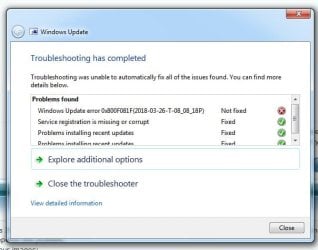
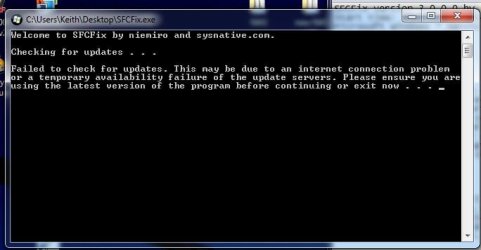
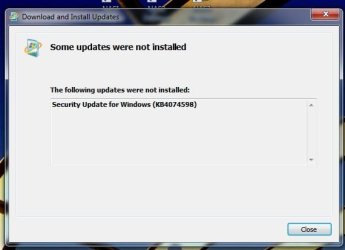
Don't need to change or reroute to different port. Most all of the time it runs flawlessly. I had an issue a while back with SFCFix.exe, same error message. I tried it again, same, rebooted, worked, why, haven't the foggiest, other than Microsoft OS.
Last suggestion/recommendation.
from CMD
wusa /uninstall /KB:4038803 /quiet
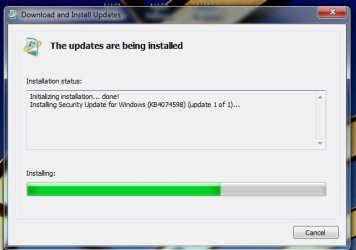
wusa /uninstall /KB:4074598 /quiet
reboot
try stand alone installer for KB4074598
I'm pretty sure the above won't work at this point! Yea. I'm frustrated too.

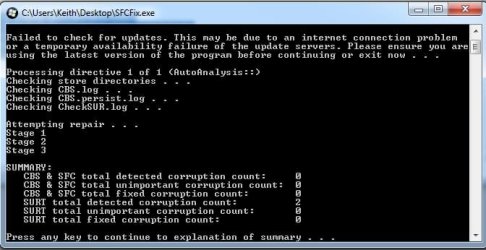
Replacing missing packages from SURT Tool report
unzip SFCFix.zip
place packages folder in: %WinDir%\Temp\CheckSUR\
If CheckSUR folder doesn't exist, create it & paste Packages there.
Run SURT tool, it will located thoses cat/mum files and install them.
I'm as far as I can go with your issue, as I'm not at the expert level for Win Update yet!
Repair Install will work, but that is usually a last effort fix if you have too many winsxs, packages, or manifest, or component hive corruptions, etc.
You can try PM (private message) to Tom982, if he's still posting, Noel DP, however, hasn't posted in a while, health problems (eyes), or Torchwood/Roy, haven't seen a post in last week or two, may be on vacation/holiday.
You can also post to
Sysnative Forums, they have expert win update annalists, sometimes their fix is Repair Install as well!
FYI, after I complete my CompTIA certification testing, A+ & Network+, mid April, I'm going to ask Go the Power to enroll in their Windows Update advanced analysis/resolution program. I checked a while back with Go the Power and he said they were close to completion of the course and to get back with him. I'm currently in college (4.0) and supplementing with online courses for CompTIA A+, Network+, & Security+.
It really irritates me when I have to admit defeat, especially when an issue seems to have been a relatively easy fix. Windows Update issues are quite often, difficult to nail down.