- Local time
- 1:24 AM
- Messages
- 18
Callender: Just a thought but perhaps try running Recuva with the recover deleted emails option one more time once you've cleaned up Thunderbird just to see if it creates a new zip file!
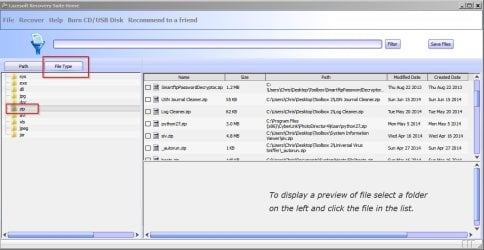
Well, what it did was the Thunderbird emails.zip in the free space is now 480mb instead of 234mb. So, when I deleted the profiles and profile.ini, recuva just added that to the Thunderbird emails.zip folder. Thunderbird emails.zip is not on the C drive anyplace except the free space.
I don't think system restore will change what is in the free space, but I will try that also. I thought at first it was because I have an SSD drive. But others on the recuva forum who are having this same problem have a regular hard drive.
Well, what it did was the Thunderbird emails.zip in the free space is now 480mb instead of 234mb. So, when I deleted the profiles and profile.ini, recuva just added that to the Thunderbird emails.zip folder. Thunderbird emails.zip is not on the C drive anyplace except the free space.
I don't think system restore will change what is in the free space, but I will try that also. I thought at first it was because I have an SSD drive. But others on the recuva forum who are having this same problem have a regular hard drive.
My Computer
- Computer type
- PC/Desktop
- Computer Manufacturer/Model Number
- custom build
- OS
- Windows 7 Home Premium 64
- CPU
- i5-4570
- Motherboard
- ASUS Z87-A
- Memory
- CORSAIR 4gb
- Hard Drives
- SAMSUNG 120 SSD
- Antivirus
- KASPERSKY IS
- Browser
- FIREFOX