Read carefully please.
Alright, so it's come to my attention a few weeks ago that Windows Firewall will not start on my computer. I have no idea what could have caused the incident but I need to fix it as soon as possible. I've run 3 malware scans from different programs and the results I've found are irrelevant or useless. I've also ran Advanced System Care 4 (Professional) and also (recently) RegEdit and there are no relevant errors other than maybe some of the registry problems, but those are usually low-risk and are fixed by the program. I have the logs saved if you request them.
Steps taken so far:
-I get reminded by the Action Center that my firewall needs to be turned on. When I try to fix it it says it's unable to, then a link to turn it on manually appears. That fails and I get Error 08x007042c (I have checked the other thread regarding this error, but either the steps aren't very clear or they're just not working)
-I've opened services.msc, and the Base Filtering Engine is and has been working fine. When I try to start the Windows Firewall manually, it says "Windows could not start the firewall service on Local Computer. Error 1068: The Dependency service or group failed to start."
Now, I looked at the dependencies, and there's two specifically it depends on:
+Base Filtering Engine
+Windows Firewall Authorization Diver
As stated, the Base Filtering Engine is working fine, but there's not an option in the service.msc for the Windows Firewall Authorization Drive. I have accessed it via Device Manager, although on the symbol a caution triangle appears, despite it seeming to be fine.
-I've tried changing the information in the Log On tab to Local Service and leaving the passwords blank, which it then said manual control was give to me (or something similar), but this doesn't actually do anything.
-The Background Intelligent Transfer Service is also working properly
-Ran SFC /SCANNOW as an Administrator in the command prompt.
-I also did this: Error code: 0x8007042c "Windows firewall cannot change some of your settings" when you try to turn on your Windows Firewall
-Restarted in safe mode with networking support. Not able to change anything.
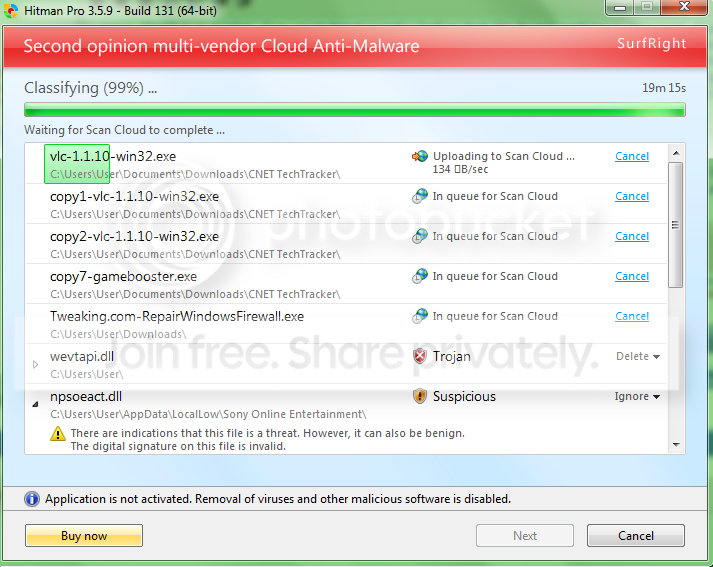
-Repair Windows Firewall Tool and RegEdit say they have started the Windows Firewall, but this is not truly the case, and upon re-opening the program it says it has been stopped already.
I tried also doing a system restore to about a week ago, but after the computer restarted it said it was unsuccessful and to try again (repeatedly does this)
Any other suggestions or help would be very appreciated. I'm running Windows 7 Home Premium x64 and have not upgraded it from Windows Vista, the machine came installed with Windows 7 already, so telling me to re-install Windows 7 is a pointless suggestion(unless you know some other way to do it without buying a new one).
If I'm unable to fix this problem, would getting a firewall from another company such as McAfee or Norton be a good alternative? I'd prefer to keep the normal windows firewall if possible though.
I have no backup, as the means were not possible at the time, system restore isn't possible, and Factory Restore or clean install will only be a last option in the worst case scenario.
Yes, I have consulted the microsoft answers board.
I think that's all the steps I've taken.
Side note: As a result I've gotten some kind of malware or "TDSS" that redirects me to a random advertisement or related site when I use a search engine and click on the result. Any help with that too?
I know I'm asking a lot, but I'm willing to do most anything.
Alright, so it's come to my attention a few weeks ago that Windows Firewall will not start on my computer. I have no idea what could have caused the incident but I need to fix it as soon as possible. I've run 3 malware scans from different programs and the results I've found are irrelevant or useless. I've also ran Advanced System Care 4 (Professional) and also (recently) RegEdit and there are no relevant errors other than maybe some of the registry problems, but those are usually low-risk and are fixed by the program. I have the logs saved if you request them.
Steps taken so far:
-I get reminded by the Action Center that my firewall needs to be turned on. When I try to fix it it says it's unable to, then a link to turn it on manually appears. That fails and I get Error 08x007042c (I have checked the other thread regarding this error, but either the steps aren't very clear or they're just not working)
-I've opened services.msc, and the Base Filtering Engine is and has been working fine. When I try to start the Windows Firewall manually, it says "Windows could not start the firewall service on Local Computer. Error 1068: The Dependency service or group failed to start."
Now, I looked at the dependencies, and there's two specifically it depends on:
+Base Filtering Engine
+Windows Firewall Authorization Diver
As stated, the Base Filtering Engine is working fine, but there's not an option in the service.msc for the Windows Firewall Authorization Drive. I have accessed it via Device Manager, although on the symbol a caution triangle appears, despite it seeming to be fine.
-I've tried changing the information in the Log On tab to Local Service and leaving the passwords blank, which it then said manual control was give to me (or something similar), but this doesn't actually do anything.
-The Background Intelligent Transfer Service is also working properly
-Ran SFC /SCANNOW as an Administrator in the command prompt.
-I also did this: Error code: 0x8007042c "Windows firewall cannot change some of your settings" when you try to turn on your Windows Firewall
-Restarted in safe mode with networking support. Not able to change anything.
-Repair Windows Firewall Tool and RegEdit say they have started the Windows Firewall, but this is not truly the case, and upon re-opening the program it says it has been stopped already.
I tried also doing a system restore to about a week ago, but after the computer restarted it said it was unsuccessful and to try again (repeatedly does this)
Any other suggestions or help would be very appreciated. I'm running Windows 7 Home Premium x64 and have not upgraded it from Windows Vista, the machine came installed with Windows 7 already, so telling me to re-install Windows 7 is a pointless suggestion(unless you know some other way to do it without buying a new one).
If I'm unable to fix this problem, would getting a firewall from another company such as McAfee or Norton be a good alternative? I'd prefer to keep the normal windows firewall if possible though.
I have no backup, as the means were not possible at the time, system restore isn't possible, and Factory Restore or clean install will only be a last option in the worst case scenario.
Yes, I have consulted the microsoft answers board.
I think that's all the steps I've taken.
Side note: As a result I've gotten some kind of malware or "TDSS" that redirects me to a random advertisement or related site when I use a search engine and click on the result. Any help with that too?
I know I'm asking a lot, but I'm willing to do most anything.
Last edited:
My Computer
At a glance
Windows 7 Home Premium x64
- OS
- Windows 7 Home Premium x64