

AngryChief
New member
My office 2010 crashed and wouldn't re-install because of missing MSO Cache items, and of course all support has ended. So I uninstalled it and cleaned up all registry entries and then purchased and installed Office 2013. After I made sure it was working correctly, I ran updates on CCleaner Pro and CleanMyPC Registry Cleaner. What I failed to do is what I ALWAYS do, and that's make sure that ALL of my programs are working after the installation or update of ANY program. So any of the above may have caused the problem. And during this time I also ran the program "RED" (remove empty directories). Now I'm getting this error message on a number of my programs. This message pops up any time I try to "run", "uninstall", "repair", or "re-install" any of these programs, so it definitely has something to do w/ *.exe files.
"Windows cannot access the specified device, path, or file. You may not have the appropriate permissions to access the item"
Attached is a screenshot of a typical one. (sf01.jpg)
Of course as the sole user of this PC, I have always had the UAC's set to let me access, change, delete, & add ANYTHING and have not had this issue before. I have gone through this forum and tried just about every registry hack and other suggestions for similar issues. No joy.
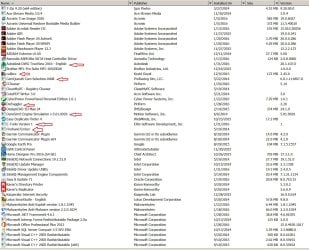
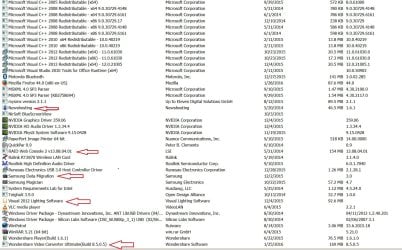
I have also attached a list of the installed programs and have noted the programs where I get this message in the hope that someone can see a pattern in the chaos. Why do some work and some do not ??
Thank you
"Windows cannot access the specified device, path, or file. You may not have the appropriate permissions to access the item"
Attached is a screenshot of a typical one. (sf01.jpg)
Of course as the sole user of this PC, I have always had the UAC's set to let me access, change, delete, & add ANYTHING and have not had this issue before. I have gone through this forum and tried just about every registry hack and other suggestions for similar issues. No joy.
I have also attached a list of the installed programs and have noted the programs where I get this message in the hope that someone can see a pattern in the chaos. Why do some work and some do not ??
Thank you
Attachments

My Computer
- Computer type
- PC/Desktop
- Computer Manufacturer/Model Number
- Home Assembled
- OS
- win7 Pro SP1 64bit
- CPU
- 17-3930K @ 40 x 100 Core 1.289V, VID 1.331V
- Motherboard
- Intel DX79SI Bios: 0650
- Memory
- 64GB (8x8GB) G Skill F3-12800CL10Q2-64GBZL @ 1600 1.512V
- Graphics Card(s)
- PNY GTX980 @ 1265/1502 @ 1.225V
- Sound Card
- Realtek on-board
- Monitor(s) Displays
- 1-Samsung UN40JU6500 2 - Dell 3007WFP's
- Screen Resolution
- Samsung 3840x2160 Chroma 4:4:4@ 60hz Dell's: 2560 x 1600
- Hard Drives
- boot: (port 0, blue) Samsung SSD850EVO 250GB
storage: Raid 5 4x1TB Samsung HD103SJ's on LSI-MR9260-4i controller (IDE 8x slot)
storage: Raid 5 8x1TB Samsung HD103SJ's on Intel RT3WB080 controller (IDE 8x slot)
Drives in 3-4x3 CM cages w/ 120c
- PSU
- PC P & C 750W single Rail
- Case
- old CM Stacker
- Cooling
- lots of water on CPU & GPU's. Over 1,600cfm of fans
- Keyboard
- EZ-see (old man keyboard :-) )
- Internet Speed
- 25mbps up & down
- Antivirus
- KIS 2016 Malwarebytes, Malwarebytes Anti-exploit
- Browser
- Firefox
- Other Info
- CD/BD burner: (port 1, blue) LG WH08LS20 BD-RE
OCCT 4.0 stable @ 48x100, Prime 95 stable @ 50x100
12 fans controlled w/ Scythe KQ02-BK Kaze Q12 12-Channel Fan Controller. Original build can be found here: http://www.techpowerup.com/forums/showthread.php?t=157998

 Even old retired guys got better things to do !!

