
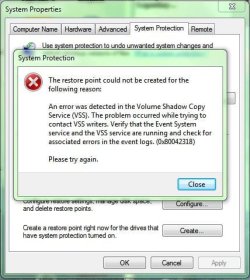
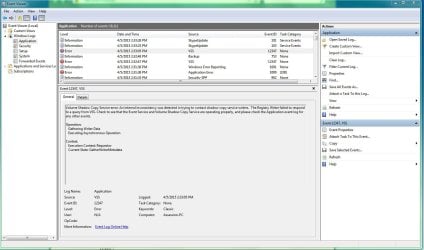
I Will Upload The Screenshots
I Tried This Method Too But No Help
Boot into Safe Mode without networking.
Open a elevated command prompt.
Type net stop winmgmt and hit Enter. This will stop the Windows Management Instrumentation Service.
In Windows Explorer, go to C:\Windows\System32\wbem and rename the Repository folder to Repositoryold.
Restart the computer to normal mode (not Safe Mode).
Open a elevated command prompt.
Type net stop winmgmt and hit Enter.
Type winmgmt /resetRepository and hit Enter.
Restart the computer to normal mode (not Safe Mode).
I Tried This Method Too But No Help
Boot into Safe Mode without networking.
Open a elevated command prompt.
Type net stop winmgmt and hit Enter. This will stop the Windows Management Instrumentation Service.
In Windows Explorer, go to C:\Windows\System32\wbem and rename the Repository folder to Repositoryold.
Restart the computer to normal mode (not Safe Mode).
Open a elevated command prompt.
Type net stop winmgmt and hit Enter.
Type winmgmt /resetRepository and hit Enter.
Restart the computer to normal mode (not Safe Mode).
Attachments
My Computer
- Computer type
- PC/Desktop
- Computer Manufacturer/Model Number
- MSI
- OS
- Windows 7 Ultimate x64
- CPU
- Intel Core i7 4770K
- Motherboard
- MSI Z87-G45 Gaming
- Memory
- 6GB
- Graphics Card(s)
- MSI GTX 770 2GB Gaming
- Hard Drives
- 120GB Corsair SSD
Hitachi 1TB
Samsung 500GB
- Antivirus
- Microsoft Security Essentials
- Browser
- Google Chrome


