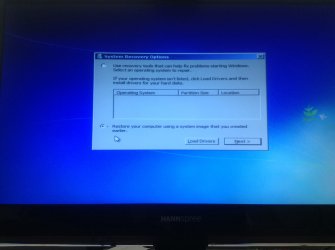
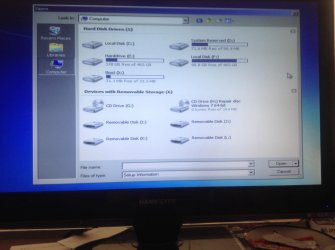
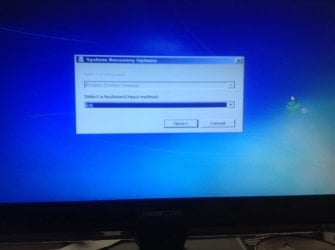
So after a boot this is what I always had before, I know I don't have a system image and its still blank on showing a operating system. Clicking load drivers says insert the installation media for the device and I can sort of cruise through my computers files after hitting ok ill post an image of when I click on computer and I can see all the HDs if it will help?
Attachments
image.jpg
221.4 KB
· Views: 1
My Computer
Computer type
PC/Desktop
Computer Manufacturer/Model Number
Custom
OS
Microsoft Windows 7 Home Premium 64-bit 7601 Multiprocessor Free Service Pack 1
CPU
AMD Phenom(tm) II X6 1100T Processor
Motherboard
MSI 870A-G54 (MS-7599)
Memory
Total Memory: 14.00 GB Usable: 14.00 GB
Graphics Card(s)
NVIDIA GeForce 210
Sound Card
(1) NVIDIA High Definition Audio (2) HD Webcam C310 (3)
Hard Drives
(1) Hitachi HDS721010CLA332 ATA Device (2) WDC WD5000AAKX-001CA0 ATA Device (3) WDC WD5000AVVS-63H0B1 ATA Device (4) IC USB Storage-CFC USB Device (5) IC USB Storage-MMC USB Device (6) IC USB Storage-MSC USB Device (7) IC USB Storage-SMC
Microsoft Windows 7 Home Premium 64-bit 7601 Multiprocessor Free Service Pack 1
CPU
AMD Phenom(tm) II X6 1100T Processor
Motherboard
MSI 870A-G54 (MS-7599)
Memory
Total Memory: 14.00 GB Usable: 14.00 GB
Graphics Card(s)
NVIDIA GeForce 210
Sound Card
(1) NVIDIA High Definition Audio (2) HD Webcam C310 (3)
Hard Drives
(1) Hitachi HDS721010CLA332 ATA Device (2) WDC WD5000AAKX-001CA0 ATA Device (3) WDC WD5000AVVS-63H0B1 ATA Device (4) IC USB Storage-CFC USB Device (5) IC USB Storage-MMC USB Device (6) IC USB Storage-MSC USB Device (7) IC USB Storage-SMC
Click the radio button at "use recovery tools..." on top and press NEXT. Then press "command prompt".
Code:
bcdedit/enum {default}
Code:
dir f:\windows
Code:
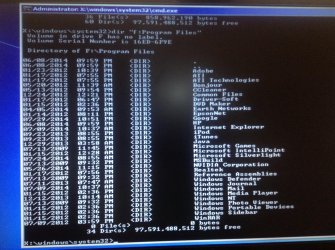
dir "f:\Program Files"
As you saw before the F drive was turned RAW and recovered. But it were "orphaned files" (files without a parent, so no folder) they were put in a new folder.
Drive C wasn't repaired at all.
Why the heck does almost nobody make backups!!!!????
My Computer
Computer type
Laptop
Computer Manufacturer/Model Number
ACER ASPIRE 5742G
OS
Microsoft Windows 7 Home Premium 64-bits 7601 Multiprocessor Free Service Pack 1
CPU
Intel(R) Core(TM) i3 CPU M 370 @ 2.40GHz
Motherboard
Acer Aspire 5742G
Memory
4,00 GB
Graphics Card(s)
ATI Mobility Radeon HD 5400 Series
Sound Card
(1) AMD High Definition Audio Device (2) Realtek High Defi
Not sure what you mean by radio button do you want me to click on the command prompt button where it asks to choose a system recovery tool? If so this is what I got. More screenshots to come.
Attachments
image.jpg
594.9 KB
· Views: 0
My Computer
Computer type
PC/Desktop
Computer Manufacturer/Model Number
Custom
OS
Microsoft Windows 7 Home Premium 64-bit 7601 Multiprocessor Free Service Pack 1
CPU
AMD Phenom(tm) II X6 1100T Processor
Motherboard
MSI 870A-G54 (MS-7599)
Memory
Total Memory: 14.00 GB Usable: 14.00 GB
Graphics Card(s)
NVIDIA GeForce 210
Sound Card
(1) NVIDIA High Definition Audio (2) HD Webcam C310 (3)
Hard Drives
(1) Hitachi HDS721010CLA332 ATA Device (2) WDC WD5000AAKX-001CA0 ATA Device (3) WDC WD5000AVVS-63H0B1 ATA Device (4) IC USB Storage-CFC USB Device (5) IC USB Storage-MMC USB Device (6) IC USB Storage-MSC USB Device (7) IC USB Storage-SMC
Microsoft Windows 7 Home Premium 64-bit 7601 Multiprocessor Free Service Pack 1
CPU
AMD Phenom(tm) II X6 1100T Processor
Motherboard
MSI 870A-G54 (MS-7599)
Memory
Total Memory: 14.00 GB Usable: 14.00 GB
Graphics Card(s)
NVIDIA GeForce 210
Sound Card
(1) NVIDIA High Definition Audio (2) HD Webcam C310 (3)
Hard Drives
(1) Hitachi HDS721010CLA332 ATA Device (2) WDC WD5000AAKX-001CA0 ATA Device (3) WDC WD5000AVVS-63H0B1 ATA Device (4) IC USB Storage-CFC USB Device (5) IC USB Storage-MMC USB Device (6) IC USB Storage-MSC USB Device (7) IC USB Storage-SMC
Microsoft Windows 7 Home Premium 64-bit 7601 Multiprocessor Free Service Pack 1
CPU
AMD Phenom(tm) II X6 1100T Processor
Motherboard
MSI 870A-G54 (MS-7599)
Memory
Total Memory: 14.00 GB Usable: 14.00 GB
Graphics Card(s)
NVIDIA GeForce 210
Sound Card
(1) NVIDIA High Definition Audio (2) HD Webcam C310 (3)
Hard Drives
(1) Hitachi HDS721010CLA332 ATA Device (2) WDC WD5000AAKX-001CA0 ATA Device (3) WDC WD5000AVVS-63H0B1 ATA Device (4) IC USB Storage-CFC USB Device (5) IC USB Storage-MMC USB Device (6) IC USB Storage-MSC USB Device (7) IC USB Storage-SMC
Microsoft Windows 7 Home Premium 64-bit 7601 Multiprocessor Free Service Pack 1
CPU
AMD Phenom(tm) II X6 1100T Processor
Motherboard
MSI 870A-G54 (MS-7599)
Memory
Total Memory: 14.00 GB Usable: 14.00 GB
Graphics Card(s)
NVIDIA GeForce 210
Sound Card
(1) NVIDIA High Definition Audio (2) HD Webcam C310 (3)
Hard Drives
(1) Hitachi HDS721010CLA332 ATA Device (2) WDC WD5000AAKX-001CA0 ATA Device (3) WDC WD5000AVVS-63H0B1 ATA Device (4) IC USB Storage-CFC USB Device (5) IC USB Storage-MMC USB Device (6) IC USB Storage-MSC USB Device (7) IC USB Storage-SMC
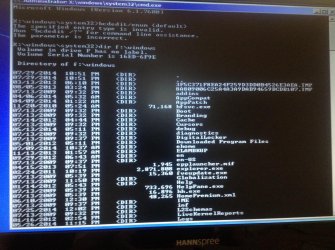
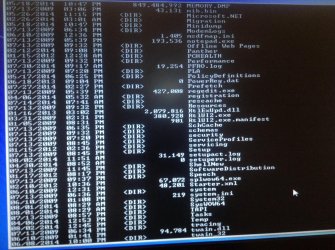
Heres the third code you gave me the first one seems to say its invalid again you can see in a couple post above bcdedit/edit enum {default}
Attachments
image.jpg
603 KB
· Views: 0
My Computer
Computer type
PC/Desktop
Computer Manufacturer/Model Number
Custom
OS
Microsoft Windows 7 Home Premium 64-bit 7601 Multiprocessor Free Service Pack 1
CPU
AMD Phenom(tm) II X6 1100T Processor
Motherboard
MSI 870A-G54 (MS-7599)
Memory
Total Memory: 14.00 GB Usable: 14.00 GB
Graphics Card(s)
NVIDIA GeForce 210
Sound Card
(1) NVIDIA High Definition Audio (2) HD Webcam C310 (3)
Hard Drives
(1) Hitachi HDS721010CLA332 ATA Device (2) WDC WD5000AAKX-001CA0 ATA Device (3) WDC WD5000AVVS-63H0B1 ATA Device (4) IC USB Storage-CFC USB Device (5) IC USB Storage-MMC USB Device (6) IC USB Storage-MSC USB Device (7) IC USB Storage-SMC
In #41 click on the first radio button. It'just before "Use recovery tools ...." then click NEXT, then click "command prompt". But that's what you did... isn'it?
Is folder "program files" still on F?
Try "startup repair" what does it report?
My Computer
Computer type
Laptop
Computer Manufacturer/Model Number
ACER ASPIRE 5742G
OS
Microsoft Windows 7 Home Premium 64-bits 7601 Multiprocessor Free Service Pack 1
CPU
Intel(R) Core(TM) i3 CPU M 370 @ 2.40GHz
Motherboard
Acer Aspire 5742G
Memory
4,00 GB
Graphics Card(s)
ATI Mobility Radeon HD 5400 Series
Sound Card
(1) AMD High Definition Audio Device (2) Realtek High Defi
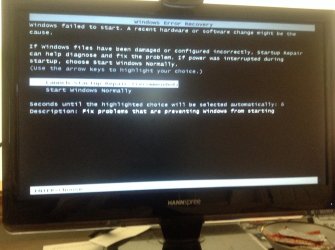
On a normal boot with the repair cd in I get this before #41 and nothing else
Attachments
image.jpg
225.2 KB
· Views: 0
My Computer
Computer type
PC/Desktop
Computer Manufacturer/Model Number
Custom
OS
Microsoft Windows 7 Home Premium 64-bit 7601 Multiprocessor Free Service Pack 1
CPU
AMD Phenom(tm) II X6 1100T Processor
Motherboard
MSI 870A-G54 (MS-7599)
Memory
Total Memory: 14.00 GB Usable: 14.00 GB
Graphics Card(s)
NVIDIA GeForce 210
Sound Card
(1) NVIDIA High Definition Audio (2) HD Webcam C310 (3)
Hard Drives
(1) Hitachi HDS721010CLA332 ATA Device (2) WDC WD5000AAKX-001CA0 ATA Device (3) WDC WD5000AVVS-63H0B1 ATA Device (4) IC USB Storage-CFC USB Device (5) IC USB Storage-MMC USB Device (6) IC USB Storage-MSC USB Device (7) IC USB Storage-SMC
Microsoft Windows 7 Home Premium 64-bit 7601 Multiprocessor Free Service Pack 1
CPU
AMD Phenom(tm) II X6 1100T Processor
Motherboard
MSI 870A-G54 (MS-7599)
Memory
Total Memory: 14.00 GB Usable: 14.00 GB
Graphics Card(s)
NVIDIA GeForce 210
Sound Card
(1) NVIDIA High Definition Audio (2) HD Webcam C310 (3)
Hard Drives
(1) Hitachi HDS721010CLA332 ATA Device (2) WDC WD5000AAKX-001CA0 ATA Device (3) WDC WD5000AVVS-63H0B1 ATA Device (4) IC USB Storage-CFC USB Device (5) IC USB Storage-MMC USB Device (6) IC USB Storage-MSC USB Device (7) IC USB Storage-SMC
Opps when I restarted without cd I had this screen which I dont think i had before, it chose reccomended and is attempting repairs which is taking longer than usual good sign maybe?
Attachments
image.jpg
504.8 KB
· Views: 0
My Computer
Computer type
PC/Desktop
Computer Manufacturer/Model Number
Custom
OS
Microsoft Windows 7 Home Premium 64-bit 7601 Multiprocessor Free Service Pack 1
CPU
AMD Phenom(tm) II X6 1100T Processor
Motherboard
MSI 870A-G54 (MS-7599)
Memory
Total Memory: 14.00 GB Usable: 14.00 GB
Graphics Card(s)
NVIDIA GeForce 210
Sound Card
(1) NVIDIA High Definition Audio (2) HD Webcam C310 (3)
Hard Drives
(1) Hitachi HDS721010CLA332 ATA Device (2) WDC WD5000AAKX-001CA0 ATA Device (3) WDC WD5000AVVS-63H0B1 ATA Device (4) IC USB Storage-CFC USB Device (5) IC USB Storage-MMC USB Device (6) IC USB Storage-MSC USB Device (7) IC USB Storage-SMC
Sorry i dont really know. Setting i usually dont change much. Its still attempting repairs on startup repair it use to take 10 seconds then ask to restart and would loop me through that. Its been maybe 5 minutes and its still attempting repairs.
My Computer
Computer type
PC/Desktop
Computer Manufacturer/Model Number
Custom
OS
Microsoft Windows 7 Home Premium 64-bit 7601 Multiprocessor Free Service Pack 1
CPU
AMD Phenom(tm) II X6 1100T Processor
Motherboard
MSI 870A-G54 (MS-7599)
Memory
Total Memory: 14.00 GB Usable: 14.00 GB
Graphics Card(s)
NVIDIA GeForce 210
Sound Card
(1) NVIDIA High Definition Audio (2) HD Webcam C310 (3)
Hard Drives
(1) Hitachi HDS721010CLA332 ATA Device (2) WDC WD5000AAKX-001CA0 ATA Device (3) WDC WD5000AVVS-63H0B1 ATA Device (4) IC USB Storage-CFC USB Device (5) IC USB Storage-MMC USB Device (6) IC USB Storage-MSC USB Device (7) IC USB Storage-SMC
You are running "startup repair" now. Most likely from volume that was called C in previous conversation, so the 100MB "system reserved". It has the bootmgr and bootmenu. And has the recovery environment with "startup repair".
Actually it is trying to make the system bootable. Don't think he can do that.
Anyway make a new thread how to recover the 931GB drive from RAW to NTFS. Tip: Use TESTDISK to do it.
ANy important stuff on the win7 disk? It's beyond recovery I think
My Computer
Computer type
Laptop
Computer Manufacturer/Model Number
ACER ASPIRE 5742G
OS
Microsoft Windows 7 Home Premium 64-bits 7601 Multiprocessor Free Service Pack 1
CPU
Intel(R) Core(TM) i3 CPU M 370 @ 2.40GHz
Motherboard
Acer Aspire 5742G
Memory
4,00 GB
Graphics Card(s)
ATI Mobility Radeon HD 5400 Series
Sound Card
(1) AMD High Definition Audio Device (2) Realtek High Defi
Sorry i dont really know. Setting i usually dont change much. Its still attempting repairs on startup repair it use to take 10 seconds then ask to restart and would loop me through that. Its been maybe 5 minutes and its still attempting repairs.