Solved 0xc000000f error and System Recovery Options error (Upgrade disc)

r5h76jjk5

New member
Local time
11:05 AM
Messages
6
Hello there. I have a computer that has Microsoft Windows 7 Home Premium 64-bit.

When I start it up, I get this screen:
20240126_124513 edit.jpg

(Sorry for the large images.)

We do not have an installation disc or recovery disc. We only have two Vista to 7 upgrade discs. 32-bit and 64-bit, respectively.

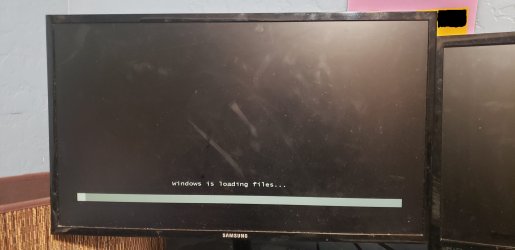
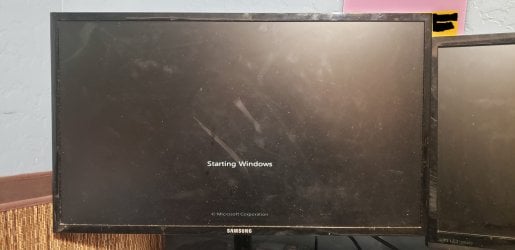
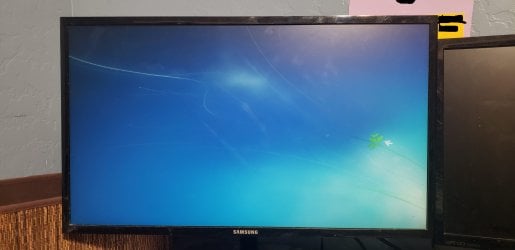
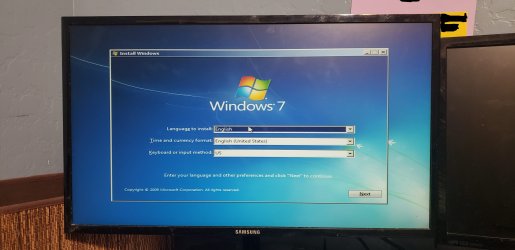
When I insert the 64-bit upgrade disc and press enter, these screens show in order:
20240126_125533 edit.jpg
20240126_124555 edit.jpg
20240126_124849 edit.jpg
20240126_124855 edit.jpg
20240126_124858 edit.jpg

I click "Next" on this screen.
20240126_124906 edit.jpg

I click "Repair your computer" on this screen.
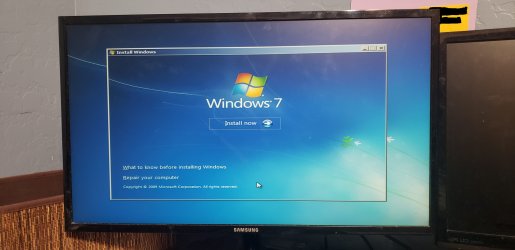
20240126_124918 edit.jpg

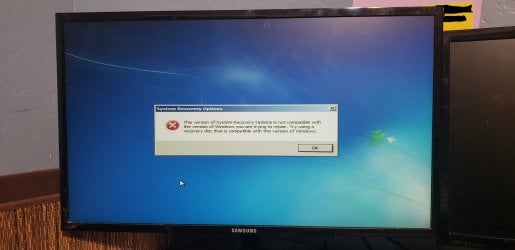
Then this message shows up.
20240126_124927 edit.jpg
Is an upgrade disc able to fix the 0xc000000f error, or would we have to order a Windows 7 installation disc from Ebay?

Any help would be appreciated.
 

My Computers My Computers

System One System Two

  • Computer type
    PC/Desktop
    Computer Manufacturer/Model Number
    HP Pavilion HPE h8-1360t
    OS
    Windows 7 Home Premium 64-bit
    CPU
    Intel(R) Core(TM) i7-3770 CPU @ 3.40 GHz, 3401 Mhz, 4 Cores
    Memory
    8.00 GB
    Graphics Card(s)
    NVIDIA GeForce GTX 745
    Monitor(s) Displays
    One Samsung monitor
    Screen Resolution
    1920 x 1080 x 60 hertz
    Hard Drives
    Western Digital WD Blue WD10EZEX 1 TB HDD (911 GB) NTFS SATA 7200 RPM
  • Computer type
    PC/Desktop
would we have to order a Windows 7 installation disc from Ebay?
No.


The "upgrade" disc has the same recovery options.

That can happen if the disc is booted in a different mode from the installation on the hd. ( efi or bios mode).

Or if it is a different bit version from the installation. It might also happen if the installation is corrupt and the recovery options cant properly identify the installation.

Make sure you boot the media in efi mode.

You could easily search the internet for the last official installation media from MS which has sp1 included

en_windows_7_home_premium_with_sp1_x64_dvd_u_676549.iso

SHA1: 6C9058389C1E2E5122B7C933275F963EDF1C07B9

You could also turn off pxe boot in bios to stop it annoyingly looking for that.
 

My Computers My Computers

System One System Two

  • Computer type
    PC/Desktop
    OS
    7 X64
    CPU
    i5 8400
    Motherboard
    gigabyte b365m ds3h
    Memory
    2x8gb 3200mhz
    Hard Drives
    various
    PSU
    pure power 11 400w cm
    Case
    Coolermaster
    Cooling
    cryorig m9i
  • Computer type
    PC/Desktop
    OS
    7x64
    CPU
    g5400
    Motherboard
    ga b365m ds3h
    Memory
    8gb ddr4 2400
    PSU
    xfx pro 450w
Thank you for the reply. I will try to boot the disc in EFI mode, if I'm able to figure it out.

- - - Updated - - -

I follow these directions in order:
  1. Turn on PC
  2. HP screen appears
  3. Error screen appears (0xc000000f)
  4. Insert upgrade disc
  5. Turn off PC
  6. Turn on PC
  7. HP screen appears
  8. Press ESC to access the startup menu
  9. Select "Boot Menu (F9)"
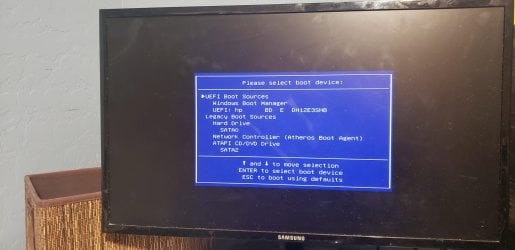
  10. A screen that says "Please select boot device:" is shown in the image below.

20240127_070329 edit.jpg
I assume that the "UEFI boot sources" are EFI and the "Legacy boot sources" are BIOS.

When I turn on the PC, I guess that it boots up from "Windows Boot Manager" by default. Should I choose "UEFI: HP BD E DH12E3SHB"? If so, then will it wipe my hard drive? I don't want my hard drive to be wiped.
 

My Computers My Computers

System One System Two

  • Computer type
    PC/Desktop
    Computer Manufacturer/Model Number
    HP Pavilion HPE h8-1360t
    OS
    Windows 7 Home Premium 64-bit
    CPU
    Intel(R) Core(TM) i7-3770 CPU @ 3.40 GHz, 3401 Mhz, 4 Cores
    Memory
    8.00 GB
    Graphics Card(s)
    NVIDIA GeForce GTX 745
    Monitor(s) Displays
    One Samsung monitor
    Screen Resolution
    1920 x 1080 x 60 hertz
    Hard Drives
    Western Digital WD Blue WD10EZEX 1 TB HDD (911 GB) NTFS SATA 7200 RPM
  • Computer type
    PC/Desktop
It is telling you there is an uefi windows boot manager on the device listed below.
hp BD E DH12E3SHB

If you arrow down to hp BD E DH12E3SHB and then press enter it will attempt to boot from that device in uefi mode

While you are in bios, there should be somewhere you can disable the network boot device or words to that effect. It will then stop trying to pxe boot which is annoying.
 

My Computers My Computers

System One System Two

  • Computer type
    PC/Desktop
    OS
    7 X64
    CPU
    i5 8400
    Motherboard
    gigabyte b365m ds3h
    Memory
    2x8gb 3200mhz
    Hard Drives
    various
    PSU
    pure power 11 400w cm
    Case
    Coolermaster
    Cooling
    cryorig m9i
  • Computer type
    PC/Desktop
    OS
    7x64
    CPU
    g5400
    Motherboard
    ga b365m ds3h
    Memory
    8gb ddr4 2400
    PSU
    xfx pro 450w
I chose HP BD E DH12E3SB in the boot menu. System recovery options was able to load, I followed the instructions, and my PC boots into Windows 7 normally.

Thank you for your assistance.

- - - Updated - - -

Also, my hard drive was not wiped.
 

My Computers My Computers

System One System Two

  • Computer type
    PC/Desktop
    Computer Manufacturer/Model Number
    HP Pavilion HPE h8-1360t
    OS
    Windows 7 Home Premium 64-bit
    CPU
    Intel(R) Core(TM) i7-3770 CPU @ 3.40 GHz, 3401 Mhz, 4 Cores
    Memory
    8.00 GB
    Graphics Card(s)
    NVIDIA GeForce GTX 745
    Monitor(s) Displays
    One Samsung monitor
    Screen Resolution
    1920 x 1080 x 60 hertz
    Hard Drives
    Western Digital WD Blue WD10EZEX 1 TB HDD (911 GB) NTFS SATA 7200 RPM
  • Computer type
    PC/Desktop
:-)
 

My Computers My Computers

System One System Two

  • Computer type
    PC/Desktop
    OS
    7 X64
    CPU
    i5 8400
    Motherboard
    gigabyte b365m ds3h
    Memory
    2x8gb 3200mhz
    Hard Drives
    various
    PSU
    pure power 11 400w cm
    Case
    Coolermaster
    Cooling
    cryorig m9i
  • Computer type
    PC/Desktop
    OS
    7x64
    CPU
    g5400
    Motherboard
    ga b365m ds3h
    Memory
    8gb ddr4 2400
    PSU
    xfx pro 450w
Back
Top