

I hope this is the best area to post a question like this.
I have Windows 7 HP 32 bit. It was an OEM upgrade from Vista, but even so, I've gotten it working very well. Other than a couple of file ownership problems and occasional Explorer.exe crashes, which I seem to have finally fixed, the only problem is that I cannot install downloaded desktop gadgets.

All 13 of the prepackaged gadgets work fine, but this is the message I get when I try to install downloaded ones from the link in the gadgets dialog box.
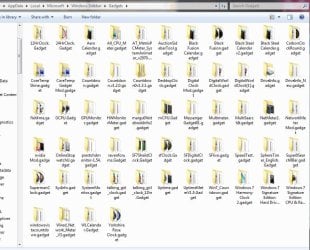
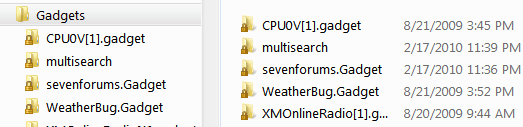
I don't know if this means anything, but the gadgets folder at [c:\users\Owner\appdata~Windows sidebar\gadgets] has some (not all 13) gadget folders in it and the the file icons inside the folders all have locks on them. Just makes me wonder if it's an ownership problem, but I'm just wild guessing on that.
Most people keep insisting I do a clean install. I'd rather fix it since I have a lot of programs, I have all all my libraries and utilities like I want them, and the system runs really fast and clean. But I would like to be able to use gadgets. Any ideas out there?
Thanks,
Rusty
I have Windows 7 HP 32 bit. It was an OEM upgrade from Vista, but even so, I've gotten it working very well. Other than a couple of file ownership problems and occasional Explorer.exe crashes, which I seem to have finally fixed, the only problem is that I cannot install downloaded desktop gadgets.
All 13 of the prepackaged gadgets work fine, but this is the message I get when I try to install downloaded ones from the link in the gadgets dialog box.
I don't know if this means anything, but the gadgets folder at [c:\users\Owner\appdata~Windows sidebar\gadgets] has some (not all 13) gadget folders in it and the the file icons inside the folders all have locks on them. Just makes me wonder if it's an ownership problem, but I'm just wild guessing on that.
Most people keep insisting I do a clean install. I'd rather fix it since I have a lot of programs, I have all all my libraries and utilities like I want them, and the system runs really fast and clean. But I would like to be able to use gadgets. Any ideas out there?
Thanks,
Rusty
My Computer
- Computer type
- PC/Desktop
- Computer Manufacturer/Model Number
- eMachines ET1810-03 (Acer) - single user
- OS
- Windows 7 Home Premium - always up to date
- CPU
- Intel E2210 2.2Ghz
- Motherboard
- (OEM) ECS MCP73VT-PM with AMI BIOS R01-A3 (4-29-2009)
- Memory
- 3Gb DDR2
- Graphics Card(s)
- NVIDIA GeForce 7050/610I GPU
- Sound Card
- Realtek ALC888/1200 8-channel HD integrated
- Monitor(s) Displays
- AOC 22" LED
- Screen Resolution
- 1920 x 1080
- Hard Drives
- Internal - Seagate 320Gb SATA; External - Western Digital 320Gb USB (3.5" internal drive inside a RocketFish USB enclosure)
- Keyboard
- Wireless
- Mouse
- Logitech M705 laser wireless
- Internet Speed
- TWC Cable Broadband ~ 15 Mbps Down/1 Mbps Up
- Antivirus
- NIS
- Browser
- Chrome
- Other Info
- Microsoft Office 2007, incl Outlook SP3; Netgear router; ubee modem



 rb: :ar: search: Turn fea :ar: Turn Windows Features on or off :ar: Uncheck the "Windows Gadget Platform" box, restart your PC, and turn it on again.


