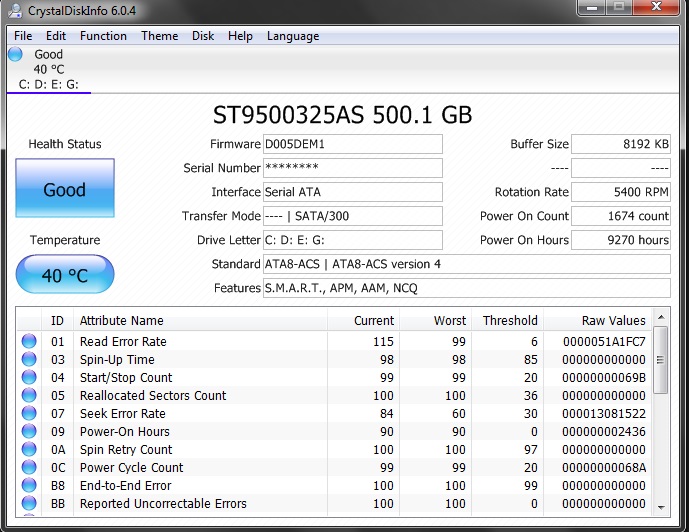
Chkdsk related query - updated with "sfc error"
I have never ran chkdsk before on my laptop, its more than 2yrs old if I remember correctly - never had to do a system restore nor had OS fresh install.
I would like to know how often do I need to run chkdsk & are there any complications involved by running chkdsk ? I'm referring to data loss or OS crash in general, as I need to take precautions if I may face any.
My system files are on "C" drive, while I have installed most of my programs including FF on "D" , while E & F have been for all my other stuffs.. ranging from scripts, movies, images, songs & what not. From what I have learned by few tutorials over here, C drive needs to be checked during setup using schedule option while other drives can be checked even when I'm operating the system.
I have never ran chkdsk before on my laptop, its more than 2yrs old if I remember correctly - never had to do a system restore nor had OS fresh install.
I would like to know how often do I need to run chkdsk & are there any complications involved by running chkdsk ? I'm referring to data loss or OS crash in general, as I need to take precautions if I may face any.
My system files are on "C" drive, while I have installed most of my programs including FF on "D" , while E & F have been for all my other stuffs.. ranging from scripts, movies, images, songs & what not. From what I have learned by few tutorials over here, C drive needs to be checked during setup using schedule option while other drives can be checked even when I'm operating the system.
Last edited:
My Computer
- Computer type
- Laptop
- Computer Manufacturer/Model Number
- DELL
- OS
- windows 7 ultimate x32
- CPU
- T6670,
- Motherboard
- INTEL CORE 2 DUO, 0TFXK9
- Memory
- 8GB DDR3
- Screen Resolution
- 1366*768
- Hard Drives
- 512GB SSD
- Mouse
- Logitech M165 w/sidebuttons
- Internet Speed
- 30-150 mb/s
- Antivirus
- Bitdefender
- Browser
- FF, Opera GX