
Classic Shell 4.0 Beta for Windows 8.1
Classic Shell 4.0's public beta is now available. Completely free, no license key, registration, or activation hassles, nothing. Get it here: http://classicshell.net/ And good news, Classic Shell reached 8 million downloads.
What's new in 4.0?
- Easier to customize Start Menu items in Windows 7 style
- a new turn off monitor command
- search box for settings dialog and nested settings. Dependent settings are offset from their parent
- Country flags in the Languages tab
- Computer item can now show a list of drives as a menu without expanding them further
- Secondary Tiles for Modern apps show the personalized tile name and can be launched from the menu as well
- "Install Updates and Shutdown/Restart" functionality like the original Start Menu
- Aero Glass rendering if the MSFN member BigMuscle's AeroGlass for Windows 8 mod is installed
- Enhanced keyboard shortcuts like Home/End/Page Up/Page Down in addition to F2, Del, Alt+Enter etc working everywhere
- Shift+Win uses a hotkey instead of a keyboard hook so it will give less problems and work with elevated programs
- The icons and data are saved to a cache on disk at %APPDATA%\ClassicShell, so the menu should stay responsive all the time.
- Right-click for the Win+X menu works even when all corners are disabled
- New setting for the icon size for the classic button
- Windows 7 treeview style can show folders first
- Classic IE9 renamed to Classic IE as it has enhancements for IE9 and up
- Classic Shell 4.0 no longer supports Windows Vista
Some screenshots:
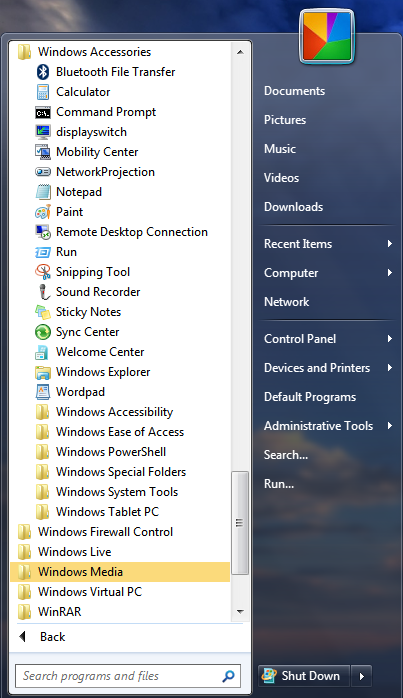
On Windows 7:
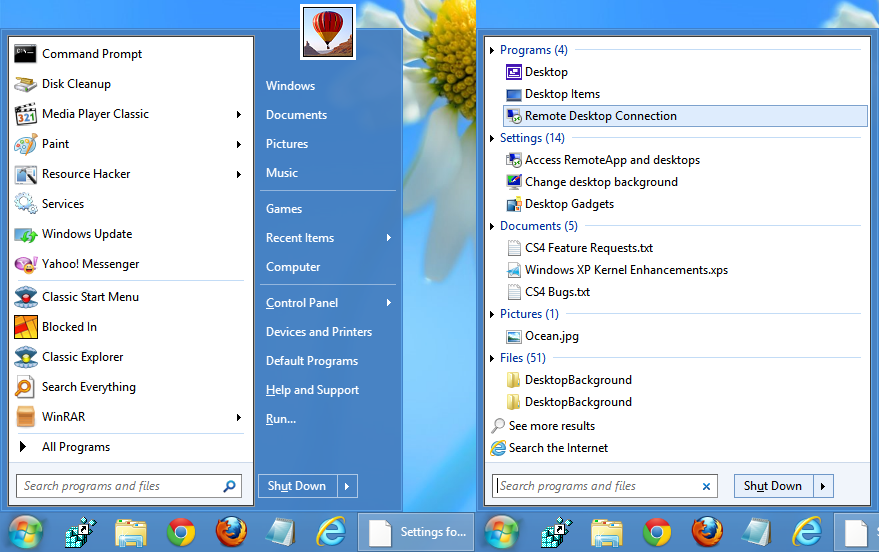
On Windows 8:
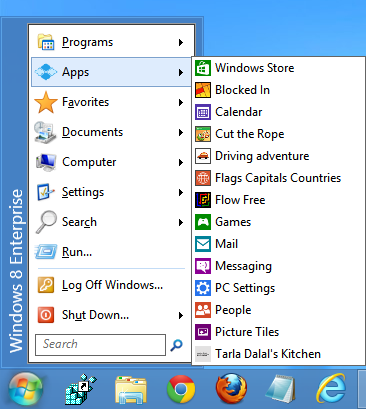
Classic single column style:
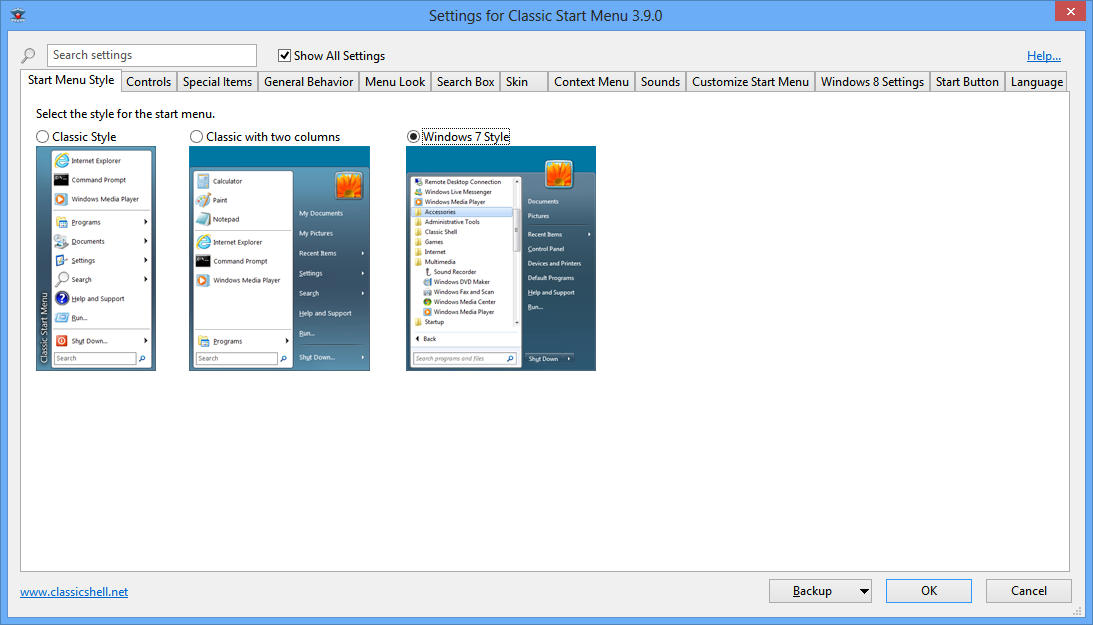
Settings window with abundant customization:
Classic Shell 4.0's public beta is now available. Completely free, no license key, registration, or activation hassles, nothing. Get it here: http://classicshell.net/ And good news, Classic Shell reached 8 million downloads.
What's new in 4.0?
- Windows 8.1 Support
- New "Windows 7" menu style that replicates the look and feel of the Windows 7 start menu
- the programs show in a tree inside the main menu
- search results and jump lists show inside the main menu
- dedicated shutdown button
- the unparalleled customizability you've come to expect from Classic Shell
- New Windows 8 optimized skin
- You can search for files as well as programs (Windows Search integration)
- The menu can show the frequently used programs instead of the recently launched
- Newly installed programs are highlighted
- Many improvements to performance and responsiveness
- Programs can be pinned directly from context menu
- New more reliable way to start on Windows 8, that doesn't use a service
- Easier to customize Start Menu items in Windows 7 style
- a new turn off monitor command
- search box for settings dialog and nested settings. Dependent settings are offset from their parent
- Country flags in the Languages tab
- Computer item can now show a list of drives as a menu without expanding them further
- Secondary Tiles for Modern apps show the personalized tile name and can be launched from the menu as well
- "Install Updates and Shutdown/Restart" functionality like the original Start Menu
- Aero Glass rendering if the MSFN member BigMuscle's AeroGlass for Windows 8 mod is installed
- Enhanced keyboard shortcuts like Home/End/Page Up/Page Down in addition to F2, Del, Alt+Enter etc working everywhere
- Shift+Win uses a hotkey instead of a keyboard hook so it will give less problems and work with elevated programs
- The icons and data are saved to a cache on disk at %APPDATA%\ClassicShell, so the menu should stay responsive all the time.
- Right-click for the Win+X menu works even when all corners are disabled
- New setting for the icon size for the classic button
- Windows 7 treeview style can show folders first
- Classic IE9 renamed to Classic IE as it has enhancements for IE9 and up
- Classic Shell 4.0 no longer supports Windows Vista
Some screenshots:
On Windows 7:
On Windows 8:
Classic single column style:
Settings window with abundant customization:
Last edited:
My Computer
At a glance
Windows 7 Ultimate
- Computer type
- PC/Desktop
- OS
- Windows 7 Ultimate


