Clicking Sound after Shutdown

PandaBear

New member
Local time
12:31 AM
Messages
4
Hi,

I have a strange problem. I have an Acer laptop with a Western Digital Hard Drive. I like the computer, however, when I shut the computer down it turns off and then makes a subsequent click sound. This sound is made when everything is seemlingly shutdown.

I thought it may have been a faulty hard drive but I tested this with Seatools and there is no problem. The sound also seems to be coming from the top right hand section of the computer near where the CD/DVD drive is located. The click sound is only made on shutdown and the CD/DVD drive has only been used a couple of times and when this sound is made it has nothing in it.

Is it normal for this to be happening? Is my computer just shutting down a component? I'm thinking because it's under warranty I may take it for repair. Does it need repair though?

Please note the clicking sound is never made at any other times.

Any help would be greatly appreciated. Thank you also for having me on this forum.

Kind regards,

Panda Bear
 

My Computer My Computer

Computer Manufacturer/Model Number
Acer Extensa 5635
OS
Windows 7
Would you say it is a mechanical clicking sound or more of a speaker clicking sound?

If it the speaker I would not worry about it, if mechanical it might be the hard drive but since you have tested it with the hard drive tools I would not be too bothered about it unless you start having problems with program loading etc.

You might want to run the drive check utility for your drive. Right click on the drive then go to tools then click on error checking, tick both boxes and reboot and let the computer scan the disk for any problems.

Get back to us if you find any problems.


Steve
 

My Computer My Computer

Computer Manufacturer/Model Number
Over Clockers Ultima Viper 2.80Ghz
OS
Windows 7 Ultimate 64 - OEM Service Pack 1
CPU
Intel Core i7 930 2.80Ghz Bloomfield Socket LGA 1366
Motherboard
Gigabyte GA-X58A-UD3R Intel X58 Socket 1366 DDR3
Memory
Patriot Viper 6GB 3x2GB DDR3 PC3-1200C9 1600Mhz Tri Channel
Graphics Card(s)
Asus ATI Radeon HD 5770 CuCore 1024MB GDDR5 PCI Express
Sound Card
Realtek ALC889 @ Intel 82801JB ICH10 - High Definition Audio
Monitor(s) Displays
Samsung SyncMaster 920N 19"
Screen Resolution
1280*1024
Hard Drives
1 x OCZ Vertex2 Series 120GB 2.5" SATA-II SSD
1 x Seagate Barracuda 7200.12 1TB SATA-II 32MB Cache
1 x Western Digital Caviar Green 2TB SATA-II 64 MB Cache
PSU
Corsair TX 650W ATX SLi
Case
Antec 902 Ultimate Gaming Case Black
Cooling
Prolimatech Megahalems Rev B CPU Cooler Socket 775/1156/1366
Keyboard
Microsoft Comfort Curve Keyboard
Mouse
Microsoft Optical USB
Internet Speed
ADSL24 FTTC 34.2 Mbps Down 7.1Mbps Up
Other Info
OcUK 22x DVDSATA ReWriter Black
Akasa AK-FN058 Apache Black Super Silent 120mm Fan
Printer Epson Stylus Photo R300
Scanner Canon Canoscan 8000F
Re: Clicking Sound

Hi Steve,

Thank you for your message.

It sounds more like a mechanical clicking sound. It only happens though when I turn the computer off by shutting down.

I ran the utility and there were no apparent problems. I'm wondering if it could possibly be related to the CD/DVD drive?

Since it is more a mechanical sound, should I be concerned despite all the good results in testing?

Any help would be appreciated.

Thank you for your help.

Kind regards,

Panda Bear
 

My Computer My Computer

Computer Manufacturer/Model Number
Acer Extensa 5635
OS
Windows 7
I honestly think that it is nothing to worry about my friend.

You might want to look here for any testing tools for your hard drive and look for a drive tester since I don't know what drive you have except that it is a WD this is the best I can find.

WD Support > Downloads > WD Scorpio & AV-25


If you are not sure about what you have download this free program and it will tell you everything.

Speccy - Download


Steve
 

My Computer My Computer

Computer Manufacturer/Model Number
Over Clockers Ultima Viper 2.80Ghz
OS
Windows 7 Ultimate 64 - OEM Service Pack 1
CPU
Intel Core i7 930 2.80Ghz Bloomfield Socket LGA 1366
Motherboard
Gigabyte GA-X58A-UD3R Intel X58 Socket 1366 DDR3
Memory
Patriot Viper 6GB 3x2GB DDR3 PC3-1200C9 1600Mhz Tri Channel
Graphics Card(s)
Asus ATI Radeon HD 5770 CuCore 1024MB GDDR5 PCI Express
Sound Card
Realtek ALC889 @ Intel 82801JB ICH10 - High Definition Audio
Monitor(s) Displays
Samsung SyncMaster 920N 19"
Screen Resolution
1280*1024
Hard Drives
1 x OCZ Vertex2 Series 120GB 2.5" SATA-II SSD
1 x Seagate Barracuda 7200.12 1TB SATA-II 32MB Cache
1 x Western Digital Caviar Green 2TB SATA-II 64 MB Cache
PSU
Corsair TX 650W ATX SLi
Case
Antec 902 Ultimate Gaming Case Black
Cooling
Prolimatech Megahalems Rev B CPU Cooler Socket 775/1156/1366
Keyboard
Microsoft Comfort Curve Keyboard
Mouse
Microsoft Optical USB
Internet Speed
ADSL24 FTTC 34.2 Mbps Down 7.1Mbps Up
Other Info
OcUK 22x DVDSATA ReWriter Black
Akasa AK-FN058 Apache Black Super Silent 120mm Fan
Printer Epson Stylus Photo R300
Scanner Canon Canoscan 8000F
Hard drives are one of the components most likely to fail on a notebook. Having said that, there are no moving parts on the drive. So you're not getting the "click of death". If it's only happening when you shut down your notebook, I don't think I'd worry about it. Caveat - always back up your data.
 

My Computer My Computer

Computer Manufacturer/Model Number
Dell and Custom
OS
Systems 1 and 2: Windows 7 Enterprise x64, Win 8 Developer
CPU
System 1: i7 [email protected], System 2: AMD FX-4100 Zambezi 3.6G
Motherboard
System 1:Dell 06NWYK System 2: ASUS M5A97 AM3+
Memory
System 1: 8GB System 2: 8GB
Graphics Card(s)
System 1: ATI FirePro V4800 System 2: Radeon HD 6850
Sound Card
System 1: onboard System 2: onboard
Monitor(s) Displays
System1: Viewsonic HDMI 24"
Screen Resolution
System 1: 1920x1080 System 2: 1920x1080
Hard Drives
System 1: Mirrored .5B drives System 2: Seagate Barracuda ST1000DM003 1TB 7200 RPM 64MB Cache SATA 6.0Gb/s
Case
System 1: Dell System 2: Cooler Master
Internet Speed
10 MBPS
Hi,

Thank you both for your responses. They're really appreciated.

Steve, it's a Scorpio Blue WD Hard Drive and you directed me to the correct websites so thanks for that.

Western Digital Hard Drive has now been tested and has passed.

I think it's ok but I must admit the sound is a little different.

Thanks for your help again.

I'll report back if I learn of anything new.

Kind regards,

Panda Bear
 

My Computer My Computer

Computer Manufacturer/Model Number
Acer Extensa 5635
OS
Windows 7
Is it a single click? Could it just be the HD motor turning off or the head parking?
 

My Computer My Computer

Computer Manufacturer/Model Number
Custom
OS
Windows 7 Ultimate RTM (Technet)
CPU
3.00 gigahertz Intel Core2 Duo E8400
Motherboard
ASUSTeK Computer INC. P5K/EPU Rev 1.xx
Memory
4GB
Graphics Card(s)
ATI Radeon X1950 Pro
Sound Card
Built in HD Audio
Monitor(s) Displays
22" Gateway LCD
Screen Resolution
1920 x 1200
Hard Drives
ST3160023A [Hard drive] (160.04 GB) -- drive 0, rev 8.01, ST3500630AS [Hard drive] (500.11 GB) -- drive 2, rev 3.AAK
ST3500630AS [Hard drive] (500.11 GB) -- drive 1, rev 3.AAK
Keyboard
Logitech G11
Mouse
Microsoft Wireless Laser Mouse 5000
Internet Speed
13.44 Mbps
I've had a bad power supply do this, and a HDD do this, although the HDD never failed. Both in a desktop though.

I can't really think of any advice for narrowing it down at the moment...

Do you leave it plugged in all the time? If so, and I don't even know it this would matter, but try unplugging it, then shut down and see if it does this.

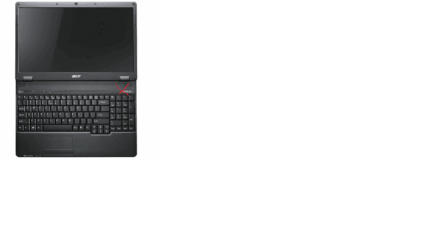
Also, try shutting it down several times, each time try your best to distinguish where the sound is coming from, if you can narrow it down, find a picture online of your computer, use MS Paint to place an X where you hear the sound, or the general area outlined, and post it here.
 

My Computer My Computer

Computer Manufacturer/Model Number
HPE-112y Custom + Custom Build
OS
HP Win7 Pro x64 | Custom Win7 Pro x64
CPU
HP PhII X4 965 Black Ed. 3.4Ghz | PhII X6 1100T 3.3/3.7
Motherboard
OEM HP | ASUS Crosshair IV Extreme 890FX
Memory
8GB DDR3 1333 OC Black Edition x2
Graphics Card(s)
HP XFX Radeon HD4890 1GB | AMD Radeon HD 6990
Sound Card
Realtek 7.1 Digital HDMI x2
Monitor(s) Displays
HP 20" 1680x1050 LCD | Samsung 23" 2ms 1920x1200 LED
Screen Resolution
1680x1050 + 1920x1200 & HDTV for Gaming/TV
Hard Drives
1TB WD "Green" 5,400 RPM SCSI W/ AMD RAID/Xpert
Custom 2x 128GB OCZ Enyo SSD
PSU
Thermaltake Black Widow 850watt Modular x2
Case
HP HPE- 112y OEM Modded | Custom Xclio A380S
Cooling
HP Antec120mm | Custom Antec 360mm/250mm/200mm/120mm
Keyboard
HP G15 | G19
Mouse
G500 x2
Internet Speed
15mb down, 2mb up
Other Info
2x DVD-RAM | 2x BD-ROM
Hi,

Thank you for your responses.

The clicking sound is a single click only.

It happens most times when I shut down the computer but I have noticed there have been about two times out of ten when it doesn't make this sound.

I've tried it both plugged and unplugged and it makes no difference.

Please see the attached file which indicates the sound is coming from near the CD/DVD drive.

Thank you for your help with this.

Kind regards,

Panda Bear
 

Attachments

  • computer.png
    computer.png
    16.4 KB · Views: 42

My Computer My Computer

Computer Manufacturer/Model Number
Acer Extensa 5635
OS
Windows 7
I've looked up the hardware layout, and at this point I don't think it's anything to worry about. If indeed the sound comes from that area, it's very unlikely it's the HDD or power unit. I think it's likely the media drive, or possibly even the speaker.

When I shut down my gamer rig, I get a certain strange sound from my speakers, not common but normal. I rarely notice it, simply because I turn off my speakers before the machine gets a chance to shut down, however you don't quite have that luxury on a notebook, so if there is any anomaly you may notice.

I wouldn't worry about it.
 

My Computer My Computer

Computer Manufacturer/Model Number
HPE-112y Custom + Custom Build
OS
HP Win7 Pro x64 | Custom Win7 Pro x64
CPU
HP PhII X4 965 Black Ed. 3.4Ghz | PhII X6 1100T 3.3/3.7
Motherboard
OEM HP | ASUS Crosshair IV Extreme 890FX
Memory
8GB DDR3 1333 OC Black Edition x2
Graphics Card(s)
HP XFX Radeon HD4890 1GB | AMD Radeon HD 6990
Sound Card
Realtek 7.1 Digital HDMI x2
Monitor(s) Displays
HP 20" 1680x1050 LCD | Samsung 23" 2ms 1920x1200 LED
Screen Resolution
1680x1050 + 1920x1200 & HDTV for Gaming/TV
Hard Drives
1TB WD "Green" 5,400 RPM SCSI W/ AMD RAID/Xpert
Custom 2x 128GB OCZ Enyo SSD
PSU
Thermaltake Black Widow 850watt Modular x2
Case
HP HPE- 112y OEM Modded | Custom Xclio A380S
Cooling
HP Antec120mm | Custom Antec 360mm/250mm/200mm/120mm
Keyboard
HP G15 | G19
Mouse
G500 x2
Internet Speed
15mb down, 2mb up
Other Info
2x DVD-RAM | 2x BD-ROM
Fairly certain this one-time click is just the power being cut to the components. Many laptops make the same noise when the power is shut off.
 

My Computer My Computer

OS
XP / Win7 x64 Pro
CPU
Intel Quad-Core Q9450 @ 3.2GHz
Motherboard
Asus P5-E
Memory
2x2GB GSkill DDR2
Graphics Card(s)
NVIDIA GeForce 8600 GTS (EVGA)
Monitor(s) Displays
Dell 2408WFP
Screen Resolution
1920x1200
Back
Top