- Local time
- 4:44 AM
- Messages
- 43
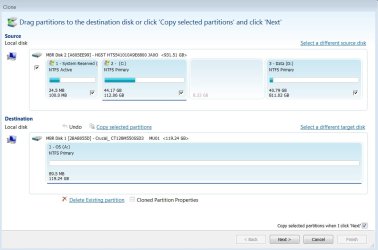
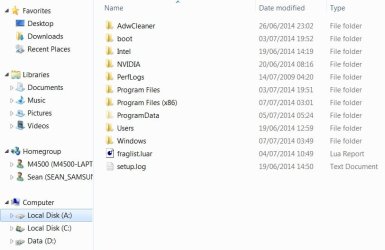
I'm using EaseUS to clone my current C: drive onto an mSATA (currently A: ) which is already fitted and recognised in the BIOS.
During the cloning setup there is a box above the target mSATA "Set active" - I would think that this is so that the system can boot from it, which is what I want.
However, EaseUS's Help has confused me, it gives me the impression that I only tick "Set active" if I want the laptop to boot from "the cloned partition on another hard disk"
I think this is the last little query that's stopping me getting this done, I'd be so grateful for instructions.
During the cloning setup there is a box above the target mSATA "Set active" - I would think that this is so that the system can boot from it, which is what I want.
However, EaseUS's Help has confused me, it gives me the impression that I only tick "Set active" if I want the laptop to boot from "the cloned partition on another hard disk"
I think this is the last little query that's stopping me getting this done, I'd be so grateful for instructions.
Attachments

My Computer
- Computer type
- Laptop
- Computer Manufacturer/Model Number
- Clevo W230ST | Precision M3800 | Precision M4500 | Alienware M11x-R3
- OS
- W7 Pro 64-bit | W10 Pro 64-bit
- CPU
- i7-4700MQ
- Memory
- 16GB
- Graphics Card(s)
- NVIDIA GTX 765M
- Screen Resolution
- 1920x1080
- Hard Drives
- 256GB SSD | 1TB HD
- Antivirus
- Microsoft Security Essentials, Malwarebytes Pro
- Browser
- Firefox, Chrome, Pale Moon

 ) I'll go ahead and tick the box. I've done a restore point, what have I got to lose besides the use of my new/secondhand rather expensive laptop?