
I have software that is command line based that I use but after doing a clean install of windows 7 x64 I am having issues with command prompt.
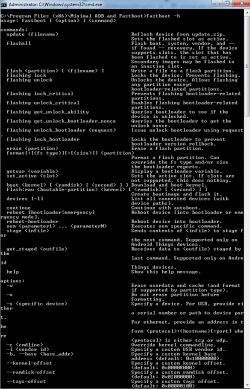
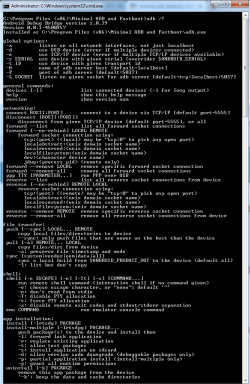
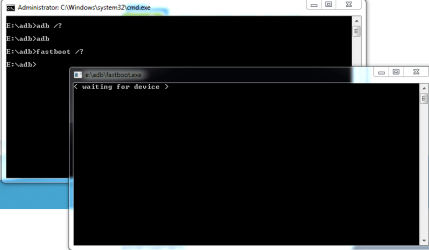
I will use these 2 examples to explain what is happening. I can open command prompt and lets say I wanted to run adb.exe /? or adb.exe /? > adb_usuage.txt The command prompt will run the command by opening up a new tab but will close afterwards so I am unable to see the output and it doesn't even allow me to pipe output to text file.
I have several programs like adb and fastboot that are command line based and they have same behavior. I was hoping someone could help me figure out why CMD is opening exe in new tab instead of the one hat is already open.
I uploaded a few screen shots here with examples : Command Prompt Issues - Album on Imgur
I would greatly appreciate any help with this matter. I have many command line applications that I cant use right now because I cant view the output after running command.
I will use these 2 examples to explain what is happening. I can open command prompt and lets say I wanted to run adb.exe /? or adb.exe /? > adb_usuage.txt The command prompt will run the command by opening up a new tab but will close afterwards so I am unable to see the output and it doesn't even allow me to pipe output to text file.
I have several programs like adb and fastboot that are command line based and they have same behavior. I was hoping someone could help me figure out why CMD is opening exe in new tab instead of the one hat is already open.
I uploaded a few screen shots here with examples : Command Prompt Issues - Album on Imgur
I would greatly appreciate any help with this matter. I have many command line applications that I cant use right now because I cant view the output after running command.
Attachments


My Computer
At a glance
Microsoft Windows 7 Home Premium 64-bit 7601 ...Intel(R) Core(TM) i5-4440 CPU @ 3.10GHz8.00 GB(1) Intel(R) HD Graphics 4600 (2) NVIDIA GeFo...
- Computer type
- PC/Desktop
- Computer Manufacturer/Model Number
- Alienware
- OS
- Microsoft Windows 7 Home Premium 64-bit 7601 Multiprocessor Free Service Pack 1
- CPU
- Intel(R) Core(TM) i5-4440 CPU @ 3.10GHz
- Motherboard
- Alienware 0PGRP5
- Memory
- 8.00 GB
- Graphics Card(s)
- (1) Intel(R) HD Graphics 4600 (2) NVIDIA GeForce GTX 745
- Sound Card
- (1) NVIDIA High Definition Audio (2) High Definition Audio
- Screen Resolution
- 1920x1080
- Hard Drives
- (1) SAMSUNG SSD 830 Series SCSI Disk Device (2) ST1000DM ST1000DM003-1CH1 SCSI Disk Device
- Antivirus
- none
- Browser
- Chrome


