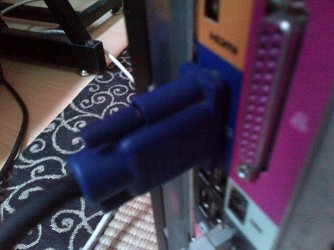
Computer takes a long time to turn on...

No big deal as the air space for dust behind the mobo is minimal. Next cleaning you can remove and yes you'll find some dust there as well but not the end of the world like it could be in the main part !
 

My Computer My Computer

At a glance

Windows 7 Ultimate 64i7 3770k OC'd 4.6 @ 1.17v, also FX 8120 & i5 ...32 gb G.Skill Sniper DDR3 10-12-12-31 @ 2133XFX Radeon 7870 2GB DDR5
Computer type
PC/Desktop
Computer Manufacturer/Model Number
A blend of brains, brawn and dumb luck.
OS
Windows 7 Ultimate 64
CPU
i7 3770k OC'd 4.6 @ 1.17v, also FX 8120 & i5 miniITX
Motherboard
MSI P67A-GD80 b3
Memory
32 gb G.Skill Sniper DDR3 10-12-12-31 @ 2133
Graphics Card(s)
XFX Radeon 7870 2GB DDR5
Sound Card
Sound Blaster Z Series Card
Monitor(s) Displays
(2) LG LED 23" 1920 x 1080 2ms Monitors via mini d-port
Screen Resolution
1680 X 1050 p
Hard Drives
Samsung 256 gb 830 SSD sata III
(1) 1 tb WD Black
(2) 1 tb Hitachi deskmates/sata II
(2) 1 tb WD green/sata II
(2) 3 tb Seagate Barracuda
(1) 120 gb OCZ Vertex SS
(1) Drobo 5N w/5 Seagate 3tb
PSU
EVGA modular 1000G2 80% gold rating & APC 1200 RS
Case
CoolerMaster Storm Styker
Cooling
7 case fans 140mm & 120mm, NZXT Kraken X60
Keyboard
(2) Logitech Illuminated Keyboards (1) usb (1) wireless
Mouse
Logitech G700 & T-BC21 - nano nx for the laptop
Internet Speed
Basic 120mbps down
Antivirus
Trend Micro Titanium Max Security & Malwarebytes Premium
Browser
Chrome and IE 10
Other Info
5 Noctua case fans + 3 Noctua in p/p on NZXT cooler
Integrated hot swap drive bays for 2.5" Drives
(2) Lite-on dvd/cd/Blu Ray optical 22X
Integrated fan controller and led on/off
HP Officejet Pro 8630 all-n-one
Hot-swappable 3.5" hard drive bay
Netgear Nighthawk router
Asus USB 3 & sata 6 PCIe card
Vantec IDE to sata adptr./Ultra sata adptr
Lenovo L420 i5 lappy with m sata
Drobo 5N advanced NAS
I have no idea what the exact problem can be , I will provide a video very soon.
 

My Computer My Computer

At a glance

Windows 8.1 64 bitWindows 8.1 64-bit4096 MB RAMMicrosoft Basic Display Adapter
Computer type
Laptop
Computer Manufacturer/Model Number
Acer Aspire M5100
OS
Windows 8.1 64 bit
CPU
Windows 8.1 64-bit
Motherboard
Toshiba L745D
Memory
4096 MB RAM
Graphics Card(s)
Microsoft Basic Display Adapter
Sound Card
High Definition Audio Device
Monitor(s) Displays
1366x768
Screen Resolution
1366x768
Keyboard
Logitech Keyboard K800
Antivirus
MalwareBytes
Browser
Google Chrome
No big deal as the air space for dust behind the mobo is minimal. Next cleaning you can remove and yes you'll find some dust there as well but not the end of the world like it could be in the main part !

I have been researching about my problem and I have come across a post saying it might be a video card issue.
 

My Computer My Computer

At a glance

Windows 8.1 64 bitWindows 8.1 64-bit4096 MB RAMMicrosoft Basic Display Adapter
Computer type
Laptop
Computer Manufacturer/Model Number
Acer Aspire M5100
OS
Windows 8.1 64 bit
CPU
Windows 8.1 64-bit
Motherboard
Toshiba L745D
Memory
4096 MB RAM
Graphics Card(s)
Microsoft Basic Display Adapter
Sound Card
High Definition Audio Device
Monitor(s) Displays
1366x768
Screen Resolution
1366x768
Keyboard
Logitech Keyboard K800
Antivirus
MalwareBytes
Browser
Google Chrome
Have you updated your Video driver? If you recently did this, try rolling it back first. Then enable Automatically get recommended drivers and updates for your hardware (Step 3) and install all rounds of Important and Optional Updates with reboots. Check also on the card or PC's Support Downloads webpage and try the latest driver there.

Then try reinstalling the video card, checking all connections/cables and blowing out the dust on card and in slots.
 
Have you updated your Video driver? If you recently did this, try rolling it back first. Then enable Automatically get recommended drivers and updates for your hardware (Step 3) and install all rounds of Important and Optional Updates with reboots. Check also on the card or PC's Support Downloads webpage and try the latest driver there.

Then try reinstalling the video card, checking all connections/cables and blowing out the dust on card and in slots.

How am I suppose to do this when my computer wont even turn on??
 

My Computer My Computer

At a glance

Windows 8.1 64 bitWindows 8.1 64-bit4096 MB RAMMicrosoft Basic Display Adapter
Computer type
Laptop
Computer Manufacturer/Model Number
Acer Aspire M5100
OS
Windows 8.1 64 bit
CPU
Windows 8.1 64-bit
Motherboard
Toshiba L745D
Memory
4096 MB RAM
Graphics Card(s)
Microsoft Basic Display Adapter
Sound Card
High Definition Audio Device
Monitor(s) Displays
1366x768
Screen Resolution
1366x768
Keyboard
Logitech Keyboard K800
Antivirus
MalwareBytes
Browser
Google Chrome
Your OP says it takes a long time to start up, implying that it will start.

You can reinstall your video card to see if that helps, especially if its caked with dust needing the card and slot cleaned out.

All of the steps for starting unbootable Win7 are listed in order here: Troubleshooting Windows 7 Failure to Start.
 
Your OP says it takes a long time to start up, implying that it will start.

You can reinstall your video card to see if that helps, especially if its caked with dust needing the card and slot cleaned out.

All of the steps for starting unbootable Win7 are listed in order here: Troubleshooting Windows 7 Failure to Start.

I wasn't sure what to name this topic at first.
 

My Computer My Computer

At a glance

Windows 8.1 64 bitWindows 8.1 64-bit4096 MB RAMMicrosoft Basic Display Adapter
Computer type
Laptop
Computer Manufacturer/Model Number
Acer Aspire M5100
OS
Windows 8.1 64 bit
CPU
Windows 8.1 64-bit
Motherboard
Toshiba L745D
Memory
4096 MB RAM
Graphics Card(s)
Microsoft Basic Display Adapter
Sound Card
High Definition Audio Device
Monitor(s) Displays
1366x768
Screen Resolution
1366x768
Keyboard
Logitech Keyboard K800
Antivirus
MalwareBytes
Browser
Google Chrome
raiden92,
I see some cable issue right at the back of the monitor. This monitor is hardwired into the back and it appears that the cord is exposed. Could the signal be shorting or intermittent via the break? Try tightly wrapping some electrical tape around it or better yet find another monitor and test !
 

My Computer My Computer

At a glance

Windows 7 Ultimate 64i7 3770k OC'd 4.6 @ 1.17v, also FX 8120 & i5 ...32 gb G.Skill Sniper DDR3 10-12-12-31 @ 2133XFX Radeon 7870 2GB DDR5
Computer type
PC/Desktop
Computer Manufacturer/Model Number
A blend of brains, brawn and dumb luck.
OS
Windows 7 Ultimate 64
CPU
i7 3770k OC'd 4.6 @ 1.17v, also FX 8120 & i5 miniITX
Motherboard
MSI P67A-GD80 b3
Memory
32 gb G.Skill Sniper DDR3 10-12-12-31 @ 2133
Graphics Card(s)
XFX Radeon 7870 2GB DDR5
Sound Card
Sound Blaster Z Series Card
Monitor(s) Displays
(2) LG LED 23" 1920 x 1080 2ms Monitors via mini d-port
Screen Resolution
1680 X 1050 p
Hard Drives
Samsung 256 gb 830 SSD sata III
(1) 1 tb WD Black
(2) 1 tb Hitachi deskmates/sata II
(2) 1 tb WD green/sata II
(2) 3 tb Seagate Barracuda
(1) 120 gb OCZ Vertex SS
(1) Drobo 5N w/5 Seagate 3tb
PSU
EVGA modular 1000G2 80% gold rating & APC 1200 RS
Case
CoolerMaster Storm Styker
Cooling
7 case fans 140mm & 120mm, NZXT Kraken X60
Keyboard
(2) Logitech Illuminated Keyboards (1) usb (1) wireless
Mouse
Logitech G700 & T-BC21 - nano nx for the laptop
Internet Speed
Basic 120mbps down
Antivirus
Trend Micro Titanium Max Security & Malwarebytes Premium
Browser
Chrome and IE 10
Other Info
5 Noctua case fans + 3 Noctua in p/p on NZXT cooler
Integrated hot swap drive bays for 2.5" Drives
(2) Lite-on dvd/cd/Blu Ray optical 22X
Integrated fan controller and led on/off
HP Officejet Pro 8630 all-n-one
Hot-swappable 3.5" hard drive bay
Netgear Nighthawk router
Asus USB 3 & sata 6 PCIe card
Vantec IDE to sata adptr./Ultra sata adptr
Lenovo L420 i5 lappy with m sata
Drobo 5N advanced NAS
raiden92,
I see some cable issue right at the back of the monitor. This monitor is hardwired into the back and it appears that the cord is exposed. Could the signal be shorting or intermittent via the break? Try tightly wrapping some electrical tape around it or better yet find another monitor and test !


That's exactly what I thought could be the problem, I already am bringing another monitor to test. I am even going to post a video very shortly. I talk about monitor cable a bit, how it's not fully being plugged in.
 

My Computer My Computer

At a glance

Windows 8.1 64 bitWindows 8.1 64-bit4096 MB RAMMicrosoft Basic Display Adapter
Computer type
Laptop
Computer Manufacturer/Model Number
Acer Aspire M5100
OS
Windows 8.1 64 bit
CPU
Windows 8.1 64-bit
Motherboard
Toshiba L745D
Memory
4096 MB RAM
Graphics Card(s)
Microsoft Basic Display Adapter
Sound Card
High Definition Audio Device
Monitor(s) Displays
1366x768
Screen Resolution
1366x768
Keyboard
Logitech Keyboard K800
Antivirus
MalwareBytes
Browser
Google Chrome
Look at the back of the monitor where the hard wired video cable comes out. The cable has some reinforcement at the base to help with wear and tear. These will break down in time and there looks to be stress and actually a white area where the black cable has separated. This to say the least is not good and I would focus some attention in that area and see if you can get the monitor to light up!
 

My Computer My Computer

At a glance

Windows 7 Ultimate 64i7 3770k OC'd 4.6 @ 1.17v, also FX 8120 & i5 ...32 gb G.Skill Sniper DDR3 10-12-12-31 @ 2133XFX Radeon 7870 2GB DDR5
Computer type
PC/Desktop
Computer Manufacturer/Model Number
A blend of brains, brawn and dumb luck.
OS
Windows 7 Ultimate 64
CPU
i7 3770k OC'd 4.6 @ 1.17v, also FX 8120 & i5 miniITX
Motherboard
MSI P67A-GD80 b3
Memory
32 gb G.Skill Sniper DDR3 10-12-12-31 @ 2133
Graphics Card(s)
XFX Radeon 7870 2GB DDR5
Sound Card
Sound Blaster Z Series Card
Monitor(s) Displays
(2) LG LED 23" 1920 x 1080 2ms Monitors via mini d-port
Screen Resolution
1680 X 1050 p
Hard Drives
Samsung 256 gb 830 SSD sata III
(1) 1 tb WD Black
(2) 1 tb Hitachi deskmates/sata II
(2) 1 tb WD green/sata II
(2) 3 tb Seagate Barracuda
(1) 120 gb OCZ Vertex SS
(1) Drobo 5N w/5 Seagate 3tb
PSU
EVGA modular 1000G2 80% gold rating & APC 1200 RS
Case
CoolerMaster Storm Styker
Cooling
7 case fans 140mm & 120mm, NZXT Kraken X60
Keyboard
(2) Logitech Illuminated Keyboards (1) usb (1) wireless
Mouse
Logitech G700 & T-BC21 - nano nx for the laptop
Internet Speed
Basic 120mbps down
Antivirus
Trend Micro Titanium Max Security & Malwarebytes Premium
Browser
Chrome and IE 10
Other Info
5 Noctua case fans + 3 Noctua in p/p on NZXT cooler
Integrated hot swap drive bays for 2.5" Drives
(2) Lite-on dvd/cd/Blu Ray optical 22X
Integrated fan controller and led on/off
HP Officejet Pro 8630 all-n-one
Hot-swappable 3.5" hard drive bay
Netgear Nighthawk router
Asus USB 3 & sata 6 PCIe card
Vantec IDE to sata adptr./Ultra sata adptr
Lenovo L420 i5 lappy with m sata
Drobo 5N advanced NAS
Look at the back of the monitor where the hard wired video cable comes out. The cable has some reinforcement at the base to help with wear and tear. These will break down in time and there looks to be stress and actually a white area where the black cable has separated. This to say the least is not good and I would focus some attention in that area and see if you can get the monitor to light up!

Video will be posted shortly . I apologies if the camera is shaky, This is the process I do every single time until it turns on.
 

My Computer My Computer

At a glance

Windows 8.1 64 bitWindows 8.1 64-bit4096 MB RAMMicrosoft Basic Display Adapter
Computer type
Laptop
Computer Manufacturer/Model Number
Acer Aspire M5100
OS
Windows 8.1 64 bit
CPU
Windows 8.1 64-bit
Motherboard
Toshiba L745D
Memory
4096 MB RAM
Graphics Card(s)
Microsoft Basic Display Adapter
Sound Card
High Definition Audio Device
Monitor(s) Displays
1366x768
Screen Resolution
1366x768
Keyboard
Logitech Keyboard K800
Antivirus
MalwareBytes
Browser
Google Chrome
raiden92,
I see some cable issue right at the back of the monitor. This monitor is hardwired into the back and it appears that the cord is exposed. Could the signal be shorting or intermittent via the break? Try tightly wrapping some electrical tape around it or better yet find another monitor and test !

Here are images I provided for the back end of the monitor and the monitor cable.If you want more images I will be more then happy to provide.
 

Attachments

  • IMG-20130603-01134.jpg
    IMG-20130603-01134.jpg
    524.8 KB · Views: 2
  • IMG-20130603-01135.jpg
    IMG-20130603-01135.jpg
    550 KB · Views: 2
  • IMG-20130603-01136.jpg
    IMG-20130603-01136.jpg
    639.5 KB · Views: 1

My Computer My Computer

At a glance

Windows 8.1 64 bitWindows 8.1 64-bit4096 MB RAMMicrosoft Basic Display Adapter
Computer type
Laptop
Computer Manufacturer/Model Number
Acer Aspire M5100
OS
Windows 8.1 64 bit
CPU
Windows 8.1 64-bit
Motherboard
Toshiba L745D
Memory
4096 MB RAM
Graphics Card(s)
Microsoft Basic Display Adapter
Sound Card
High Definition Audio Device
Monitor(s) Displays
1366x768
Screen Resolution
1366x768
Keyboard
Logitech Keyboard K800
Antivirus
MalwareBytes
Browser
Google Chrome
it's likely to be the vga cable as the power is fine and the monitor can detect the vga after reconnecting cable several times. you can try using another cable, a new one to be sure.
 

My Computer My Computer

At a glance

Windows 7 Ultimate x86
Computer type
PC/Desktop
OS
Windows 7 Ultimate x86
it's likely to be the vga cable as the power is fine and the monitor can detect the vga after reconnecting cable several times. you can try using another cable, a new one to be sure.

My computer should be working fine then after I get a new Monitor.
 

My Computer My Computer

At a glance

Windows 8.1 64 bitWindows 8.1 64-bit4096 MB RAMMicrosoft Basic Display Adapter
Computer type
Laptop
Computer Manufacturer/Model Number
Acer Aspire M5100
OS
Windows 8.1 64 bit
CPU
Windows 8.1 64-bit
Motherboard
Toshiba L745D
Memory
4096 MB RAM
Graphics Card(s)
Microsoft Basic Display Adapter
Sound Card
High Definition Audio Device
Monitor(s) Displays
1366x768
Screen Resolution
1366x768
Keyboard
Logitech Keyboard K800
Antivirus
MalwareBytes
Browser
Google Chrome
The focus isn't all that great on the top left picture above. But looking at it now maybe the black plastic coating isn't worn and exposing the wire underneath? Best test will be with another monitor and see what happens.
 

My Computer My Computer

At a glance

Windows 7 Ultimate 64i7 3770k OC'd 4.6 @ 1.17v, also FX 8120 & i5 ...32 gb G.Skill Sniper DDR3 10-12-12-31 @ 2133XFX Radeon 7870 2GB DDR5
Computer type
PC/Desktop
Computer Manufacturer/Model Number
A blend of brains, brawn and dumb luck.
OS
Windows 7 Ultimate 64
CPU
i7 3770k OC'd 4.6 @ 1.17v, also FX 8120 & i5 miniITX
Motherboard
MSI P67A-GD80 b3
Memory
32 gb G.Skill Sniper DDR3 10-12-12-31 @ 2133
Graphics Card(s)
XFX Radeon 7870 2GB DDR5
Sound Card
Sound Blaster Z Series Card
Monitor(s) Displays
(2) LG LED 23" 1920 x 1080 2ms Monitors via mini d-port
Screen Resolution
1680 X 1050 p
Hard Drives
Samsung 256 gb 830 SSD sata III
(1) 1 tb WD Black
(2) 1 tb Hitachi deskmates/sata II
(2) 1 tb WD green/sata II
(2) 3 tb Seagate Barracuda
(1) 120 gb OCZ Vertex SS
(1) Drobo 5N w/5 Seagate 3tb
PSU
EVGA modular 1000G2 80% gold rating & APC 1200 RS
Case
CoolerMaster Storm Styker
Cooling
7 case fans 140mm & 120mm, NZXT Kraken X60
Keyboard
(2) Logitech Illuminated Keyboards (1) usb (1) wireless
Mouse
Logitech G700 & T-BC21 - nano nx for the laptop
Internet Speed
Basic 120mbps down
Antivirus
Trend Micro Titanium Max Security & Malwarebytes Premium
Browser
Chrome and IE 10
Other Info
5 Noctua case fans + 3 Noctua in p/p on NZXT cooler
Integrated hot swap drive bays for 2.5" Drives
(2) Lite-on dvd/cd/Blu Ray optical 22X
Integrated fan controller and led on/off
HP Officejet Pro 8630 all-n-one
Hot-swappable 3.5" hard drive bay
Netgear Nighthawk router
Asus USB 3 & sata 6 PCIe card
Vantec IDE to sata adptr./Ultra sata adptr
Lenovo L420 i5 lappy with m sata
Drobo 5N advanced NAS
The focus isn't all that great on the top left picture above. But looking at it now maybe the black plastic coating isn't worn and exposing the wire underneath? Best test will be with another monitor and see what happens.

I already am waiting for another monitor to be delivered for testing purposes. I will get back to you asap.
 

My Computer My Computer

At a glance

Windows 8.1 64 bitWindows 8.1 64-bit4096 MB RAMMicrosoft Basic Display Adapter
Computer type
Laptop
Computer Manufacturer/Model Number
Acer Aspire M5100
OS
Windows 8.1 64 bit
CPU
Windows 8.1 64-bit
Motherboard
Toshiba L745D
Memory
4096 MB RAM
Graphics Card(s)
Microsoft Basic Display Adapter
Sound Card
High Definition Audio Device
Monitor(s) Displays
1366x768
Screen Resolution
1366x768
Keyboard
Logitech Keyboard K800
Antivirus
MalwareBytes
Browser
Google Chrome
Perfect and good luck I hope that's it.
 

My Computer My Computer

At a glance

Windows 7 Ultimate 64i7 3770k OC'd 4.6 @ 1.17v, also FX 8120 & i5 ...32 gb G.Skill Sniper DDR3 10-12-12-31 @ 2133XFX Radeon 7870 2GB DDR5
Computer type
PC/Desktop
Computer Manufacturer/Model Number
A blend of brains, brawn and dumb luck.
OS
Windows 7 Ultimate 64
CPU
i7 3770k OC'd 4.6 @ 1.17v, also FX 8120 & i5 miniITX
Motherboard
MSI P67A-GD80 b3
Memory
32 gb G.Skill Sniper DDR3 10-12-12-31 @ 2133
Graphics Card(s)
XFX Radeon 7870 2GB DDR5
Sound Card
Sound Blaster Z Series Card
Monitor(s) Displays
(2) LG LED 23" 1920 x 1080 2ms Monitors via mini d-port
Screen Resolution
1680 X 1050 p
Hard Drives
Samsung 256 gb 830 SSD sata III
(1) 1 tb WD Black
(2) 1 tb Hitachi deskmates/sata II
(2) 1 tb WD green/sata II
(2) 3 tb Seagate Barracuda
(1) 120 gb OCZ Vertex SS
(1) Drobo 5N w/5 Seagate 3tb
PSU
EVGA modular 1000G2 80% gold rating & APC 1200 RS
Case
CoolerMaster Storm Styker
Cooling
7 case fans 140mm & 120mm, NZXT Kraken X60
Keyboard
(2) Logitech Illuminated Keyboards (1) usb (1) wireless
Mouse
Logitech G700 & T-BC21 - nano nx for the laptop
Internet Speed
Basic 120mbps down
Antivirus
Trend Micro Titanium Max Security & Malwarebytes Premium
Browser
Chrome and IE 10
Other Info
5 Noctua case fans + 3 Noctua in p/p on NZXT cooler
Integrated hot swap drive bays for 2.5" Drives
(2) Lite-on dvd/cd/Blu Ray optical 22X
Integrated fan controller and led on/off
HP Officejet Pro 8630 all-n-one
Hot-swappable 3.5" hard drive bay
Netgear Nighthawk router
Asus USB 3 & sata 6 PCIe card
Vantec IDE to sata adptr./Ultra sata adptr
Lenovo L420 i5 lappy with m sata
Drobo 5N advanced NAS

My Computer My Computer

At a glance

Windows 8.1 64 bitWindows 8.1 64-bit4096 MB RAMMicrosoft Basic Display Adapter
Computer type
Laptop
Computer Manufacturer/Model Number
Acer Aspire M5100
OS
Windows 8.1 64 bit
CPU
Windows 8.1 64-bit
Motherboard
Toshiba L745D
Memory
4096 MB RAM
Graphics Card(s)
Microsoft Basic Display Adapter
Sound Card
High Definition Audio Device
Monitor(s) Displays
1366x768
Screen Resolution
1366x768
Keyboard
Logitech Keyboard K800
Antivirus
MalwareBytes
Browser
Google Chrome
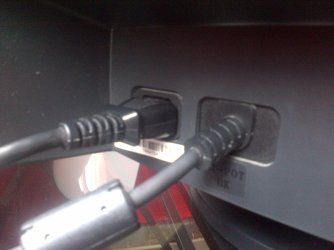
Did you flip the power toggle on the computers PSU?
 

My Computer My Computer

At a glance

Windows 7 Ultimate 64i7 3770k OC'd 4.6 @ 1.17v, also FX 8120 & i5 ...32 gb G.Skill Sniper DDR3 10-12-12-31 @ 2133XFX Radeon 7870 2GB DDR5
Computer type
PC/Desktop
Computer Manufacturer/Model Number
A blend of brains, brawn and dumb luck.
OS
Windows 7 Ultimate 64
CPU
i7 3770k OC'd 4.6 @ 1.17v, also FX 8120 & i5 miniITX
Motherboard
MSI P67A-GD80 b3
Memory
32 gb G.Skill Sniper DDR3 10-12-12-31 @ 2133
Graphics Card(s)
XFX Radeon 7870 2GB DDR5
Sound Card
Sound Blaster Z Series Card
Monitor(s) Displays
(2) LG LED 23" 1920 x 1080 2ms Monitors via mini d-port
Screen Resolution
1680 X 1050 p
Hard Drives
Samsung 256 gb 830 SSD sata III
(1) 1 tb WD Black
(2) 1 tb Hitachi deskmates/sata II
(2) 1 tb WD green/sata II
(2) 3 tb Seagate Barracuda
(1) 120 gb OCZ Vertex SS
(1) Drobo 5N w/5 Seagate 3tb
PSU
EVGA modular 1000G2 80% gold rating & APC 1200 RS
Case
CoolerMaster Storm Styker
Cooling
7 case fans 140mm & 120mm, NZXT Kraken X60
Keyboard
(2) Logitech Illuminated Keyboards (1) usb (1) wireless
Mouse
Logitech G700 & T-BC21 - nano nx for the laptop
Internet Speed
Basic 120mbps down
Antivirus
Trend Micro Titanium Max Security & Malwarebytes Premium
Browser
Chrome and IE 10
Other Info
5 Noctua case fans + 3 Noctua in p/p on NZXT cooler
Integrated hot swap drive bays for 2.5" Drives
(2) Lite-on dvd/cd/Blu Ray optical 22X
Integrated fan controller and led on/off
HP Officejet Pro 8630 all-n-one
Hot-swappable 3.5" hard drive bay
Netgear Nighthawk router
Asus USB 3 & sata 6 PCIe card
Vantec IDE to sata adptr./Ultra sata adptr
Lenovo L420 i5 lappy with m sata
Drobo 5N advanced NAS
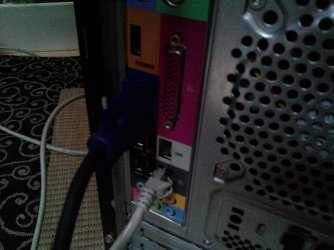
Did you flip the power toggle on the computers PSU?

Sorry I don't understand what your trying to say.. what you mean flip the power toggle. where is that located?
 

My Computer My Computer

At a glance

Windows 8.1 64 bitWindows 8.1 64-bit4096 MB RAMMicrosoft Basic Display Adapter
Computer type
Laptop
Computer Manufacturer/Model Number
Acer Aspire M5100
OS
Windows 8.1 64 bit
CPU
Windows 8.1 64-bit
Motherboard
Toshiba L745D
Memory
4096 MB RAM
Graphics Card(s)
Microsoft Basic Display Adapter
Sound Card
High Definition Audio Device
Monitor(s) Displays
1366x768
Screen Resolution
1366x768
Keyboard
Logitech Keyboard K800
Antivirus
MalwareBytes
Browser
Google Chrome
Back
Top