Constant low disk usage in idle

valrogue

New member
Local time
2:38 PM
Messages
32
Hello,

A week ago, i noticed my hard drives makes small littles noises when i'm doing nothing on the computer; every few seconds, the disk makes slight noises..usually it is dead silent.

i tried to remember what happened on the computer around that time and here it is :
-internet explorer update.
-adobe reader and flash updates.
-some windows updates.
-a windows 10 update that i had to hide otherwise it would have installed windows 10.

the cpu usage goes around 0 to 5- 6 %, like usual i think. i haven't noticed any slowdowns during applications and gaming.
i don't seem to have more processus running than before (52).
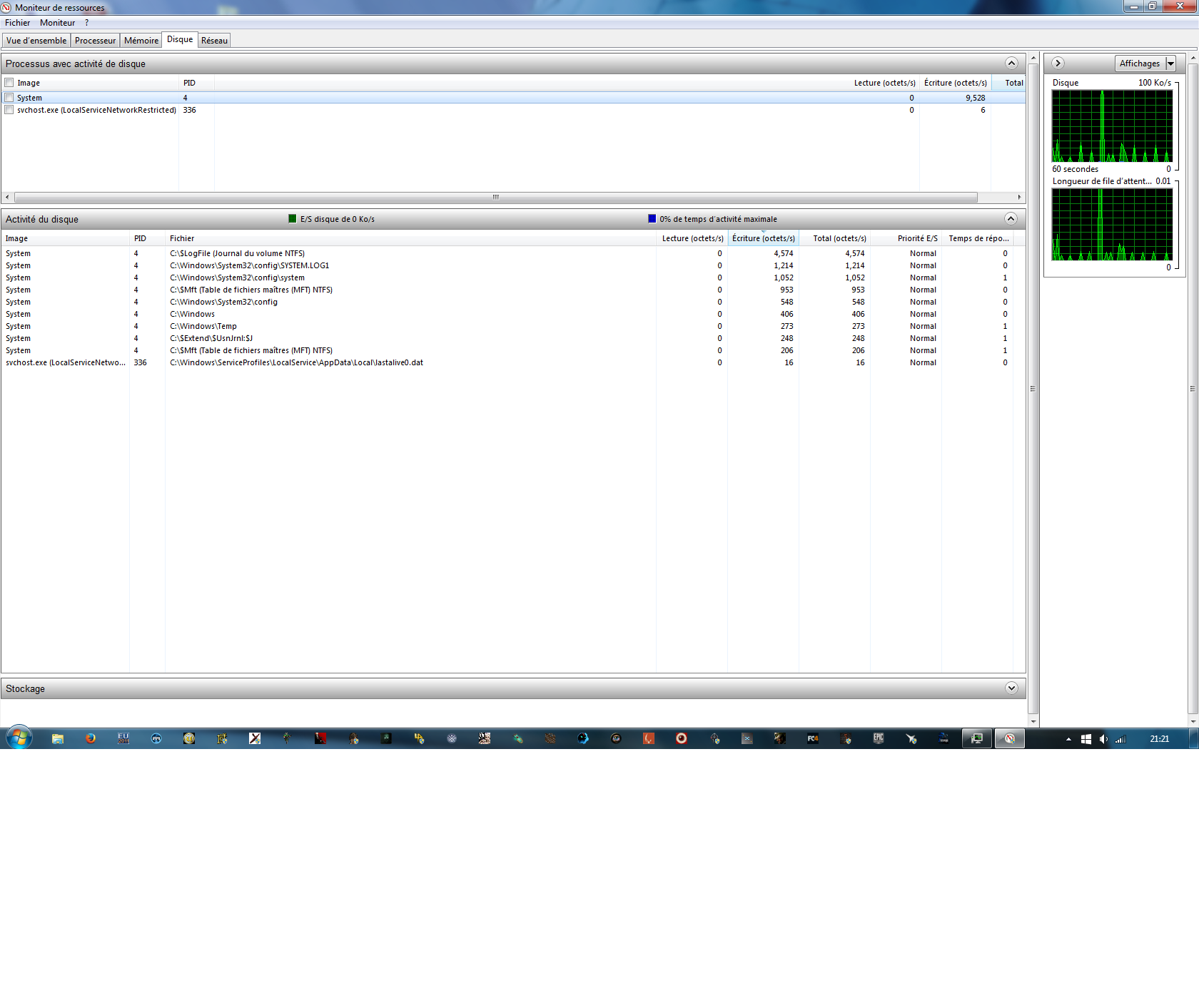
i tried to see the disk usage using the ressource monitor and here is a screen shot at idle : Imgur: The most awesome images on the Internet

it would seem that the service System (PID4 ) is constantly writing something at roughly 10k octet by seconds. i don't know if it is normal and if it was the same value before the problem.
i don't know what to think of the info regarding disk activity below that.


Any idea of what i should do to shut down those noises? is that disk activity normal? (maybe it should be at 0)..

Thank you for your time.
 

My Computer

Computer type
PC/Desktop
Computer Manufacturer/Model Number
custom build
OS
windows 7 64 bits sp1
CPU
i5 760
Motherboard
p7p55d
Memory
8gb pc 10600 DDR3
Graphics Card(s)
gtx 960
Hard Drives
Hitachi Deskstar 7K1000.C - 1000 Go
Antivirus
Microsoft security essentials
Browser
firefox
I would scan with MBAM

The free version has the same scanner as the paid.
Something writing data like clockwork and it wasn't doing it before makes me suspect one of the updates. If MBAM comes up clean then the only way to rule out the updates is to remove the new ones one by one.

That's the main reason I don't update unless it is a Service Pack. It is too easy to break something when you make multiple modifications at once.
 

My Computer

Computer Manufacturer/Model Number
HP Media Center
OS
Windows 7 32 bit
CPU
AMD 5200+ dual core
Memory
2 GB
Graphics Card(s)
NVidia GeForce 6150SE 128 MB
Monitor(s) Displays
CRT
Screen Resolution
1280x1024
Hard Drives
500 GB Sata internal :

SIIG USB 3.0 docking stations w/WD Caviar Black 6 Gb/s drives
Keyboard
PS/2
Mouse
PS/2 Wheel Mouse
Other Info
SIIG USB 3.0 PCIexpress card.
Ah yeah I forgot to precise that i did a malwerbytes scan ( for the first time in 5 years since i got this pc..).

It found a lot of stuff that i suppressed.

I just did another one and it found nothing this time.


What updates should i delete first? the windows ones? isn't it a bit risky? I didn't know all these updates were optionnal, i wouldn't have installed them all this time :(.

The thing is i tried to do a restoration to a previous date yesterday, but strangely, if failed when it was at the point to reboot (when there is a blue window screen that you can see just before turning off the computer), and i got a window telling me that the system could't launch/boot and it tried to repair something.
I was a bit anxious but 20 minutes later it said that i could try to reboot and it did.

Apparently the restoration took place but the windows updates that were installed didn't disappear from the windows update history (although they seem to have indeed been deleted since windows update donlowded them shortly after the reboot and told me to install them).


So i should delete the windows updates? what about internet explorer update and adobe reader/flash player?
can i pick some or do i need to do this chronologically? and i'm a bit afraid to break some stuff even further :((

Also : is it possible to find something useful in the screenshot i took in the first post? is this "logfile" activity normal?
If somebody could check his/her disk activity in idle from the ressource monitor that would be great!
 

My Computer

Computer type
PC/Desktop
Computer Manufacturer/Model Number
custom build
OS
windows 7 64 bits sp1
CPU
i5 760
Motherboard
p7p55d
Memory
8gb pc 10600 DDR3
Graphics Card(s)
gtx 960
Hard Drives
Hitachi Deskstar 7K1000.C - 1000 Go
Antivirus
Microsoft security essentials
Browser
firefox
Check your flash settings. Last Adobe update I installed put all flash settings back to allow everything.
Art.
 

My Computer

Computer type
PC/Desktop
Computer Manufacturer/Model Number
Home built
OS
Win7 sp1 Pro 64bit / XP sp2 Pro (games only)
CPU
Intel Core 2 Duo E8400 @ 3.00GHz
Motherboard
Intel Corporation DP35DP (CPU1)
Memory
8.00 GB Dual-Channel DDR2 @ 400MHz (5-5-5-18)
Graphics Card(s)
1024MB GeForce GTX 560
Sound Card
NVIDIA High Definition Audio
Monitor(s) Displays
SyncMaster (2048x1152@60Hz)
Hard Drives
240GB Sandisc Extreme Pro SSD
244GB Seagate ST3250410AS
488GB Seagate ST500DM002-1BD142
931GB Western Digital WDC WD1003FZEX
PSU
Corsair 720
Case
ATX
Keyboard
HID Keyboard Device Logitech
Mouse
HID-compliant mouse Microsoft
Other Info
TSSTcorp CDDVDW SH-S223L

HL-DT-ST BD-RE BH12LS35
i Just checked them (the security ones) and it seems normal i think. it is set to "always ask".

i really wondered what could have caused that :( . I should add that the slight writing sound is not that regular : some noises every few seconds, sometimes more, sometimes a bit less.

another screenshot of the disk usage, this time with firefox opened : Imgur: The most awesome images on the Internet
and another one in "real" idle :
Ot0nrpm.png
Ot0nrpm
Ot0nrpm
1ixuwVC
 
Last edited:

My Computer

Computer type
PC/Desktop
Computer Manufacturer/Model Number
custom build
OS
windows 7 64 bits sp1
CPU
i5 760
Motherboard
p7p55d
Memory
8gb pc 10600 DDR3
Graphics Card(s)
gtx 960
Hard Drives
Hitachi Deskstar 7K1000.C - 1000 Go
Antivirus
Microsoft security essentials
Browser
firefox
Any ideas? :(

i really don't know what to do.. i desactivated completely MSE to test and there was the same activity from the hard drive..

i don't know about uninstalling the windows updates... maybe i should do it :(

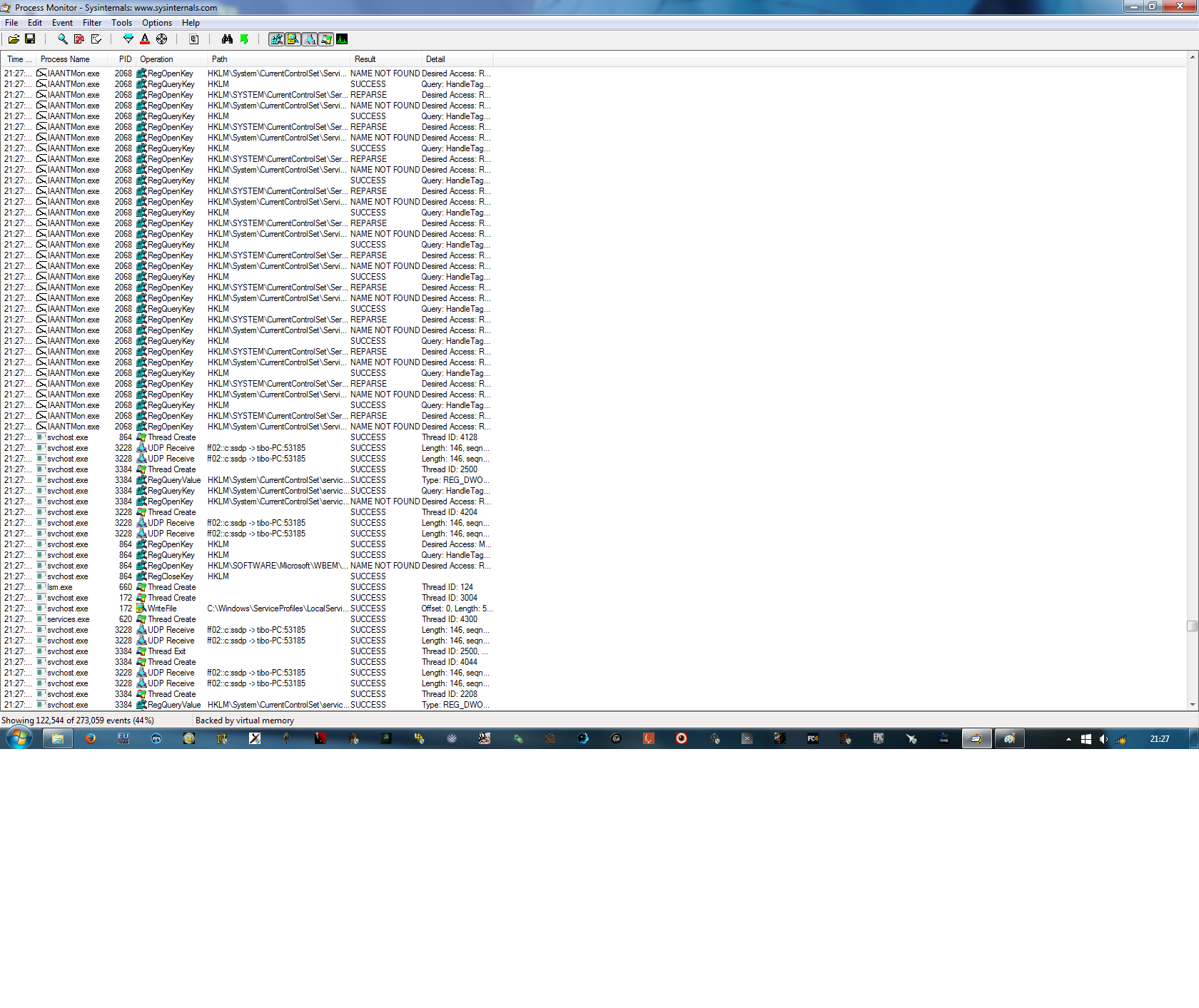
here is an extract from process monitor :
9G5U37j.png
 
Last edited:

My Computer

Computer type
PC/Desktop
Computer Manufacturer/Model Number
custom build
OS
windows 7 64 bits sp1
CPU
i5 760
Motherboard
p7p55d
Memory
8gb pc 10600 DDR3
Graphics Card(s)
gtx 960
Hard Drives
Hitachi Deskstar 7K1000.C - 1000 Go
Antivirus
Microsoft security essentials
Browser
firefox
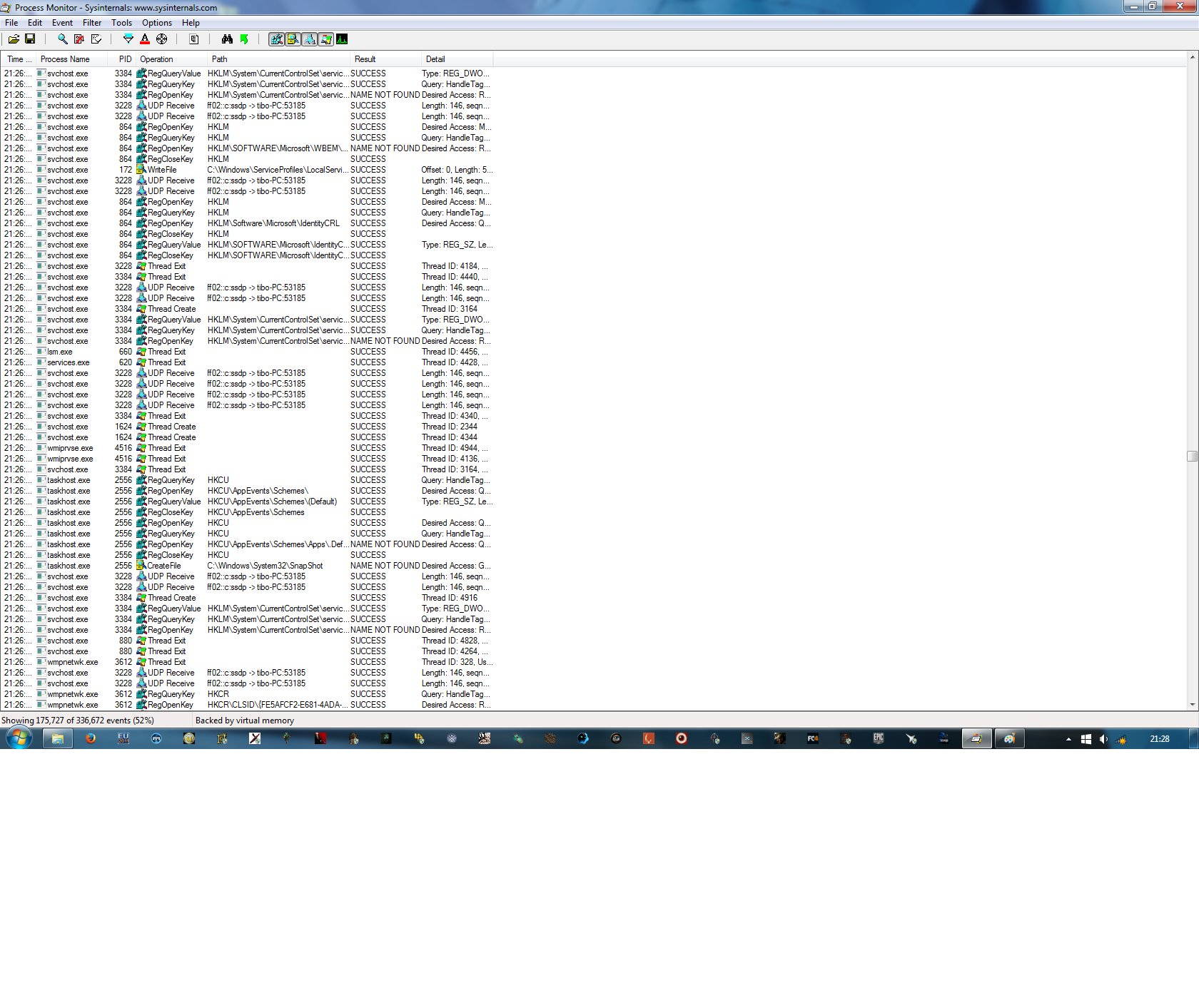
and with internet turned off :
YmDsdpF.png
nZ0Ktm9.png
 

My Computer

Computer type
PC/Desktop
Computer Manufacturer/Model Number
custom build
OS
windows 7 64 bits sp1
CPU
i5 760
Motherboard
p7p55d
Memory
8gb pc 10600 DDR3
Graphics Card(s)
gtx 960
Hard Drives
Hitachi Deskstar 7K1000.C - 1000 Go
Antivirus
Microsoft security essentials
Browser
firefox
can i turn some services from the two screenshots in the post before?
Is that risky?

:(
 

My Computer

Computer type
PC/Desktop
Computer Manufacturer/Model Number
custom build
OS
windows 7 64 bits sp1
CPU
i5 760
Motherboard
p7p55d
Memory
8gb pc 10600 DDR3
Graphics Card(s)
gtx 960
Hard Drives
Hitachi Deskstar 7K1000.C - 1000 Go
Antivirus
Microsoft security essentials
Browser
firefox
Back
Top