Solved Corrupt Album Art Cache

katiebuglove

New member
Member
Local time
8:28 AM
Messages
67
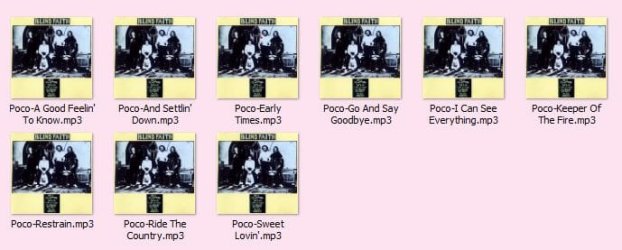
I have purged my album art cache so many times and I'm sick of it. I manually removed every single picture that I did not want in there. It took a long time and I had to do it more than once! I thought I had it all straigtened out and now I'm seeing this kind of stuff:

View in Music Library, arranged by folder:
snip3.JPG

When I open the album to see the songs, I see this:
snip4.JPG

View in Music Library, arranged by album:
snip5.JPG

This is only one example. I have many, many more albums that look like this. Some in album view have this:
snip 6.JPG

Any help at all is appreciated!
 

My Computer

OS
Windows 7 Home Premium, 64 bit, SP1
Any help at all is appreciated!
I recently discovered a really wonderful music/video player/organizer/playlister program: Jaangle. It has now become THE single consolidated program I use for all of these functions, although I still have other programs also available for use (though I still use MP3Tag as my tagging utility, although Jaangle also has such functionality).

I have all of my album art stored as individual "cover.jpg" files located in each of my album folders, with my music collection on one drive and organized as d:\Music\Artist\Album. I do NOT use imbedded album art in the tags of my MP3/FLAC files.

You might consider going this route, using 3rd-party programs to handle your music collection needs.

jaangle.jpg
 

My Computer

Computer type
PC/Desktop
Computer Manufacturer/Model Number
Home-built, two systems (1) and (2)
OS
Windows 7 Pro x64 (1), Win7 Pro X64 (2)
CPU
i5-3350p 3.1Ghz/6MB-cache (1); E8400 3.0Ghz/6MB-cache (2)
Motherboard
ASUS P8Z77-V Pro (1); ASUS P5Q3 (2)
Memory
8GB PC3-12800 DDR3 (1); 4GB PC3-10600 DDR3 (2)
Graphics Card(s)
ATI HD7750 (1), (see TV cards); ATI R7 250 (2)
Sound Card
Realtek ALC892 HD Audio (1); Realtek ALC1200 HD Audio (2)
Monitor(s) Displays
Eizo HD2441W LCD, Eizo S2433W (1); Eizo 24" S2433W (2)
Screen Resolution
1920x1200, 1920x1200 (1); 1920x1200 (2)
Hard Drives
(1) 1TB SATA-II (7200RPM), 2x2TB SATA-III (7200RPM), 250GB SATA-III (10000RPM) for OS; 2x2TB external USB 3.0

(2) 320GB SATA-II (7200RPM), 750GB SATA-II (7200RPM), 150GB SATA-II (10000RPM) for OS; 2TB external USB 3.0
PSU
Nesteq ECS-6001 600W (1); Nesteq ECS-5001 500W (2)
Case
Acousti-Case 360 (1) and (2)
Cooling
Noctua NH-U12P SE2 for CPU, 2x120mm case fans (1) and (2)
Keyboard
IBM PS/2 (1) and (2)
Mouse
Logitech MX Revolution wireless (1); Microsoft wired (2)
Internet Speed
100mbps down / 10mbps up
Antivirus
Microsoft Security Essentials; Malwarebyte Anti-Malware Pro
Browser
Firefox
Other Info
Ceton InfiniTV 4-tuner cablecard-enabled TV card as well as Hauppauge HVR-2250 OTA/ATSC 2-tuner TV card in (1), running under Win7 WMC
So, my problem is "embedded" art? Can I stop/undo this? How did the absolute wrong art get put on the songs themselves? But more importantly, if I go with Jaangle, will it have all the wrong artwork imported?

Thanks for answering me, I appreciate it!
 

My Computer

OS
Windows 7 Home Premium, 64 bit, SP1
So, my problem is "embedded" art? Can I stop/undo this? How did the absolute wrong art get put on the songs themselves? But more importantly, if I go with Jaangle, will it have all the wrong artwork imported?
Well I don't know the details of your music collection. I didn't know whether or not you'd imbedded album art inside the tags of the files or not, I really was just mentioning that I myself do not use that approach.

I use the single external "cover.jpg" approach because it's far easier to maintain a collection that does not use imbedded album art. Since I already was organized \Music\Artist\Album, why not just put the one single "cover.jpg" for that album's art inside that one single album folder? Then no music files in that album folder need to have album art in their tag, which of course simply duplicates the identical album art JPG which would already be in all the other music files in the same folder.

So why do it that way? Why not just have a single "cover.jpg" file for the album folder itself, and nothing inside each music file tag? Seems much easier to maintain and simpler to manage, and also takes up less space since there's no duplicate album art inside of each music file from that album.

If you want to reorganize things, and remove all the imbedded album art from your tags (if you have that), and put one of those JPG's into the \Album folder as "cover.jpg", I'd recommend using MP3Tag (if you don't already have it installed). This would be a one-time effort, but in my opinion well worth doing. It would also give you a chance to make a complete pass of your music collection, re-examining your album art, organization, etc.


But to your question as to what might be causing your current Music Library issues, I honestly don't know. I do not use this approach and have always used 3rd-party programs since I started MP3 work back around 1999 with Win98 where built-in OS support for music player/management wasn't nearly what it is today with Win7. I use Winamp as my "external player" for MP3 and FLAC.

I have about 1100 true physical CDs (i.e. "albums" on my PC) in my collection, and have extracted about 6700 tracks to MP3 (using LAME) and FLAC (using FLAC Frontend). I use Audiograbber for the rip to WAV, and also to invoke LAME for the encode to MP3 and to delete the WAV, and then Audiograbber does the tag on the MP3. For FLAC I again use Audiograbber for the rip to WAV. Then I use FLAC Frontend to invoke FLAC for the encode to FLAC (you also need to download and install FLAC itself), and delete the WAV, and then FLAC Frontend does a partial job of tagging. I clean up all tags (both MP3 and FLAC) using MP3Tag. Note that many people use EAC to do the rip and encode-to-FLAC or to MP3 via LAME, and then to partially tag the resulting MP3 or FLAC, but I prefer Audiograbber.


Again, I suggest that you review your imbedded album art using MP3Tag, at least to review it. You can decide whether to retain it (if it's correct, and you want to retain that approach), or correct it in specific cases if you need to, or eliminate it completely and go with external "cover.jpg" by extracting individual album art JPG's and saving them as "cover.jpg" into the album folder where they belong.

Note that this whole approach does NOT use any Win7 "album art cache" or thumbs.db or anything like that. It's all self-contained in your private music collection folders, and is utilized by the 3rd-party programs you use to manage it and play music.
 
Last edited:

My Computer

Computer type
PC/Desktop
Computer Manufacturer/Model Number
Home-built, two systems (1) and (2)
OS
Windows 7 Pro x64 (1), Win7 Pro X64 (2)
CPU
i5-3350p 3.1Ghz/6MB-cache (1); E8400 3.0Ghz/6MB-cache (2)
Motherboard
ASUS P8Z77-V Pro (1); ASUS P5Q3 (2)
Memory
8GB PC3-12800 DDR3 (1); 4GB PC3-10600 DDR3 (2)
Graphics Card(s)
ATI HD7750 (1), (see TV cards); ATI R7 250 (2)
Sound Card
Realtek ALC892 HD Audio (1); Realtek ALC1200 HD Audio (2)
Monitor(s) Displays
Eizo HD2441W LCD, Eizo S2433W (1); Eizo 24" S2433W (2)
Screen Resolution
1920x1200, 1920x1200 (1); 1920x1200 (2)
Hard Drives
(1) 1TB SATA-II (7200RPM), 2x2TB SATA-III (7200RPM), 250GB SATA-III (10000RPM) for OS; 2x2TB external USB 3.0

(2) 320GB SATA-II (7200RPM), 750GB SATA-II (7200RPM), 150GB SATA-II (10000RPM) for OS; 2TB external USB 3.0
PSU
Nesteq ECS-6001 600W (1); Nesteq ECS-5001 500W (2)
Case
Acousti-Case 360 (1) and (2)
Cooling
Noctua NH-U12P SE2 for CPU, 2x120mm case fans (1) and (2)
Keyboard
IBM PS/2 (1) and (2)
Mouse
Logitech MX Revolution wireless (1); Microsoft wired (2)
Internet Speed
100mbps down / 10mbps up
Antivirus
Microsoft Security Essentials; Malwarebyte Anti-Malware Pro
Browser
Firefox
Other Info
Ceton InfiniTV 4-tuner cablecard-enabled TV card as well as Hauppauge HVR-2250 OTA/ATSC 2-tuner TV card in (1), running under Win7 WMC
So, my problem is "embedded" art? Can I stop/undo this? How did the absolute wrong art get put on the songs themselves?
Don't know where you got your music files from, nor whether or not or how album art got imbedded, if it did get imbedded.

But you can certainly examine (and repair if necessary) everything in each music file tag using MP3Tag as part of a "music collection health-assessment project". You'll have an opportunity to re-think all that you've done up until now regarding your collection and organization scheme, and perhaps re-do what needs to be done if you now have a clearer and better idea. Again, this is a one-time effort, but obviously appropriate and beneficial in the long run.

Note that Jaangle offers a multitude of presentation schemes and sort sequences. I've chosen Artist - Album (sorted alphabetically), because that works perfectly for me. If you select the high-level artist line (in its "Explorer" pane) you see the total sum of all tracks by that artist for all albums in your collection that have tracks by that artist. If you expand that artist (by clicking on the "+") you see the individual albums indented, and if you select any one of them you see just the tracks of that particular album. You also have album art, artist art, artist biography, and album review/tracklist as the information retained by Jaangle, of course along with all the detail information from tags for every music file itself.

All of the outside information mentioned above is retrieved automatically by Jaangle from LastFM (for artist bio/art) and from Amazon (for album review/tracklist and art if you don't already have your own cover.jpg art).


But more importantly, if I go with Jaangle, will it have all the wrong artwork imported?
Perhaps... at least to start. But you can always fix things (using either MP3Tag or Jaangle) and "rebuild collections", or just "re-read tags", or various other actions provided by Jaangle to keep you correct and up-to-date when you've performed maintenance of any kind on your collections.

And the result will be proper music files, and proper database files in the Jaangle directory. There's no use of Win7 facilities or "Library". It's completely external, using 3rd-party Jaangle.
 

My Computer

Computer type
PC/Desktop
Computer Manufacturer/Model Number
Home-built, two systems (1) and (2)
OS
Windows 7 Pro x64 (1), Win7 Pro X64 (2)
CPU
i5-3350p 3.1Ghz/6MB-cache (1); E8400 3.0Ghz/6MB-cache (2)
Motherboard
ASUS P8Z77-V Pro (1); ASUS P5Q3 (2)
Memory
8GB PC3-12800 DDR3 (1); 4GB PC3-10600 DDR3 (2)
Graphics Card(s)
ATI HD7750 (1), (see TV cards); ATI R7 250 (2)
Sound Card
Realtek ALC892 HD Audio (1); Realtek ALC1200 HD Audio (2)
Monitor(s) Displays
Eizo HD2441W LCD, Eizo S2433W (1); Eizo 24" S2433W (2)
Screen Resolution
1920x1200, 1920x1200 (1); 1920x1200 (2)
Hard Drives
(1) 1TB SATA-II (7200RPM), 2x2TB SATA-III (7200RPM), 250GB SATA-III (10000RPM) for OS; 2x2TB external USB 3.0

(2) 320GB SATA-II (7200RPM), 750GB SATA-II (7200RPM), 150GB SATA-II (10000RPM) for OS; 2TB external USB 3.0
PSU
Nesteq ECS-6001 600W (1); Nesteq ECS-5001 500W (2)
Case
Acousti-Case 360 (1) and (2)
Cooling
Noctua NH-U12P SE2 for CPU, 2x120mm case fans (1) and (2)
Keyboard
IBM PS/2 (1) and (2)
Mouse
Logitech MX Revolution wireless (1); Microsoft wired (2)
Internet Speed
100mbps down / 10mbps up
Antivirus
Microsoft Security Essentials; Malwarebyte Anti-Malware Pro
Browser
Firefox
Other Info
Ceton InfiniTV 4-tuner cablecard-enabled TV card as well as Hauppauge HVR-2250 OTA/ATSC 2-tuner TV card in (1), running under Win7 WMC
I downloaded the MP3Tag program and I'll give it a try tomorrow. It can't be any worse than combing through the album art cache (a couple times a week!), removing everything that I know doesn't belong, and then trying to install the correct artwork in WMP (which doesn't fix the wrong artwork in Windows Explorer!) only to find the next day that several are wrong again! I probably shouldn't be so picky but this stuff not only messes up my WMP, and music library but also my mp3 player, so I want everything just so.

I have always used folder.jpg (in XP, should it be cover.jpg in Windows 7?) for each file, but that didn't add the album artwork in WMP, so I would cut and paste that artwork on the album and then I would have a couple more pictures added to the album folder. Thought I was doing it right....

Thanks so much for taking the time to answer my questions. I'll let you know how I do.
 

My Computer

OS
Windows 7 Home Premium, 64 bit, SP1
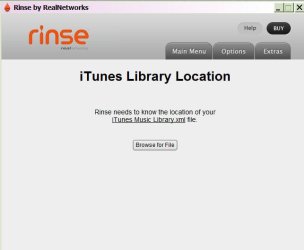
I was going to check out Rinse tonight and it wants to know where my itunes xml file is. I don't have itunes, I have zune and I only want to clean my music library, so I guess I'm out of luck....
 

My Computer

OS
Windows 7 Home Premium, 64 bit, SP1
I downloaded the MP3Tag program and I'll give it a try tomorrow. It can't be any worse than combing through the album art cache (a couple times a week!), removing everything that I know doesn't belong, and then trying to install the correct artwork in WMP (which doesn't fix the wrong artwork in Windows Explorer!) only to find the next day that several are wrong again!
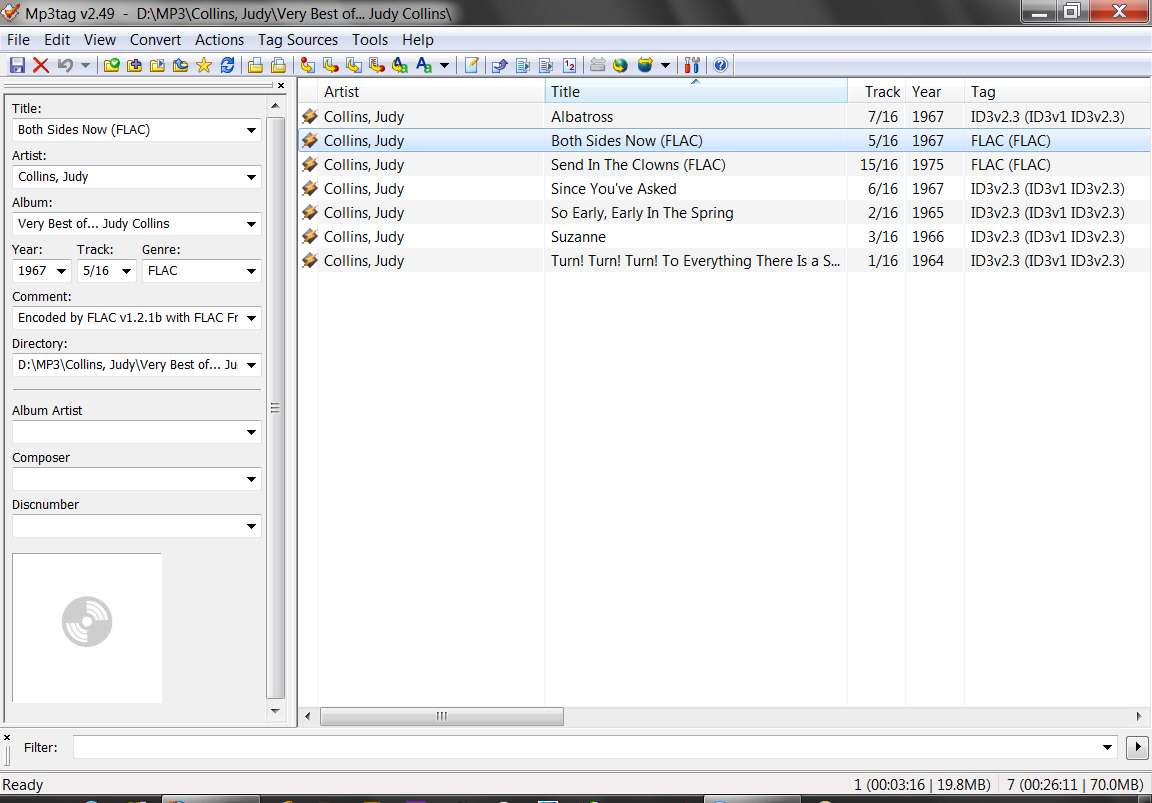
It'll take some playing around to fully appreciate how to use MP3Tag, i.e. its customization settings, how you arrange the columns, how you can most efficiently modify the data in a tag (i.e. you can either (a) enter data in the "tag pane", which I feel to be a bit clunky and slow but does allow you to manipulate album art if you need to, or (b) overtype directly into the detail list fields using the TAB key to enter/move-to-the-next-field, and ESC to end the edit of a given row), etc.

Here's what my MP3Tag interface looks like, although I generally do NOT have the "tag pane" showing since I'm a "power user" and simply type/tab/ESC my way through the detail rows themselves.

mp3tag.jpg


I probably shouldn't be so picky but this stuff not only messes up my WMP, and music library but also my mp3 player, so I want everything just so.
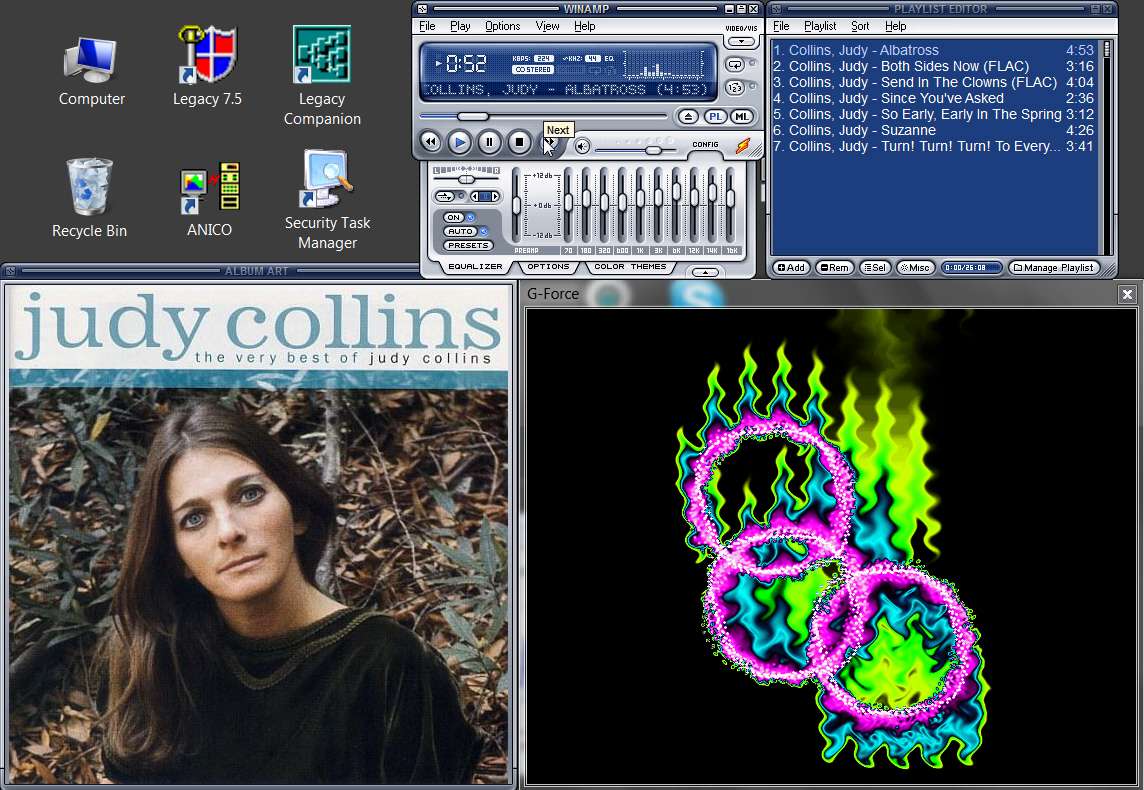
I don't use WMP except for playing videos. I use Winamp for playing music. I also have G-Force installed as my "visualization", because I think it's fantastically entertaining. I also have the "Album Art" window active for Winamp, to present the "cover.jpg" art when I play music.

My Winamp presentation looks like this:

winamps.jpg


I have always used folder.jpg (in XP, should it be cover.jpg in Windows 7?) for each file,
Depending on the Windows player program you use, you can typically use either "folder.jpg" or "cover.jpg" with no consideration.

However my Cowon J3 portable music player only supports "cover.jpg", so that's what I've used on my PC collection. I simply COPY/sync my PC's music collection folders to the J3 storage, so going with "cover.jpg" works for both PC and J3.


but that didn't add the album artwork in WMP
Again... I don't use WMP because it's under-engineered and clumsy. Using Winamp, or Jaangle, as the player, is the real solution for me. I like Winamp because it also provides song-specific EQ-presets if you want to make use of them, so that each track when played will load it's own unique saved EQ settings (that you created yourself) for optimal sound for each and every track. Or, you can use a default EQ if you have no specific previously saved EQ for a given track.

Jaangle has just one 3-band EQ, but it still seems to sound great. Plus, its organizer interface/presentation is far more powerful and user-friendly than Winamp's, and it makes browsing and playing music a breeze.


so I would cut and paste that artwork on the album and then I would have a couple more pictures added to the album folder. Thought I was doing it right....
It's really really easy and straightforward, if you simply have just one single external "cover.jpg" file in an album folder, and no imbedded album art in any music file.

Then you can use Windows Explorer or any similar File Manager (e.g. Free Commander) to maintain your collection.

You can download album art from Amazon (locate the album you are interested in, as if you were going to buy it, and then click on the "see all customer images" link and examine each one, deciding which one you like and then downloading it to your album folder as "cover.jpg) if you don't have your own CDs and scanner. Mostly the art on Amazon is excellent, and I look for high-quality 500x500 images.

In my own case if I can't find a good one I'll scan my own CD cover and tweak it with Photoshop, and then re-size to 500x500 and save it as "cover.jpg" in the album folder.

But again... no imbedded art, use external "cover.jpg" universally in album folders for compatibility with PMP's and PC, and use Winamp or Jaangle as the music player (not WMP).

Note that both Winamp and Jaangle can also produce M3U playlists, if you want to make use of that functionality as well.

 

My Computer

Computer type
PC/Desktop
Computer Manufacturer/Model Number
Home-built, two systems (1) and (2)
OS
Windows 7 Pro x64 (1), Win7 Pro X64 (2)
CPU
i5-3350p 3.1Ghz/6MB-cache (1); E8400 3.0Ghz/6MB-cache (2)
Motherboard
ASUS P8Z77-V Pro (1); ASUS P5Q3 (2)
Memory
8GB PC3-12800 DDR3 (1); 4GB PC3-10600 DDR3 (2)
Graphics Card(s)
ATI HD7750 (1), (see TV cards); ATI R7 250 (2)
Sound Card
Realtek ALC892 HD Audio (1); Realtek ALC1200 HD Audio (2)
Monitor(s) Displays
Eizo HD2441W LCD, Eizo S2433W (1); Eizo 24" S2433W (2)
Screen Resolution
1920x1200, 1920x1200 (1); 1920x1200 (2)
Hard Drives
(1) 1TB SATA-II (7200RPM), 2x2TB SATA-III (7200RPM), 250GB SATA-III (10000RPM) for OS; 2x2TB external USB 3.0

(2) 320GB SATA-II (7200RPM), 750GB SATA-II (7200RPM), 150GB SATA-II (10000RPM) for OS; 2TB external USB 3.0
PSU
Nesteq ECS-6001 600W (1); Nesteq ECS-5001 500W (2)
Case
Acousti-Case 360 (1) and (2)
Cooling
Noctua NH-U12P SE2 for CPU, 2x120mm case fans (1) and (2)
Keyboard
IBM PS/2 (1) and (2)
Mouse
Logitech MX Revolution wireless (1); Microsoft wired (2)
Internet Speed
100mbps down / 10mbps up
Antivirus
Microsoft Security Essentials; Malwarebyte Anti-Malware Pro
Browser
Firefox
Other Info
Ceton InfiniTV 4-tuner cablecard-enabled TV card as well as Hauppauge HVR-2250 OTA/ATSC 2-tuner TV card in (1), running under Win7 WMC
I have all the correct album art in a folder,so that's not a problem, but see my next post, it's a moot point as I don't have an itunes xml thingy....
 

My Computer

OS
Windows 7 Home Premium, 64 bit, SP1
I have all the correct album art in a folder,so that's not a problem, but see my next post, it's a moot point as I don't have an itunes xml thingy....
I'm not sure I follow, but I believe Rinse is related to iTunes in terms of being usable.

I myself don't use iTunes (nor anything Apple-related) and thus have no use at all for Rinse, so don't have any considerations here. I simply have my MP3 and FLAC music files organized by me, myself, into ordinary Windows folders that are organized by \Music\Artist\Album.

All album art is my own, downloaded from Amazon or scanned by myself, and each one saved as "cover.jpg" in the individual corresponding album folder.

My tags are my own, either created automatically by Audiograbber when I produced the MP3/FLAC files myself from CD, or subsequently edited using MP3Tag if any individual or mass editing was required.

In other words, my collection and everything about it, and all of the player/organizer programs I use, are my own. 3rd-party programs used as players or organizers or taggers, no Windows library/WMP impact or use of built-in Windows facilities, no album art thumbnails in thumbs.db involving Windows or WMP, no imbedded album art in tags to worry about, no Apple, etc., etc.

And this all works beautifully when just copied to my Cowon J3 (again, not Apple) portable player... which itself is 100% Windows-friendly, and lets you do anything you want via Windows Explorer or similar file manager programs under Windows. No Apple software or websites involved.
 

My Computer

Computer type
PC/Desktop
Computer Manufacturer/Model Number
Home-built, two systems (1) and (2)
OS
Windows 7 Pro x64 (1), Win7 Pro X64 (2)
CPU
i5-3350p 3.1Ghz/6MB-cache (1); E8400 3.0Ghz/6MB-cache (2)
Motherboard
ASUS P8Z77-V Pro (1); ASUS P5Q3 (2)
Memory
8GB PC3-12800 DDR3 (1); 4GB PC3-10600 DDR3 (2)
Graphics Card(s)
ATI HD7750 (1), (see TV cards); ATI R7 250 (2)
Sound Card
Realtek ALC892 HD Audio (1); Realtek ALC1200 HD Audio (2)
Monitor(s) Displays
Eizo HD2441W LCD, Eizo S2433W (1); Eizo 24" S2433W (2)
Screen Resolution
1920x1200, 1920x1200 (1); 1920x1200 (2)
Hard Drives
(1) 1TB SATA-II (7200RPM), 2x2TB SATA-III (7200RPM), 250GB SATA-III (10000RPM) for OS; 2x2TB external USB 3.0

(2) 320GB SATA-II (7200RPM), 750GB SATA-II (7200RPM), 150GB SATA-II (10000RPM) for OS; 2TB external USB 3.0
PSU
Nesteq ECS-6001 600W (1); Nesteq ECS-5001 500W (2)
Case
Acousti-Case 360 (1) and (2)
Cooling
Noctua NH-U12P SE2 for CPU, 2x120mm case fans (1) and (2)
Keyboard
IBM PS/2 (1) and (2)
Mouse
Logitech MX Revolution wireless (1); Microsoft wired (2)
Internet Speed
100mbps down / 10mbps up
Antivirus
Microsoft Security Essentials; Malwarebyte Anti-Malware Pro
Browser
Firefox
Other Info
Ceton InfiniTV 4-tuner cablecard-enabled TV card as well as Hauppauge HVR-2250 OTA/ATSC 2-tuner TV card in (1), running under Win7 WMC
This is from the website:
rinse1.jpg

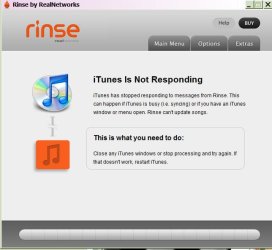
This is what I get when the app opens:
rinse2.jpg

And then:
rinse3.jpg

I don't get any interface at all!
 

My Computer

OS
Windows 7 Home Premium, 64 bit, SP1
I don't get any interface at all!
Why do you want to use Rinse? What is it going to do for you?

If you didn't use iTunes to buy/build your music collection in the first place, why would Rinse be of relevance now? Or is our music collection all iTunes-acquired, and yet Rinse doesn't seem to find what it's looking for?

I'm still not sure why you just don't use non-Rinse non-iTunes tools and programs and techniques (e.g. MP3Tag, Windows Explorer or Free Commander, etc.) to get your music collection all corrected and organized properly, and looking the way you want it to look with external "cover.jpg" album art.

How big is your collection? Where did you get your music files? How did you get tags built into those files? Where did your album art come from, and is it imbedded in tags or not or partially yes/no?
 

My Computer

Computer type
PC/Desktop
Computer Manufacturer/Model Number
Home-built, two systems (1) and (2)
OS
Windows 7 Pro x64 (1), Win7 Pro X64 (2)
CPU
i5-3350p 3.1Ghz/6MB-cache (1); E8400 3.0Ghz/6MB-cache (2)
Motherboard
ASUS P8Z77-V Pro (1); ASUS P5Q3 (2)
Memory
8GB PC3-12800 DDR3 (1); 4GB PC3-10600 DDR3 (2)
Graphics Card(s)
ATI HD7750 (1), (see TV cards); ATI R7 250 (2)
Sound Card
Realtek ALC892 HD Audio (1); Realtek ALC1200 HD Audio (2)
Monitor(s) Displays
Eizo HD2441W LCD, Eizo S2433W (1); Eizo 24" S2433W (2)
Screen Resolution
1920x1200, 1920x1200 (1); 1920x1200 (2)
Hard Drives
(1) 1TB SATA-II (7200RPM), 2x2TB SATA-III (7200RPM), 250GB SATA-III (10000RPM) for OS; 2x2TB external USB 3.0

(2) 320GB SATA-II (7200RPM), 750GB SATA-II (7200RPM), 150GB SATA-II (10000RPM) for OS; 2TB external USB 3.0
PSU
Nesteq ECS-6001 600W (1); Nesteq ECS-5001 500W (2)
Case
Acousti-Case 360 (1) and (2)
Cooling
Noctua NH-U12P SE2 for CPU, 2x120mm case fans (1) and (2)
Keyboard
IBM PS/2 (1) and (2)
Mouse
Logitech MX Revolution wireless (1); Microsoft wired (2)
Internet Speed
100mbps down / 10mbps up
Antivirus
Microsoft Security Essentials; Malwarebyte Anti-Malware Pro
Browser
Firefox
Other Info
Ceton InfiniTV 4-tuner cablecard-enabled TV card as well as Hauppauge HVR-2250 OTA/ATSC 2-tuner TV card in (1), running under Win7 WMC
I clicked on the link in your first post for the mp3 tagger and it took me to that website.
 

My Computer

OS
Windows 7 Home Premium, 64 bit, SP1
I clicked on the link in your first post for the mp3 tagger and it took me to that website.
Seems impossible.

First, I'd never heard of Rinse until you mentioned it in your own posts. Seems to be related to RealNetworks, another web site and software vendor I avoid as emphatically as Apple. They are what I call "intrusive". If you're being taken to this Rinse site, I don't know how... except from something installed on your system.

Second, the link in my first post regarding MP3Tag absolutely takes me to the MP3Tag site (http://www.mp3tag.de/en/) and nowhere else:
I'd recommend using MP3Tag (if you don't already have it installed)
I honestly don't know what link you clicked on that took you to a RealNetworks/Rinse site.
 

My Computer

Computer type
PC/Desktop
Computer Manufacturer/Model Number
Home-built, two systems (1) and (2)
OS
Windows 7 Pro x64 (1), Win7 Pro X64 (2)
CPU
i5-3350p 3.1Ghz/6MB-cache (1); E8400 3.0Ghz/6MB-cache (2)
Motherboard
ASUS P8Z77-V Pro (1); ASUS P5Q3 (2)
Memory
8GB PC3-12800 DDR3 (1); 4GB PC3-10600 DDR3 (2)
Graphics Card(s)
ATI HD7750 (1), (see TV cards); ATI R7 250 (2)
Sound Card
Realtek ALC892 HD Audio (1); Realtek ALC1200 HD Audio (2)
Monitor(s) Displays
Eizo HD2441W LCD, Eizo S2433W (1); Eizo 24" S2433W (2)
Screen Resolution
1920x1200, 1920x1200 (1); 1920x1200 (2)
Hard Drives
(1) 1TB SATA-II (7200RPM), 2x2TB SATA-III (7200RPM), 250GB SATA-III (10000RPM) for OS; 2x2TB external USB 3.0

(2) 320GB SATA-II (7200RPM), 750GB SATA-II (7200RPM), 150GB SATA-II (10000RPM) for OS; 2TB external USB 3.0
PSU
Nesteq ECS-6001 600W (1); Nesteq ECS-5001 500W (2)
Case
Acousti-Case 360 (1) and (2)
Cooling
Noctua NH-U12P SE2 for CPU, 2x120mm case fans (1) and (2)
Keyboard
IBM PS/2 (1) and (2)
Mouse
Logitech MX Revolution wireless (1); Microsoft wired (2)
Internet Speed
100mbps down / 10mbps up
Antivirus
Microsoft Security Essentials; Malwarebyte Anti-Malware Pro
Browser
Firefox
Other Info
Ceton InfiniTV 4-tuner cablecard-enabled TV card as well as Hauppauge HVR-2250 OTA/ATSC 2-tuner TV card in (1), running under Win7 WMC
Nope, the link takes me to the itunes thing, which is by RealNetworks. Incidentally, I tried uninstalling RealPlayer tonight, and crawled through my registry, deleting every reference to RealPlayer and they all came back....

Can you send me the .exe file to your site?
 

My Computer

OS
Windows 7 Home Premium, 64 bit, SP1
Nope, the link takes me to the itunes thing, which is by RealNetworks.
You have been "intruded upon".


Incidentally, I tried uninstalling RealPlayer tonight, and crawled through my registry, deleting every reference to RealPlayer and they all came back....
You have been "intruded upon".


Can you send me the .exe file to your site?
It's not my site... it's the MP3Tag site.

Here is literally the exact link to the MP3Tag installer download file:And again, here is the exact link to the MP3Tag home page:Try just copy/paste these URL address strings into a new browser window/tab. If you don't get to the MP3Tag site, but instead end up on a RealNetworks site, I'd say you have been "intruded upon" for sure.

If you are not getting the expected results from either/both of these links, I'd say you have been "intruded upon". This is the very definition of and prime example of "intrusive".


Do you have another PC/laptop you can use?
 

My Computer

Computer type
PC/Desktop
Computer Manufacturer/Model Number
Home-built, two systems (1) and (2)
OS
Windows 7 Pro x64 (1), Win7 Pro X64 (2)
CPU
i5-3350p 3.1Ghz/6MB-cache (1); E8400 3.0Ghz/6MB-cache (2)
Motherboard
ASUS P8Z77-V Pro (1); ASUS P5Q3 (2)
Memory
8GB PC3-12800 DDR3 (1); 4GB PC3-10600 DDR3 (2)
Graphics Card(s)
ATI HD7750 (1), (see TV cards); ATI R7 250 (2)
Sound Card
Realtek ALC892 HD Audio (1); Realtek ALC1200 HD Audio (2)
Monitor(s) Displays
Eizo HD2441W LCD, Eizo S2433W (1); Eizo 24" S2433W (2)
Screen Resolution
1920x1200, 1920x1200 (1); 1920x1200 (2)
Hard Drives
(1) 1TB SATA-II (7200RPM), 2x2TB SATA-III (7200RPM), 250GB SATA-III (10000RPM) for OS; 2x2TB external USB 3.0

(2) 320GB SATA-II (7200RPM), 750GB SATA-II (7200RPM), 150GB SATA-II (10000RPM) for OS; 2TB external USB 3.0
PSU
Nesteq ECS-6001 600W (1); Nesteq ECS-5001 500W (2)
Case
Acousti-Case 360 (1) and (2)
Cooling
Noctua NH-U12P SE2 for CPU, 2x120mm case fans (1) and (2)
Keyboard
IBM PS/2 (1) and (2)
Mouse
Logitech MX Revolution wireless (1); Microsoft wired (2)
Internet Speed
100mbps down / 10mbps up
Antivirus
Microsoft Security Essentials; Malwarebyte Anti-Malware Pro
Browser
Firefox
Other Info
Ceton InfiniTV 4-tuner cablecard-enabled TV card as well as Hauppauge HVR-2250 OTA/ATSC 2-tuner TV card in (1), running under Win7 WMC
Oh my gosh, thank you, thank you, thank you so much. I got it! And I was being hijacked by RealNetworks. I finally figured out to get rid of all of that crap, I had to do a system restore, which didn't go well. I lost my internet connection and Norton told me I turned off my antivirus, which I didn't. I'm running scans right now, Malwarbyes aned Superantispyware both gave me a clean bill. Now I'm running Norton and then a couple more, can't be too careful.

Thanks for all your help. It's almost 2 in the morning and I need to get off to bed. I'll let you know tomorrow how things went.

Thanks again for all your patience. You're the best!
 

My Computer

OS
Windows 7 Home Premium, 64 bit, SP1
I tried MP3Tag and what a dream. In a matter of seconds I had one album fixed! Only 799 to go....

But seriously, thanks for all your help. I don't know how I would have fixed this had you not come along with your expert advice (and patience!)
 

My Computer

OS
Windows 7 Home Premium, 64 bit, SP1
I tried MP3Tag and what a dream. In a matter of seconds I had one album fixed! Only 799 to go....
Don't know if you realized it, but you can work on more than one album at a time using MP3Tag.

I don't recall whether it's the default option or not, but if you look at Tools -> Options -> General, the first checkbox is called "subdirectories". If you CHECK it, then you can select a high-level "parent folder" and all lower-level folders under it (including all sub-folders) will be recursed and all music files in all of the discovered folders will be presented. So for example you can work with all album folders for a given artist at one time, if your organization is say:
\Music\Artist\Album1
\Music\Artist\Album2
etc.
If you select the parent \Music\Artist folder with MP3Tag, then all of the lower level album folders by that artist will be selected and all music files in all of those album folders will be listed. So now you can do a "mass-update" on selected tag fields for all (or some, if that's what you want) of the music files by that artist.

And of course you can select more than one track at a time from the displayed list of tracks, and do a "mass update" on specific tag fields to all of the selected tracks by making use of the tag-field pane on the left. If you specify "no change" to a specific tag field then it will be left alone in all of the selected tracks when you "save". But any real field value you specify in the tag-field pane on the left will be mass-applied to all selected tracks when you "save".

And you can also mass-apply or mass-remove album art in the same way.


But seriously, thanks for all your help. I don't know how I would have fixed this had you not come along with your expert advice (and patience!)
Don't forget... Jaangle is the goal, not Windows Media Player. I'm sure you'll have questions on it, once you get there.

Using MP3Tag is a way to clean up your tags, which is the first step on the way to using Jaangle. But you should review your whole music collection organization as well, and rearrange things if you see a better way.

Good luck. Keep us posted.
 

My Computer

Computer type
PC/Desktop
Computer Manufacturer/Model Number
Home-built, two systems (1) and (2)
OS
Windows 7 Pro x64 (1), Win7 Pro X64 (2)
CPU
i5-3350p 3.1Ghz/6MB-cache (1); E8400 3.0Ghz/6MB-cache (2)
Motherboard
ASUS P8Z77-V Pro (1); ASUS P5Q3 (2)
Memory
8GB PC3-12800 DDR3 (1); 4GB PC3-10600 DDR3 (2)
Graphics Card(s)
ATI HD7750 (1), (see TV cards); ATI R7 250 (2)
Sound Card
Realtek ALC892 HD Audio (1); Realtek ALC1200 HD Audio (2)
Monitor(s) Displays
Eizo HD2441W LCD, Eizo S2433W (1); Eizo 24" S2433W (2)
Screen Resolution
1920x1200, 1920x1200 (1); 1920x1200 (2)
Hard Drives
(1) 1TB SATA-II (7200RPM), 2x2TB SATA-III (7200RPM), 250GB SATA-III (10000RPM) for OS; 2x2TB external USB 3.0

(2) 320GB SATA-II (7200RPM), 750GB SATA-II (7200RPM), 150GB SATA-II (10000RPM) for OS; 2TB external USB 3.0
PSU
Nesteq ECS-6001 600W (1); Nesteq ECS-5001 500W (2)
Case
Acousti-Case 360 (1) and (2)
Cooling
Noctua NH-U12P SE2 for CPU, 2x120mm case fans (1) and (2)
Keyboard
IBM PS/2 (1) and (2)
Mouse
Logitech MX Revolution wireless (1); Microsoft wired (2)
Internet Speed
100mbps down / 10mbps up
Antivirus
Microsoft Security Essentials; Malwarebyte Anti-Malware Pro
Browser
Firefox
Other Info
Ceton InfiniTV 4-tuner cablecard-enabled TV card as well as Hauppauge HVR-2250 OTA/ATSC 2-tuner TV card in (1), running under Win7 WMC
I didn't know I could do more than one album, I just realized that I can drag and drop, so that's going much faster--I'm half way throught the G's! I just highlight all the songs in the folder and drag the album art over. And save, of course!

I played around with Tools> etc., but can't seem to get it to pick my music directory. I'll play around some more.

Yes, as soon as I get my tags straightened out, WMP is history!! And, you'll think this is funny (and not lame I hope): I was manually going through each and every album folder deleting AlbumArtSmall.jpg and those big long winded jpg's that appear in LocalMLS (thousand of them!) and then I remembered I could search for them and do a mass delete--whew! that was a time-saver.

So, smooth sailing right now.

Later I'm going to have to pick your brain on a Video Download to MP3 converter--no more Real Player for me.

Thanks againl.

P.S. Will you marry me?;)
 

My Computer

OS
Windows 7 Home Premium, 64 bit, SP1
Back
Top