Hi,
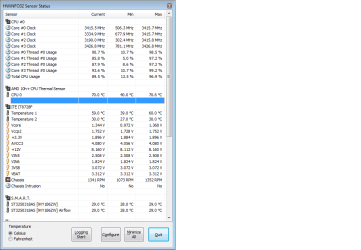
I've recently noticed alot of random pc freezes and shut down's that i think may be due to cpu overheating because the top of my case is red hot during games..
I downloaded core temp and found that its idling at 39-40 degrees C and when i go into my bios options my cpu fan (arctic cooler xtreme Arctic Cooling Freezer Xtreme Revision 2 Socket 775.. | Ebuyer.com) is only able to run at 1100 rpm ?
is there anyway i can raise the speed and therefore drop the temp of my cpu ?
edit: in game it reads at 66 degrees
Any help would be great
I've recently noticed alot of random pc freezes and shut down's that i think may be due to cpu overheating because the top of my case is red hot during games..
I downloaded core temp and found that its idling at 39-40 degrees C and when i go into my bios options my cpu fan (arctic cooler xtreme Arctic Cooling Freezer Xtreme Revision 2 Socket 775.. | Ebuyer.com) is only able to run at 1100 rpm ?
is there anyway i can raise the speed and therefore drop the temp of my cpu ?
edit: in game it reads at 66 degrees
Any help would be great
My Computer
At a glance
Windows 7 home premium 64bitAMD phenom II x4 3.4Ghz8gb ddr3 CorsairAsus Nvidia gtx 570 direct cu II
- OS
- Windows 7 home premium 64bit
- CPU
- AMD phenom II x4 3.4Ghz
- Motherboard
- ASUS m5a78L
- Memory
- 8gb ddr3 Corsair
- Graphics Card(s)
- Asus Nvidia gtx 570 direct cu II
- Sound Card
- -
- Monitor(s) Displays
- HD tv 22' Grundig
- Screen Resolution
- 1680 x 1050
- PSU
- 800w (900w Peak) Xenta Unit
- Case
- CM 680 II
- Cooling
- 4 standard case fans/ Arctic cooler Xtreme revision cpu fan
- Keyboard
- microsoft standard keyboard
- Mouse
- razer Lachesis 5600
- Internet Speed
- 50mb fibre optic ( get around 42mb)