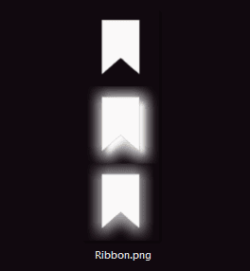
Custom Start Menu Button Collection

My Computer

Computer type
PC/Desktop
Computer Manufacturer/Model Number
Build #1
OS
Windows 8.1 Pro x64
CPU
Intel i7 3770K @4.5GHz
Motherboard
ASUS P8Z77-V PRO
Memory
Corsair Vengeance 2x4GB DDR3 1600MHz Low Profile (White)
Graphics Card(s)
Gigabyte Radeon HD 7850 (2GB GDDR5)
Sound Card
Integrated on motherboard
Monitor(s) Displays
23" LG LCD/LED IPS
Screen Resolution
1920*1080
Hard Drives
Samsung EVO 128GB SSD
Seagate Barracuda 2GB 7200rpm
2x Seagate FreeAgent [500gb]
PSU
Corsair TX650W V2 (80+ Bronze)
Case
NZXT Phantom 410 White
Cooling
Corsair H100 Water Cooler
Keyboard
Microsoft Desktop 2000 Wireless Keyboard
Mouse
Microsoft Desktop 2000 Wireless Mouse
Internet Speed
95 Mb/s Download 70 Mb/s Upload
Antivirus
MSE + MBAM Pro
Browser
Firefox
Me to Was
smiley5527.gif
But it took lot time to me.

This was way harder then i thought.
Worried about size
smiley3817.gif
 

Attachments

  • 2.PNG
    2.PNG
    15.1 KB · Views: 1,027
  • Ribbon.zip
    Ribbon.zip
    15.5 KB · Views: 64

My Computer

Computer type
Laptop
Computer Manufacturer/Model Number
Dell Insperon N5010
OS
Windows 7 Ultimate x64
CPU
i3 M380 2.53GHz
Motherboard
TOSHIBA MK5076GSX
Memory
4 Gb
Graphics Card(s)
intel HD
Sound Card
IDT
Screen Resolution
1366x768
Keyboard
Standerd PS2
Antivirus
ESET Smart Security 7
Browser
Google Chrome
...This was way harder then i thought.
Worried about size...

If it helps, I put a couple tips in this tutorial about the size of the images and distance from the edges of the image.. Mostly it's just trial and error to find the perfect place and size, but keeping within 9px or 10px of the edged works pretty well for most orbs. :)
 

My Computer

Computer type
PC/Desktop
OS
Win 10 x64 Pro x64 / Ubuntu 15.10 x64
CPU
Intel i7-4960X
Motherboard
Asus Rampage IV Black Edition
Memory
4x8GB Corsair Dominator Platinum @2400MHz 10-12-12-31
Graphics Card(s)
2x MSI GTX780Ti 3GB (SLI)
Sound Card
Onboard SupremeFX (Cirrus Logic CS4398)
Monitor(s) Displays
3x LG Cinema 27" IPS LED (27MP65)
Screen Resolution
[1920x1080]x3
Hard Drives
Crucial M500 120GB, Crucial M500 480GB, Toshiba DT01ACA200 2TB
PSU
CoolerMaster V1000
Case
Corsair Obsidian 750D
Cooling
ThermalTake Water 3.0 Extreme, 4xSP120, 3xAF120
Keyboard
Moshi Luna
Mouse
Logitech G700s / Roccat Tyon
Internet Speed
4Mb uncapped ADSL (Afrihost)
Antivirus
MS Security Essentials
Browser
Chrome... Duh. (:
Yes, that's a great tutorial :thumbsup:
I learned the trick by following it. Thanks a huge lot to ZaLiTH for such an wonderful work !!
 

My Computer

Computer type
PC/Desktop
Computer Manufacturer/Model Number
Self Assembled
OS
Microsoft Windows 10 Pro Insider Preview 64-bit
CPU
Intel(R) Core(TM) i3-4130 CPU @ 3.40GHz
Motherboard
Gigabyte Technology Co., Ltd. B85M-D3H
Memory
Corsair Vengence 4GB x2 (8.00GB Dual-Channel DDR3 @ 798MHz)
Graphics Card(s)
2047MB GeForce GTS 450 (ZOTAC International)
Sound Card
Onboard (Realtek High Definition Audio)
Monitor(s) Displays
LG Flatron E2040T
Screen Resolution
1600x900
Hard Drives
Western Digital 1 TB
Seagate 500 GB
PSU
Corsair VS550
Case
Cooler Master K380
Cooling
Cooler Master Seidon 120V Plus
Keyboard
Logitech MK260r
Mouse
Logitech MK260r
Internet Speed
PMPL Broadband
Antivirus
Windows Defender + MBAM
Browser
Firefox
Other Info
Dell Studio 15" Laptop
Oh! thank you so much ZaLiTH that tutorial of you is grate.
Helped a lot. Actually I've made above orb's by taking assistance from your tutorial. (Even i have saved the whole tutorial as PDF for future.):D
But still was confused about the distances from the edge's.
I have read it again very carefully and now all doubts are clear.

Thanks for making such grate tutorial.
thumbs.gif
 

My Computer

Computer type
Laptop
Computer Manufacturer/Model Number
Dell Insperon N5010
OS
Windows 7 Ultimate x64
CPU
i3 M380 2.53GHz
Motherboard
TOSHIBA MK5076GSX
Memory
4 Gb
Graphics Card(s)
intel HD
Sound Card
IDT
Screen Resolution
1366x768
Keyboard
Standerd PS2
Antivirus
ESET Smart Security 7
Browser
Google Chrome
Haha.. Awesome, thanks you two. Glad I could help..
picture.php
 

My Computer

Computer type
PC/Desktop
OS
Win 10 x64 Pro x64 / Ubuntu 15.10 x64
CPU
Intel i7-4960X
Motherboard
Asus Rampage IV Black Edition
Memory
4x8GB Corsair Dominator Platinum @2400MHz 10-12-12-31
Graphics Card(s)
2x MSI GTX780Ti 3GB (SLI)
Sound Card
Onboard SupremeFX (Cirrus Logic CS4398)
Monitor(s) Displays
3x LG Cinema 27" IPS LED (27MP65)
Screen Resolution
[1920x1080]x3
Hard Drives
Crucial M500 120GB, Crucial M500 480GB, Toshiba DT01ACA200 2TB
PSU
CoolerMaster V1000
Case
Corsair Obsidian 750D
Cooling
ThermalTake Water 3.0 Extreme, 4xSP120, 3xAF120
Keyboard
Moshi Luna
Mouse
Logitech G700s / Roccat Tyon
Internet Speed
4Mb uncapped ADSL (Afrihost)
Antivirus
MS Security Essentials
Browser
Chrome... Duh. (:
Me to Was
smiley5527.gif
But it took lot time to me.

This was way harder then i thought.
Worried about size
smiley3817.gif
i tried to apply it with a start button changer but it cant find it. i put it on desktop and tried browsing for it in the start orb changer desktop folder but it doesnt show up...
 

My Computer

OS
64
you have downloded the zip file not the atatched image rite?
coz the orb is in the zip file. try it then tell me if it works or not. then we will look further solutions.
 

My Computer

Computer type
Laptop
Computer Manufacturer/Model Number
Dell Insperon N5010
OS
Windows 7 Ultimate x64
CPU
i3 M380 2.53GHz
Motherboard
TOSHIBA MK5076GSX
Memory
4 Gb
Graphics Card(s)
intel HD
Sound Card
IDT
Screen Resolution
1366x768
Keyboard
Standerd PS2
Antivirus
ESET Smart Security 7
Browser
Google Chrome
you have downloded the zip file not the atatched image rite?
coz the orb is in the zip file. try it then tell me if it works or not. then we will look further solutions.
yeah i downloaded and extracted the zip but your ribbons have a trasnparent background and the other ones have a black background i tried adding a black layer in ps but it still wouldnt show up....
 

My Computer

OS
64
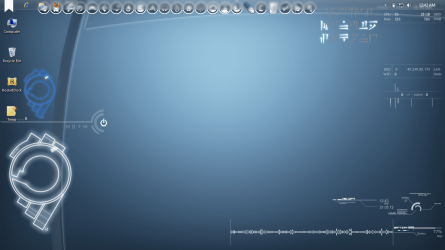
Strange! that orb is working perfect for me see in the SS.
And don't try to edit or something or the pixels could got
messed up. you can still apply it as a start orb
even it have transparent background that doesn't matter.

What program you are using to apply the orb.?
try this one I've attached.
 

Attachments

My Computer

Computer type
Laptop
Computer Manufacturer/Model Number
Dell Insperon N5010
OS
Windows 7 Ultimate x64
CPU
i3 M380 2.53GHz
Motherboard
TOSHIBA MK5076GSX
Memory
4 Gb
Graphics Card(s)
intel HD
Sound Card
IDT
Screen Resolution
1366x768
Keyboard
Standerd PS2
Antivirus
ESET Smart Security 7
Browser
Google Chrome
Strange! that orb is working perfect for me see in the SS.
And don't try to edit or something or the pixels could got
messed up. you can still apply it as a start orb
even it have transparent background that doesn't matter.

What program you are using to apply the orb.?
try this one I've attached.
its called w7sbc. i tried it with the one you posted and it works but after i get a fialed to update BITMAP 6801:24. i did a restart and the orb was still the same and i keep getting the error

http://dl.dropbox.com/u/80505191/Untitled.png
 

My Computer

OS
64
Strange! that orb is working perfect for me see in the SS.
And don't try to edit or something or the pixels could got
messed up. you can still apply it as a start orb
even it have transparent background that doesn't matter.

What program you are using to apply the orb.?
try this one I've attached.

Strange! that orb is working perfect for me see in the SS.
And don't try to edit or something or the pixels could got
messed up. you can still apply it as a start orb
even it have transparent background that doesn't matter.

What program you are using to apply the orb.?
try this one I've attached.
its called w7sbc. i tried it with the one you posted and it works but after i get a fialed to update BITMAP 6801:24. i did a restart and the orb was still the same and i keep getting the error

http://dl.dropbox.com/u/80505191/Untitled.png

The problem isn't with the application that you're using, it's the fact that the start orbs have been saved as PNGs, not BMPs :) Open up the PSD again but this time save it as a bitmap (.BMP) file.
 

My Computer

Computer type
PC/Desktop
Computer Manufacturer/Model Number
Build #1
OS
Windows 8.1 Pro x64
CPU
Intel i7 3770K @4.5GHz
Motherboard
ASUS P8Z77-V PRO
Memory
Corsair Vengeance 2x4GB DDR3 1600MHz Low Profile (White)
Graphics Card(s)
Gigabyte Radeon HD 7850 (2GB GDDR5)
Sound Card
Integrated on motherboard
Monitor(s) Displays
23" LG LCD/LED IPS
Screen Resolution
1920*1080
Hard Drives
Samsung EVO 128GB SSD
Seagate Barracuda 2GB 7200rpm
2x Seagate FreeAgent [500gb]
PSU
Corsair TX650W V2 (80+ Bronze)
Case
NZXT Phantom 410 White
Cooling
Corsair H100 Water Cooler
Keyboard
Microsoft Desktop 2000 Wireless Keyboard
Mouse
Microsoft Desktop 2000 Wireless Mouse
Internet Speed
95 Mb/s Download 70 Mb/s Upload
Antivirus
MSE + MBAM Pro
Browser
Firefox
its called w7sbc. i tried it with the one you posted and it works but after i get a fialed to update BITMAP 6801:24. i did a restart and the orb was still the same and i keep getting the error

Sounds like you're using the right program, but you may need to run it as admin to work properly... Try right-click > Run as Administrator. If you have UAC enabled, you should get a UAC prompt asking for permission first.


The problem isn't with the application that you're using, it's the fact that the start orbs have been saved as PNGs, not BMPs :) Open up the PSD again but this time save it as a bitmap (.BMP) file.

W7SBC should still work with PNGs, I haven't tried it myself, but I think Kishan did include logic to use PNG files for the source image in the application..

Still, having said that, a 32-bit BMP with all four RGBA channels (Red, Green, Blue, Alpha) would be the best bet.
 

My Computer

Computer type
PC/Desktop
OS
Win 10 x64 Pro x64 / Ubuntu 15.10 x64
CPU
Intel i7-4960X
Motherboard
Asus Rampage IV Black Edition
Memory
4x8GB Corsair Dominator Platinum @2400MHz 10-12-12-31
Graphics Card(s)
2x MSI GTX780Ti 3GB (SLI)
Sound Card
Onboard SupremeFX (Cirrus Logic CS4398)
Monitor(s) Displays
3x LG Cinema 27" IPS LED (27MP65)
Screen Resolution
[1920x1080]x3
Hard Drives
Crucial M500 120GB, Crucial M500 480GB, Toshiba DT01ACA200 2TB
PSU
CoolerMaster V1000
Case
Corsair Obsidian 750D
Cooling
ThermalTake Water 3.0 Extreme, 4xSP120, 3xAF120
Keyboard
Moshi Luna
Mouse
Logitech G700s / Roccat Tyon
Internet Speed
4Mb uncapped ADSL (Afrihost)
Antivirus
MS Security Essentials
Browser
Chrome... Duh. (:
Hit the small arrow at the bottem right and it will expand. then chuse the second option that says "Replace by editing resorces"
try it and tell if it works.
if it dint just tell i will reply after about 6-8 hours coz i have some impotrant work to to. sory for not helping this time
 

My Computer

Computer type
Laptop
Computer Manufacturer/Model Number
Dell Insperon N5010
OS
Windows 7 Ultimate x64
CPU
i3 M380 2.53GHz
Motherboard
TOSHIBA MK5076GSX
Memory
4 Gb
Graphics Card(s)
intel HD
Sound Card
IDT
Screen Resolution
1366x768
Keyboard
Standerd PS2
Antivirus
ESET Smart Security 7
Browser
Google Chrome
its called w7sbc. i tried it with the one you posted and it works but after i get a fialed to update BITMAP 6801:24. i did a restart and the orb was still the same and i keep getting the error

Sounds like you're using the right program, but you may need to run it as admin to work properly... Try right-click > Run as Administrator. If you have UAC enabled, you should get a UAC prompt asking for permission first.


The problem isn't with the application that you're using, it's the fact that the start orbs have been saved as PNGs, not BMPs :) Open up the PSD again but this time save it as a bitmap (.BMP) file.

W7SBC should still work with PNGs, I haven't tried it myself, but I think Kishan did include logic to use PNG files for the source image in the application..

Still, having said that, a 32-bit BMP with all four RGBA channels (Red, Green, Blue, Alpha) would be the best bet.

I renamed to. Bmp but it made the background white and when I applied it, it was off centered I'm just going to use the first one another member posted
 

My Computer

OS
64
Hit the small arrow at the bottem right and it will expand. then chuse the second option that says "Replace by editing resorces"
try it and tell if it works.
if it dint just tell i will reply after about 6-8 hours coz i have some impotrant work to to. sory for not helping this time

I tried it gave me another error and it reboot my laptop and when I sign in all I get is a black screen with just the mouse pointer. Am I going to have to press f11 and erase everything in the laptop? I can sign it but after it just shows a blackscredn
 

My Computer

OS
64
Hay Tom. Hi ZaLiTh .
I am using the app that i have uploded on the above post. and the prb file in png format. i am using it for atleast 8-9 months and i nva face any problm ( it gives error with"replace by memory" but not with "by resorces)
But the main point is if i can apply png files as start orb then why he cant with the same app?
its so strange.
 

My Computer

Computer type
Laptop
Computer Manufacturer/Model Number
Dell Insperon N5010
OS
Windows 7 Ultimate x64
CPU
i3 M380 2.53GHz
Motherboard
TOSHIBA MK5076GSX
Memory
4 Gb
Graphics Card(s)
intel HD
Sound Card
IDT
Screen Resolution
1366x768
Keyboard
Standerd PS2
Antivirus
ESET Smart Security 7
Browser
Google Chrome
Hit the small arrow at the bottem right and it will expand. then chuse the second option that says "Replace by editing resorces"
try it and tell if it works.
if it dint just tell i will reply after about 6-8 hours coz i have some impotrant work to to. sory for not helping this time

I tried it gave me another error and it reboot my laptop and when I sign in all I get is a black screen with just the mouse pointer

Dude dont try that app because i dont want to be the cause of your system crash down.
i dont know why it is not working for you. for me it is working smoothly with no error.
 

My Computer

Computer type
Laptop
Computer Manufacturer/Model Number
Dell Insperon N5010
OS
Windows 7 Ultimate x64
CPU
i3 M380 2.53GHz
Motherboard
TOSHIBA MK5076GSX
Memory
4 Gb
Graphics Card(s)
intel HD
Sound Card
IDT
Screen Resolution
1366x768
Keyboard
Standerd PS2
Antivirus
ESET Smart Security 7
Browser
Google Chrome
Back
Top