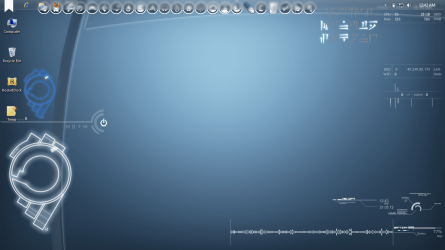
sweet thanks man thats what i wanted thanks a lotHow's this?
My Computer
At a glance
64
- OS
- 64

sweet thanks man thats what i wanted thanks a lotHow's this?

sweet thanks man thats what i wanted thanks a lotHow's this?
yeah it looks nice thanks again mansweet thanks man thats what i wanted thanks a lotHow's this?
No worries, glad I could help. Are they the right size? That's what I was worried about, I had no way of telling apart from trial and error.

...This was way harder then i thought.
Worried about size...


i tried to apply it with a start button changer but it cant find it. i put it on desktop and tried browsing for it in the start orb changer desktop folder but it doesnt show up...Me to WasBut it took lot time to me.
This was way harder then i thought.
Worried about size
yeah i downloaded and extracted the zip but your ribbons have a trasnparent background and the other ones have a black background i tried adding a black layer in ps but it still wouldnt show up....you have downloded the zip file not the atatched image rite?
coz the orb is in the zip file. try it then tell me if it works or not. then we will look further solutions.
its called w7sbc. i tried it with the one you posted and it works but after i get a fialed to update BITMAP 6801:24. i did a restart and the orb was still the same and i keep getting the errorStrange! that orb is working perfect for me see in the SS.
And don't try to edit or something or the pixels could got
messed up. you can still apply it as a start orb
even it have transparent background that doesn't matter.
What program you are using to apply the orb.?
try this one I've attached.
Strange! that orb is working perfect for me see in the SS.
And don't try to edit or something or the pixels could got
messed up. you can still apply it as a start orb
even it have transparent background that doesn't matter.
What program you are using to apply the orb.?
try this one I've attached.
its called w7sbc. i tried it with the one you posted and it works but after i get a fialed to update BITMAP 6801:24. i did a restart and the orb was still the same and i keep getting the errorStrange! that orb is working perfect for me see in the SS.
And don't try to edit or something or the pixels could got
messed up. you can still apply it as a start orb
even it have transparent background that doesn't matter.
What program you are using to apply the orb.?
try this one I've attached.
http://dl.dropbox.com/u/80505191/Untitled.png
Open up the PSD again but this time save it as a bitmap (.BMP) file.
its called w7sbc. i tried it with the one you posted and it works but after i get a fialed to update BITMAP 6801:24. i did a restart and the orb was still the same and i keep getting the error
The problem isn't with the application that you're using, it's the fact that the start orbs have been saved as PNGs, not BMPs
its called w7sbc. i tried it with the one you posted and it works but after i get a fialed to update BITMAP 6801:24. i did a restart and the orb was still the same and i keep getting the error
Sounds like you're using the right program, but you may need to run it as admin to work properly... Try right-click > Run as Administrator. If you have UAC enabled, you should get a UAC prompt asking for permission first.
The problem isn't with the application that you're using, it's the fact that the start orbs have been saved as PNGs, not BMPs
W7SBC should still work with PNGs, I haven't tried it myself, but I think Kishan did include logic to use PNG files for the source image in the application..
Still, having said that, a 32-bit BMP with all four RGBA channels (Red, Green, Blue, Alpha) would be the best bet.
Hit the small arrow at the bottem right and it will expand. then chuse the second option that says "Replace by editing resorces"
try it and tell if it works.
if it dint just tell i will reply after about 6-8 hours coz i have some impotrant work to to. sory for not helping this time
Hit the small arrow at the bottem right and it will expand. then chuse the second option that says "Replace by editing resorces"
try it and tell if it works.
if it dint just tell i will reply after about 6-8 hours coz i have some impotrant work to to. sory for not helping this time
I tried it gave me another error and it reboot my laptop and when I sign in all I get is a black screen with just the mouse pointer