Customizing Right Click Menu in IE

Harpal Singh

New member
Local time
1:14 AM
Messages
5
Hi,
How to remove Go to My Pictures option from right click menu in IE. I have checked in Registries but can't any find option to remove it. It comes when I right click on a image in a web page.
 

Attachments

  • Screen Shot.jpg
    Screen Shot.jpg
    33.5 KB · Views: 43

My Computer

Computer Manufacturer/Model Number
Dell
OS
Windows 7 Home Premium 64Bit
CPU
Core 2 Duo 2.93Ghz
Memory
4GB
Graphics Card(s)
nVidia Geforce
Sound Card
Realtek HD Audio
Hard Drives
Primary 360GB, Secondary 2TB
Case
Slim
I don't think there is away of removing it, i have checked many forums and the Registries and even look back at my 680 & 685 MCITP books, but no where does it mention how to remove.

I think were just going to have to live with it....
 

My Computer

OS
Windows 7 Enterprise x64
I'll keep checking until we get a solution, lets hope as we can play with Windows operating systems
 

My Computer

Computer Manufacturer/Model Number
Dell
OS
Windows 7 Home Premium 64Bit
CPU
Core 2 Duo 2.93Ghz
Memory
4GB
Graphics Card(s)
nVidia Geforce
Sound Card
Realtek HD Audio
Hard Drives
Primary 360GB, Secondary 2TB
Case
Slim
You'll have to dig into the Registry. Launch REGEDIT and navigate to the key HKEY_CURRENT_USER\Software\Microsoft\Internet Explorer\MenuExt. Each subkey of this key represents one menu item. Many will include an ampersand (&) to define the underlined key associated with the command.
To get rid of a command, you can delete the corresponding key, but that's permanent. Instead, highlight the key you want to delete (for example, HKEY_CURRENT_USER\Software\Microsoft\Internet Explorer\MenuExt\Zoom &In). Choose Export from the Registry menu and export that branch to a file. Now delete the key. Open the exported REG file in Notepad. Find the string MenuExt near the end of the long third line and change it to MenuExt-. Save the file and double-click to launch it. Your no-longer-used menu item's Registry data will be saved in the Registry under the key HKEY_CURRENT_USER\Software\Microsoft\Internet Explorer\MenuExt-. If you want to bring the key back some day, you can reverse the procedure described.


If i have helped please add reputation.

6288

 

My Computer

OS
Windows 7 Enterprise x64
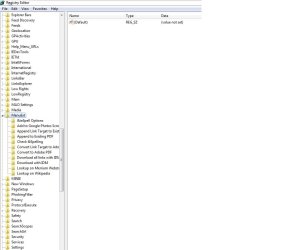
'Thanks for trying. I did as you said but I can't find the option of Go To My pictures. You can check the attachment
 

Attachments

  • Untitled.jpg
    Untitled.jpg
    46 KB · Views: 38

My Computer

Computer Manufacturer/Model Number
Dell
OS
Windows 7 Home Premium 64Bit
CPU
Core 2 Duo 2.93Ghz
Memory
4GB
Graphics Card(s)
nVidia Geforce
Sound Card
Realtek HD Audio
Hard Drives
Primary 360GB, Secondary 2TB
Case
Slim
How strange.... have a look and see if there is a different branch, one thats specific to images mabey?
Mine was in that little folder your in now, but i guess that could be down to settings?? I guess its worth a look around.

Ill keep on lookin and try and find it for you :)
 

My Computer

OS
Windows 7 Enterprise x64
Thanks for trying & I'll look around until we find a solution to this.:)
 

My Computer

Computer Manufacturer/Model Number
Dell
OS
Windows 7 Home Premium 64Bit
CPU
Core 2 Duo 2.93Ghz
Memory
4GB
Graphics Card(s)
nVidia Geforce
Sound Card
Realtek HD Audio
Hard Drives
Primary 360GB, Secondary 2TB
Case
Slim
Ok ive been looking at this really hard now and I may have found a different solution which should work for you... it involves downloadind a piece of software called "ToolbarCop" It is a browser extension manager that lets you remove the entries of the right click menu easily, just select the items enlisted and disable them HOWEVER because this is a WIN7 default Im unsure if you will be able to remove it like this, worth a try i guess?
 

My Computer

OS
Windows 7 Enterprise x64
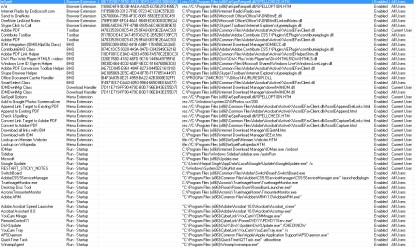
I tried ToolbarCop but it din't worked. I don't have any option related to images. I want to delete Go to My Pictures from right click menu.
 

Attachments

  • ToolBarCop.png
    ToolBarCop.png
    25.9 KB · Views: 26

My Computer

Computer Manufacturer/Model Number
Dell
OS
Windows 7 Home Premium 64Bit
CPU
Core 2 Duo 2.93Ghz
Memory
4GB
Graphics Card(s)
nVidia Geforce
Sound Card
Realtek HD Audio
Hard Drives
Primary 360GB, Secondary 2TB
Case
Slim
Back
Top