- Local time
- 7:55 AM
- Messages
- 1,485
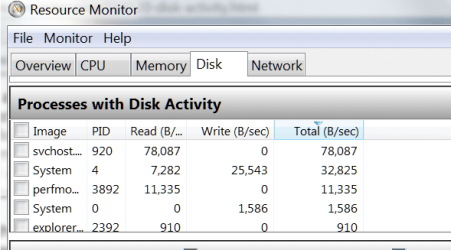
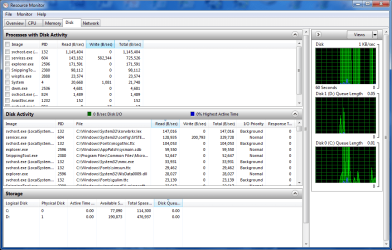
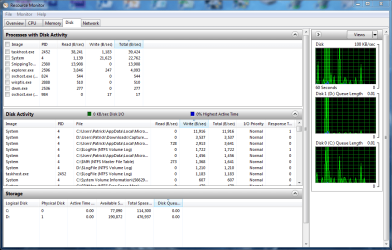
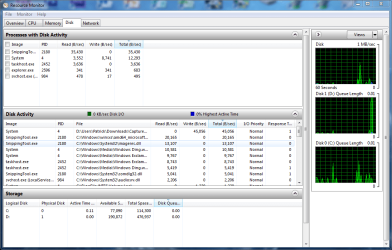
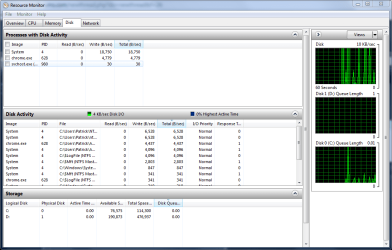
i have a fresh install of W7 Pro 64 and finally got everything up and running on my new SSD. however, i get a lot of random disk activity. my Disk light on the front of my PC flashes quite a bit however it dos it sporadically. i have only 3 programs start with windows (steam, avast, realtek) and only 40 processes running. since im on an SSD, this kinda worries me. i do have prefetch enabled but only for boot files, and indexing is turned off. page file i have set to 1GB and system restore is set to 5.5GB. disk ativity jumps around a lot from 0kb/s to 200kb/s
also other than that, what else should i do to make sure SSD is running 100% and also to reduce writes and increase performance?
also other than that, what else should i do to make sure SSD is running 100% and also to reduce writes and increase performance?
Attachments
My Computer
- Computer type
- PC/Desktop
- Computer Manufacturer/Model Number
- Weekend Warrior Rig
- OS
- Windows 10 Pro
- CPU
- Intel i7-3770K 4.4GHz
- Motherboard
- ASUS P8Z77-V Pro
- Memory
- 8GB G.SKILL Ripjaws 1866 MHz
- Graphics Card(s)
- EVGA GTX 980 Classified
- Monitor(s) Displays
- Asus VH238H 23" 2ms
- Screen Resolution
- 1920x1080
- Hard Drives
- Intel 330 120GB SSD /
WD Blue 1TB /
WD Black 500GB
- PSU
- Corsair CX750M
- Case
- NZXT H440
- Cooling
- Corsair H80i- CPU / Corsair H90- GPU
- Keyboard
- Logitech K360 LE
- Mouse
- Logitech G500
- Antivirus
- Avast
- Browser
- Chrome
- Other Info
- 1200W 2.1 Surround Sound Audio