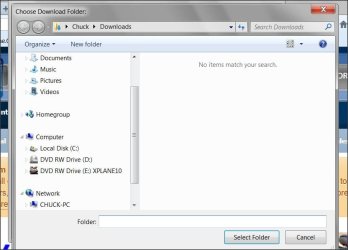
Hi do you see favorites ?
You can post a screen shot of the options you do see,
There's a link above my signature picture to show you how,
If Internet explorer is Open,
Use Ctrl+J to open the View Downloads which at that point you can follow the link to go to where the download went and then drag it to your desktop,
Or after using Ctrl+J you can click on Options on the bottom left and direct files to a specific folder like the desktop,
Although the desktop is not a great place to have downloads go unless it's specified for a scanner of some sort to check for infection by a security professional as part of the instructions,
But you really haven't given any examples of any file types your downloading ?
Cheers.